

Smart Magic Data is a Smart Prepaid mobile data service that provides internet data without a standard expiration period. Users can purchase a data package and keep the remaining allocation until it is consumed. It is suitable for students, travellers, foreign residents, and occasional users who need flexible mobile internet access in the Philippines.
What Is Smart Magic Data?
Smart Magic Data is a Smart Prepaid offer that provides data without the usual short promo expiration period. Instead of having to finish a package within a few days or weeks, the remaining data can stay on the account for future use.
For example, someone who has Wi-Fi at their apartment and university might not need mobile data every day. A no-expiry package can be used only when that person is travelling, commuting, checking directions, sending messages or temporarily away from Wi-Fi.
The current Smart Online Store lists Magic Data options ranging from ₱99 to ₱749, including packages such as 2 GB, 3 GB, 8 GB, 16 GB, 26 GB, 38 GB, 50 GB and 65 GB. Smart’s catalogue can change, so users should check the official store before purchasing.
Why choose no-expiry data?
The main difference is flexibility. With a normal short-term promo, unused data can disappear when the validity period ends. With Smart Magic Data, the data is intended to remain available until consumed, subject to Smart’s applicable terms.
It can therefore suit users who:
- Use mobile data only occasionally
- Already have Wi-Fi at home, school or work
- Need a backup internet connection
- Travel around the Philippines
- Want data available for navigation and messaging
- Prefer prepaid services without recurring monthly commitments
- Do not want to purchase a new short-term data promo every few days
Current Smart Magic Data Offers
Smart’s current online catalogue shows these Magic Data packages:
| Promo | Price | Data | Validity |
|---|---|---|---|
| Magic Data 99 | ₱99 | 2 GB | No expiry |
| Magic Data 149 | ₱149 | 3 GB | No expiry |
| Magic Data 249 | ₱249 | 8 GB | No expiry |
| Magic Data 349 | ₱349 | 16 GB | No expiry |
| Magic Data 449 | ₱449 | 26 GB | No expiry |
| Magic Data 549 | ₱549 | 38 GB | No expiry |
| Magic Data 649 | ₱649 | 50 GB | No expiry |
| Magic Data 749 | ₱749 | 65 GB | No expiry |
These are open-access data packages, meaning they are intended for general internet use rather than being limited to one particular application.
Smart’s official store currently confirms the no-expiry status and allocations for these products. Because prepaid catalogues can be updated, always verify the package shown at checkout before paying.
Magic Data vs Magic Data+
Smart also offers Magic Data+, which combines no-expiry data with calls and texts. This can be more suitable if you need mobile internet as well as a non-expiring allowance for communication.
Examples currently listed by Smart include:
| Promo | Total Data | Calls | Texts |
|---|---|---|---|
| Magic Data+ 199 | 4 GB | 50 mins | 50 |
| Magic Data+ 299 | 10 GB | 100 mins | 100 |
| Magic Data+ 399 | 19 GB | 150 mins | 150 |
| Magic Data+ 499 | 30 GB | 200 mins | 200 |
| Magic Data+ 699 | 50 GB | 300 mins | 300 |
| Magic Data+ 799 | 64 GB | 600 mins | 600 |
| Magic Data+ 899 | 85 GB | 900 mins | 900 |
The newer Smart listings show that some Magic Data+ packages include a separate 5G data allocation in addition to their regular no-expiry data. For instance, Magic Data+ 299 currently shows 8 GB regular data plus 2 GB 5G data, while Magic Data+ 499 shows 26 GB regular data plus 4 GB 5G data.
That distinction matters when comparing packages. Don’t look only at the total GB figure; check how much is regular data and how much is 5G data.
Who Can Benefit From Smart Magic Data?

There is no need to use several gigabytes every week to make a no-expiry package useful. In fact, the format can make more sense for light or irregular users.
Students
Students who spend most of their time on campus or connected to Wi-Fi can keep Smart Magic Data for commuting, outdoor study sessions, transport apps and urgent online research.
Travellers and visitors
A traveller can use the data for maps, translation tools, booking information, messaging and browsing without worrying about a short promo deadline.
Foreign residents
Foreign residents who have fixed Wi-Fi at home may prefer to keep prepaid mobile data as a secondary connection. It can be useful when travelling between cities or when Wi-Fi is temporarily unavailable.
Occasional mobile-data users
If you only use mobile data when you leave home, a no-expiry option can reduce the need to repeatedly buy short-validity packages.
Important: No-Expiry Does Not Mean No SIM Requirements
One of the easiest things to misunderstand about Smart Magic Data is the phrase “no expiry”. It refers to the data promo, not necessarily permanent SIM activity.
Smart’s current Magic Data product pages instruct customers to maintain at least ₱1 load to keep the SIM active. Smart also publishes separate guidance about keeping prepaid SIMs active. Therefore, users who plan to retain a Magic Data balance for a long period should pay attention to the status of the Smart SIM itself.
This is particularly important for people who buy a large data package but use very little data. Keeping the account active is part of making the no-expiry arrangement useful over time.
Where to Buy Smart Magic Data
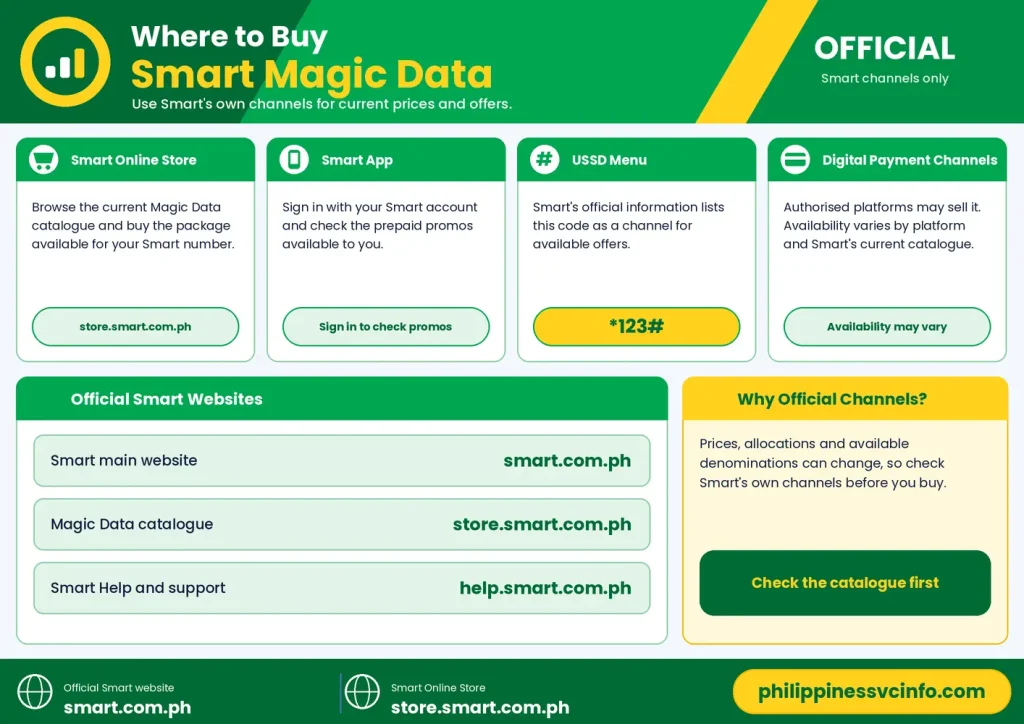
There are several ways to look for Smart Magic Data. The safest approach is to use Smart’s own channels because prices, allocations and available denominations can change.
You can check:
- Smart Online Store – browse the current Magic Data catalogue and purchase the package available for your Smart number.
- Smart App – sign in with your Smart account and check the available prepaid promos.
- USSD menu – Smart’s official information also identifies *123# as a channel for accessing available offers.
- Authorised digital payment channels – availability may vary depending on the platform and current Smart catalogue.
Official Smart websites
How to Register Smart Magic Data
Once you’ve decided which Smart Magic Data package suits your usage, the next step is to purchase it through an available Smart channel. The exact menu names and available promos can change, so check the package details shown at the time of registration.
Method 1: Buy Smart Magic Data Through the Smart App
The Smart App is one of the most convenient ways to manage a Smart Prepaid account. It allows customers to view available promos, manage their account and purchase eligible offers from their phone.
Step 1: Install or open the Smart App
Download the official Smart App from the appropriate app store for your device, then open it.
For official information, use:
Step 2: Sign in with your Smart number
Enter your Smart Prepaid mobile number when prompted.
Depending on the login process, Smart may send a One-Time PIN (OTP) through SMS. Enter the verification code to access your account.
Make sure you’re using the correct Smart number before continuing.
Step 3: Open the promo or store section
After signing in, look for the section showing available prepaid promos or the in-app store.
Search for Magic Data or Magic Data+.
The available products may depend on the account, current Smart catalogue and promotional availability.
Step 4: Select your package
Compare the available options before purchasing.
For example, a light user might consider a smaller Magic Data package, while someone who uses mobile data regularly may prefer a larger allocation.
If you need calls and texts as well as internet access, look at the Magic Data+ options.
Check:
- Price
- Data allocation
- 5G allocation, if included
- Calls
- Texts
- Validity
- Payment method
Step 5: Confirm the purchase
Select the payment method offered by the Smart App and review the final transaction information.
Do not confirm until the price and package details match what you intended to buy.
After a successful transaction, wait for the confirmation message or account update.
Tip: Take a screenshot of the successful transaction if you need a record for troubleshooting later.
Method 2: Register Using *123#
Users who prefer a phone-based option can use Smart’s USSD menu.
The general process is:
- Open your phone’s Dialer.
- Dial
*123#. - Press the call button.
- Review the options displayed on the screen.
- Look for the relevant promo or no-expiry data category.
- Select the available Magic Data package.
- Confirm the purchase.
- Wait for Smart’s confirmation message.
The exact menu structure can change, so follow the options currently displayed on your Smart SIM.
If a particular Magic Data package isn’t shown, don’t assume that the package has been permanently discontinued. It may simply be unavailable through that channel at that time. Check the Smart App or official Smart Online Store as well.
Method 3: Use the Smart Online Store
Another option is the official Smart Online Store.
Visit the official store and look for the Magic Data category:
From there, review the available packages and follow the checkout instructions.
This method is particularly useful when you want to compare several Magic Data options before purchasing rather than selecting the first package displayed in a mobile menu.
Before paying, check these details
| What to check | Why it matters |
|---|---|
| Price | Confirms how much you’ll pay |
| Data allocation | Shows how much internet data is included |
| 5G allocation | Some Magic Data+ packages include separate 5G data |
| Calls | Important if you need voice service |
| Texts | Useful for users who still send SMS |
| Expiry | Confirm the package is marked no expiry |
| Number | Make sure the correct Smart account is being used |
Can You Buy Smart Magic Data With GCash or Maya?
The payment options available can vary according to the Smart channel and current account setup.
Your supplied Smart Magic Data information identifies GCash and Maya among possible digital payment routes, while prepaid users may also see options such as linked cards or regular load depending on the purchase channel.
If you’re using an e-wallet, open its Buy Load or equivalent mobile-services section and search for the currently available Smart promos.
Because third-party e-wallet catalogues can differ from Smart’s own catalogue, compare the final promo description carefully before confirming a purchase.
For the most direct product information, start with Smart’s own channels.
How to Check Your Smart Magic Data Balance
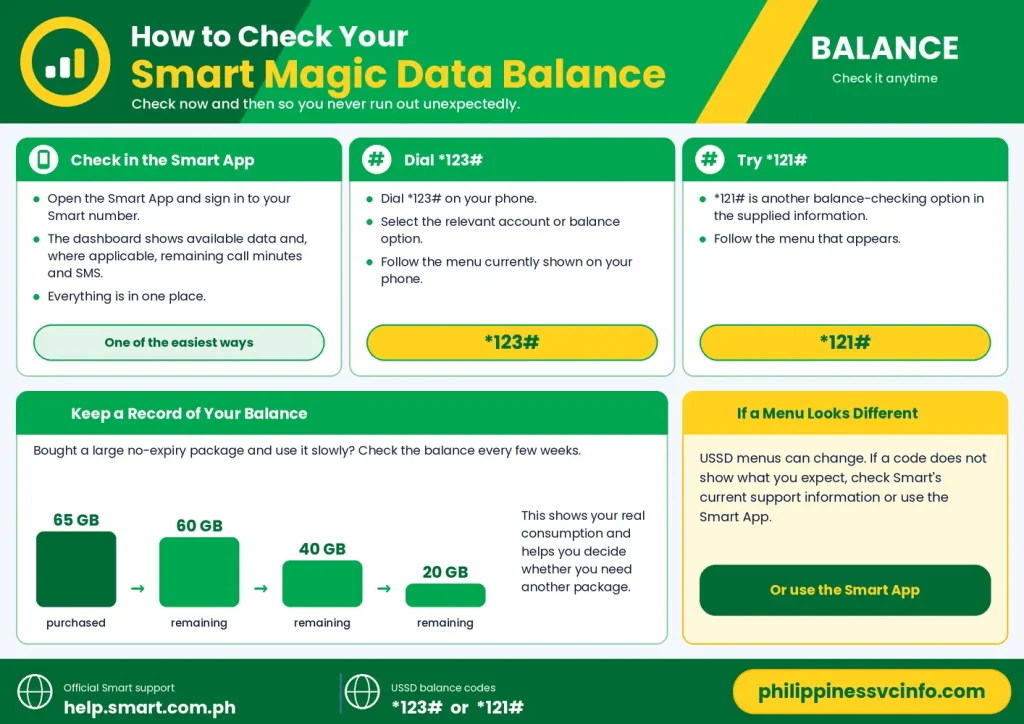
Buying a no-expiry promo does not mean you can ignore the remaining balance. Checking your data occasionally helps you avoid unexpectedly running out when you actually need mobile internet.
There are several ways to check your account.
Check through the Smart App
Open the Smart App and sign in to your Smart number.
The account dashboard can show available data and, where applicable, remaining call minutes and SMS allocations.
This is one of the easiest ways to monitor Smart Magic Data because you can see the account information in one place.
Check using *123#
You can also use the Smart USSD menu:
Dial *123# → select the relevant account or balance option.
Follow the menu currently displayed on your phone.
Try *121#
Your supplied information also identifies *121# as another balance-checking option.
USSD menus can change, so if one code or menu does not display the information you expect, check Smart’s current support information or use the Smart App.
Keep a record of your balance
If you bought a large no-expiry package and use it very slowly, checking the balance every few weeks can be useful.
For example:
65 GB purchased → 60 GB remaining → 40 GB remaining → 20 GB remaining
This makes it easier to understand your actual consumption and decide whether you need another package.
How Smart Magic Data Works in Everyday Use
The main attraction of Smart Magic Data is that the data is designed for general internet use rather than being tied to one particular application.
Depending on your device, network availability and the applicable package terms, you can use general data for activities such as:
- Web browsing
- Google searches
- Maps and navigation
- Messaging applications
- Social media
- Online classes
- Work platforms
- Video calls
- Streaming
- Online shopping
- Mobile gaming
The advantage is convenience. You don’t have to buy a separate app-specific package every time you want to use a different online service.
Be careful with video streaming
No-expiry data can last a long time for light users, but video can consume data much faster than browsing or messaging.
Services such as YouTube and Netflix can use substantial amounts of mobile data, particularly at higher video quality.
If your objective is to make a Magic Data package last for months, consider:
- Lowering video quality
- Turning off automatic video playback
- Downloading large files while connected to Wi-Fi
- Restricting background data for heavy applications
- Checking your phone’s data-usage dashboard
A no-expiry package can remain available for a long time, but the data itself is still finite.
Can You Stack Smart Magic Data?
Your supplied information states that registering for another Smart Magic Data package while an earlier balance remains can combine the available data allocations, preserving the no-expiry nature of the balance.
For example, if an account has unused data and another eligible Magic Data package is purchased, the new allocation may be added to the existing balance according to Smart’s applicable terms.
However, users should check the current promo mechanics before deliberately stacking packages. Product rules and allocation structures can change, especially when a package contains separate 5G data.
Why stacking can be useful
Suppose you purchased a smaller package because you weren’t sure how much data you would need. Later, your usage increases.
Instead of waiting for the old balance to disappear, an eligible additional package can provide more data for future use.
The key is to check the transaction details before purchasing rather than assuming every Smart promo combines in exactly the same way.
Smart Magic Data and 5G: What You Need to Know
Not every Magic Data package is structured in the same way.
Standard Magic Data is primarily presented as general data without an expiry period. Some Magic Data+ packages, however, include a separate 5G allocation.
That means a package can contain:
Regular data + additional 5G data
rather than simply providing one unrestricted pool with a single GB figure.
Before buying a package that advertises 5G data, check:
- How much regular data is included.
- How much 5G data is included.
- Whether your phone supports 5G.
- Whether Smart 5G coverage is available where you’re using the service.
- The current terms shown by Smart.
A 5G-labelled allowance should not automatically be treated as identical to the standard data allocation.
What Happens When Smart Magic Data Is Not Working?
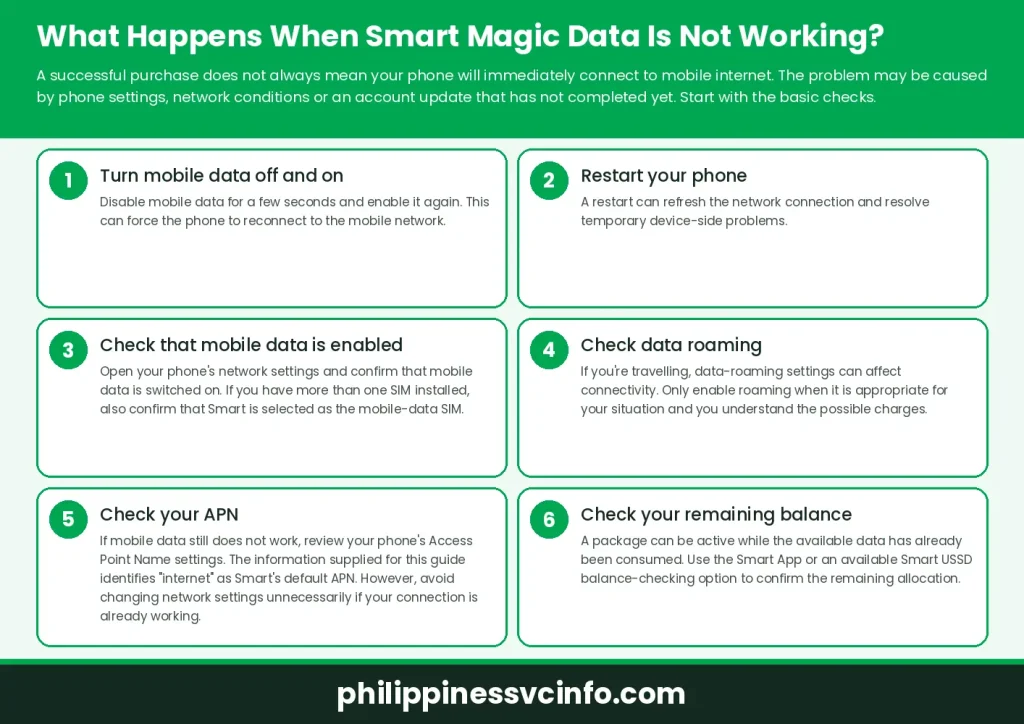
A successful purchase does not always mean your phone will immediately connect to mobile internet. The problem may be caused by phone settings, network conditions or an account update that has not completed yet.
Start with the basic checks.
1. Turn mobile data off and on
Disable mobile data for a few seconds and enable it again.
This can force the phone to reconnect to the mobile network.
2. Restart your phone
A restart can refresh the network connection and resolve temporary device-side problems.
3. Check that mobile data is enabled
Open your phone’s network settings and confirm that mobile data is switched on.
If you have more than one SIM installed, also confirm that Smart is selected as the mobile-data SIM.
4. Check data roaming
If you’re travelling, data-roaming settings can affect connectivity. Only enable roaming when it is appropriate for your situation and you understand the possible charges.
5. Check your APN
If mobile data still does not work, review your phone’s Access Point Name settings.
The information supplied for this guide identifies internet as Smart’s default APN. However, avoid changing network settings unnecessarily if your connection is already working.
6. Check your remaining balance
A package can be active while the available data has already been consumed.
Use the Smart App or an available Smart USSD balance-checking option to confirm the remaining allocation.
Why Is Smart Magic Data Data Draining Quickly?
“No expiry” does not mean “unlimited”.
If your package contains 16 GB, for example, you still have only the included allocation to consume. Once it has been used, you need another eligible package if you want additional data.
Common causes of faster data consumption include:
- HD video streaming
- Video calls
- Automatic app updates
- Cloud photo backups
- Social-media video
- Large downloads
- Mobile gaming updates
- Personal hotspot use
- Background app activity
A practical way to reduce consumption
Go to your phone’s Mobile Data/Data Usage settings and identify which apps are consuming the most data.
You may discover that one application is responsible for a large share of your usage. Restricting its background activity can help your Magic Data allocation last longer.
What If the Smart App Shows “Transaction Failed”?
A failed purchase does not necessarily mean your Smart account is permanently unable to subscribe.
Try these steps:
First: Check whether your payment or regular load was actually deducted.
Second: Wait briefly and check the transaction or promo status before attempting another purchase.
Third: Close and reopen the Smart App.
Fourth: Check your internet connection.
Fifth: If the app continues to fail, try an available alternative such as the Smart USSD menu.
Avoid repeatedly paying for the same promo until you have confirmed that the first transaction failed. This can help prevent accidental duplicate purchases.
Smart Magic Data Troubleshooting Checklist
Before contacting support, run through this short checklist:
- Confirm the Smart number you’re using.
- Check whether the purchase was successful.
- Verify your remaining data.
- Turn mobile data off and on.
- Restart the phone.
- Confirm Smart is selected for mobile data.
- Check the network signal.
- Review the APN if necessary.
- Test another website or application.
- Check whether the issue affects only one app.
- Use Smart’s official support if the problem continues.
This approach can quickly separate an account issue from a phone-settings problem.
Smart Magic Data: A Practical Example
Imagine a student who spends most weekdays connected to university Wi-Fi.
They purchase a no-expiry Magic Data package and use only a small amount during the month. Instead of losing the unused balance after seven, fifteen or thirty days, the remaining data can stay available under the no-expiry offer.
A few weeks later, the student travels to another city. The same balance can be used for navigation, messaging, browsing and other internet activities.
That’s where the no-expiry model becomes particularly useful: the user can consume the data according to their actual needs rather than trying to finish it before an arbitrary short validity period.
Why is my Smart Magic Data not working?
Several issues can prevent mobile data from working even when a package has been purchased.
Try:
- Turning mobile data off and on.
- Restarting your phone.
- Checking that the Smart SIM is selected for mobile data.
- Checking your remaining data.
- Checking your network signal.
- Reviewing the APN if necessary.
- Testing another website or application.
- Contacting Smart support if the issue remains.
If you are travelling, also check the relevant roaming settings and possible charges before enabling roaming.
What should I do if my Smart Magic Data purchase fails?
First, determine whether your payment or regular load was actually deducted.
If no successful transaction occurred, try reopening the Smart App and checking your connection. You can also use another available Smart purchase channel such as the USSD menu.
If money or load was deducted but the promo is not showing, avoid repeatedly buying the same package. Keep the transaction details and contact Smart through its official support channel.
Can I buy Smart Magic Data through the Smart App?
Yes, the Smart App is one of the channels described for purchasing Smart Prepaid promos.
Open the app, sign in with your Smart number, find the available promo/store section, select an eligible Magic Data package and follow the displayed payment instructions.
The exact app interface can change, so use the current menu shown in your version of the Smart App.
Can foreigners use Smart Magic Data in the Philippines?
Foreign residents and travellers can find a no-expiry prepaid data option useful for everyday connectivity, but eligibility depends on the Smart SIM and applicable Philippine SIM requirements.
A foreign visitor should make sure the SIM has been properly registered under the rules applicable to their situation before expecting prepaid services to work.
For current requirements, use Smart’s official information and the relevant Philippine government guidance rather than relying on an old third-party article.
Does Smart Magic Data work on 5G?
Standard Magic Data and Magic Data+ should not be treated as identical products.
Some Magic Data+ packages include a separate 5G data allocation, while standard Magic Data is presented as general no-expiry data.
If 5G is important to you, check the specific package description, your handset’s 5G compatibility and Smart’s current coverage information.
What is the difference between Smart Magic Data and regular data promos?
The main difference is the validity structure.
A conventional prepaid data promo can have a fixed validity period, such as several days or weeks. Smart Magic Data is designed without that normal expiration period.
That can make it more practical for users whose mobile-data needs are irregular.
| Feature | Smart Magic Data | Short-validity promo |
|---|---|---|
| Data validity | No expiry | Fixed period |
| Best suited to | Occasional/light users | Regular short-term users |
| Data use | General internet | Depends on promo |
| Need to finish data quickly | No | Usually yes |
| Calls/texts | Mainly Magic Data+ | Depends on promo |
| 5G allocation | Package dependent | Package dependent |
Is Smart Magic Data unlimited?
No.
This is one of the most important points to understand.
No expiry means the data has no normal expiration date. It does not mean unlimited data.
If you buy 8 GB, your available allocation is still 8 GB. Once the 8 GB has been consumed, you need another eligible data package.
How can I make my Smart Magic Data last longer?
The best approach is to identify which activities use the most data.
Try these practical measures:
- Use Wi-Fi for large downloads.
- Lower video streaming quality when on mobile data.
- Disable automatic app updates over cellular data.
- Restrict background data for heavy applications.
- Turn off automatic cloud backups when using mobile data.
- Check your phone’s data-use report regularly.
- Avoid unnecessary hotspot use.
This can make a relatively small no-expiry package useful for much longer.
Common Smart Magic Data Mistakes to Avoid
Even though the purchase process is straightforward, several mistakes can cause confusion.
Mistake 1: Assuming no expiry means unlimited
It doesn’t. Your data allocation is still limited to the number of GB included in your package.
Mistake 2: Ignoring the SIM’s active status
A no-expiry package does not remove the need to maintain the underlying prepaid SIM.
Mistake 3: Looking only at the headline GB figure
Magic Data+ packages can include different types of data, including separate 5G allocations. Read the complete package description.
Mistake 4: Re-purchasing immediately after an apparent transaction error
Check your balance and transaction history first. A delayed account update can make a successful purchase look incomplete.
Mistake 5: Forgetting background data
Cloud backups, app updates and video autoplay can consume data without obvious interaction.
Mistake 6: Using an outdated promo list
Prepaid packages can change. Always confirm the current price and inclusions on Smart’s official website or store.
Smart Magic Data Checklist Before You Buy
Use this checklist before confirming your purchase:
- Confirm your Smart number.
- Check the current price.
- Read the exact GB allocation.
- Confirm that the package is marked no expiry.
- Check whether it includes calls and texts.
- Check whether a 5G allocation is included.
- Review the available payment method.
- Save your transaction confirmation.
- Check your balance after activation.
This takes only a few minutes and can prevent confusion later.
Official Smart Links and Support
For the safest and most current information, use Smart’s official channels rather than relying on old promo lists.
These are particularly useful when checking whether a particular Smart Magic Data package is currently available, because prepaid offers and package structures can change.
Smart Magic Data FAQs
Final Thoughts on Smart Magic Data
Smart Magic Data is built around a straightforward idea: buy a defined amount of mobile data and use it when you actually need it, rather than racing against a short promo expiration date.That structure can be useful for students, foreign residents, travellers and anyone who normally has Wi-Fi but wants mobile data available as a backup. The standard catalogue provides several data sizes, while Magic Data+ adds calls and texts to selected packages. Before purchasing, don’t focus only on the number of gigabytes. Check the current price, data type, 5G allocation where applicable, calls and texts, and no-expiry terms shown by Smart. Then keep an eye on your balance and the active status of your Smart SIM.
Discover What You Need to Know:
- Smart Rocket SIM Philippines 2026 : Price, Registration, Activation, Promos & Unlimited Data Guide
- Smart Load Philippines 2026 : How to Buy, Reload & Check Balance Online
- Pasaload Smart Philippines 2026: How to Pasaload Smart Load, Codes, Fees & Complete Guide
- Smart Magic Data Philippines 2026 : Complete Guide to No-Expiry Data, Promos, Prices & Registration
- Smart Plan Guide 2026: Plans, Registration, Benefits, Features & How to Use
- Smart eSIM Activation: Complete Philippines Setup & Registration Guide 2026
- Smart SIM Registration Guide 2026: Register, Verify & Activate Your SIM
- Smart Plan with Device: Complete Smart Postpaid Guide, Plans, Requirements, Costs & Online Application (2026)








