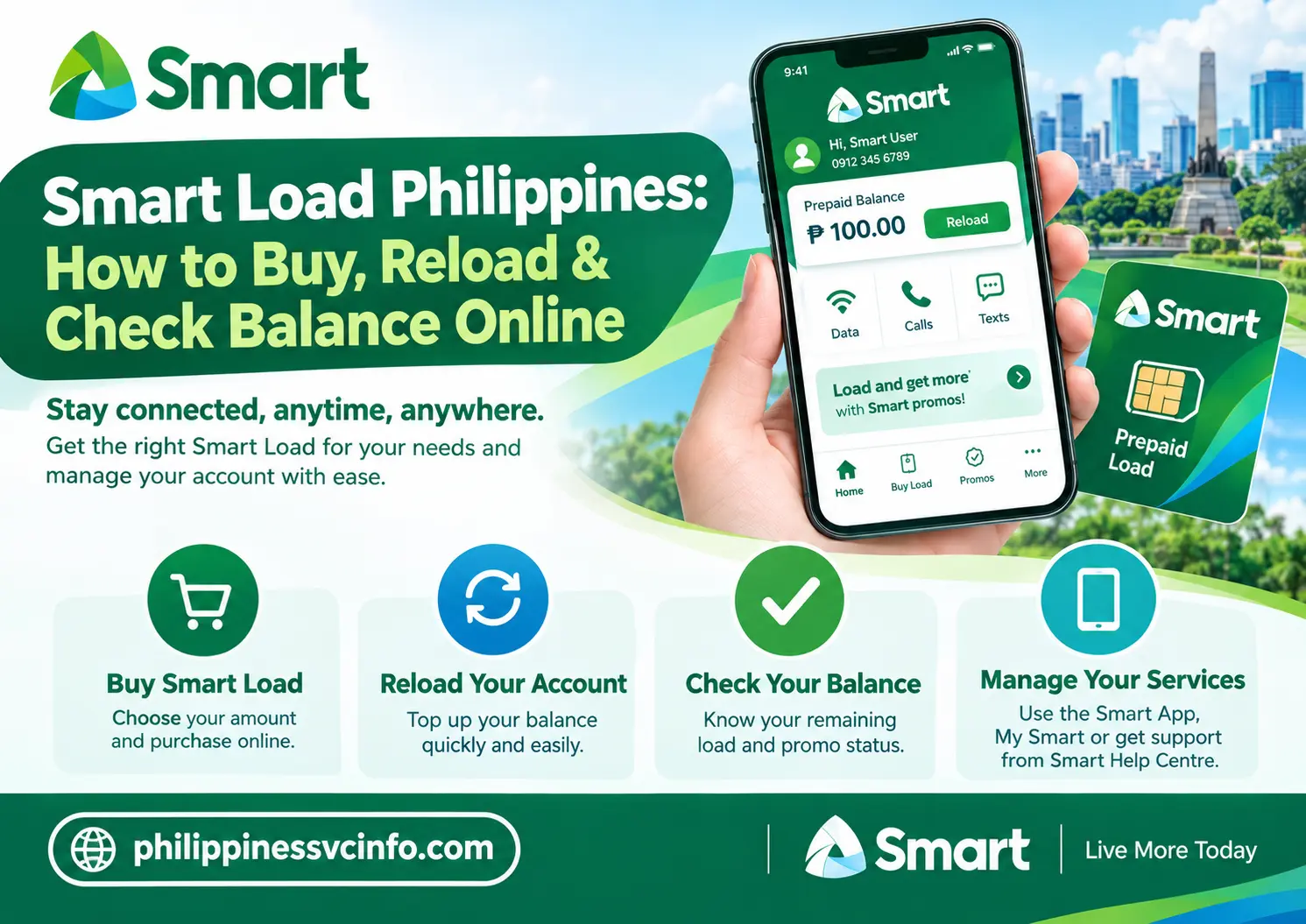
Smart Load is prepaid credit offered by Smart Communications for Smart Prepaid subscribers in the Philippines. It can be used to access mobile services such as calls, texts, mobile data, and selected Smart promos. Customers can purchase Smart Load through online channels, retailers, and other supported loading options.
Smart Load: What It Is and How It Works
Smart Load is the prepaid credit used by Smart subscribers in the Philippines to stay connected through mobile calls, texts, data and other available services. Depending on what you need, you can purchase regular Smart Load, select a promo, or reload your account through an online or physical retailer.
For someone who uses a Smart Prepaid SIM mainly for mobile data, the important distinction is between regular load and a promo. Regular load gives you a peso-denominated balance that can be used according to applicable rates or used to subscribe to available offers. A promo, on the other hand, provides a defined package such as data, calls or texts for a stated validity period.
Smart provides several ways to add credit. You can use the official Smart Online Store, My Smart, Smart’s app-based services, authorised retailers, Call & Text Cards and other supported channels. Smart’s own Help Centre confirms that online reloading and physical retail loading are available options.
Before Buying Smart Load
Before trying to use a Smart Prepaid SIM, make sure it has been properly registered. Smart’s SIM registration information states that registration is required for activation of new prepaid SIMs.
For registration, use the official Smart channel:
Do not rely on an unofficial website asking for payment or unnecessary personal information. SIM registration is a separate process from purchasing Smart Load.
Smart Load Options You Can Buy
The best Smart Load option depends on how you use your mobile number. A person who only needs emergency credit has different needs from someone who uses mobile data every day.
| Smart Load option | Main purpose | Suitable for |
|---|---|---|
| Regular Smart Load | General prepaid credit | Flexible use |
| Promo Load | Load bundled with an additional benefit | Users looking for more value |
| Data promos | Mobile internet access | Regular data users |
| Call and Text Cards | Traditional prepaid reloading | Offline or physical purchases |
| E-Load | Electronic account reload | Quick top-ups |
The current Smart Online Store displays regular eLoad options including ₱50, ₱75, ₱100, ₱200, ₱300, ₱500 and ₱1,000. It also currently lists promo-load products with additional load amounts.
Because Smart can change its available products and denominations, check the official store before purchasing if you need a specific amount.
How to Buy Smart Load Online
One of the most convenient ways to purchase Smart Load is through Smart’s official online store.
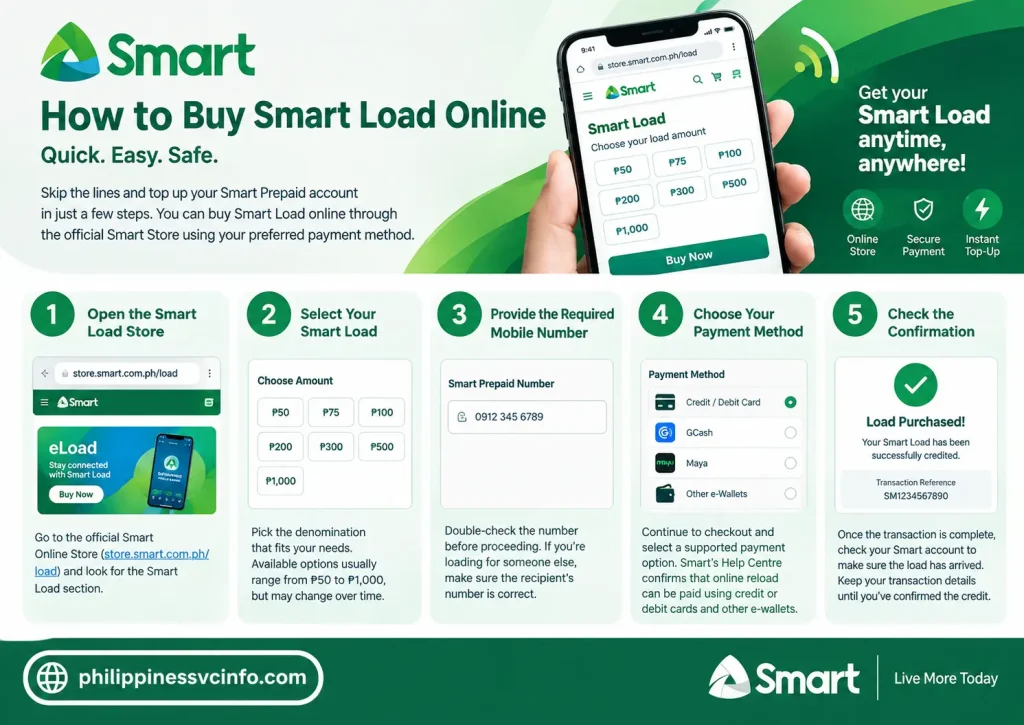
Step 1: Open the Smart Load Store
Go directly to the official Smart Online Store:
The page currently shows several Smart eLoad denominations and provides a Buy Now option for available products.
Step 2: Select Your Smart Load
Choose the denomination that suits your needs. Available options can change, but the current store includes denominations from ₱50 up to ₱1,000.
Check the product details carefully before proceeding. If you are buying for another Smart number, make sure the recipient’s mobile number is entered correctly.
Step 3: Provide the Required Mobile Number
Enter the Smart Prepaid number that should receive the Smart Load.
Take a moment to verify every digit. A mistake in the recipient number can cause problems, particularly when the transaction has already been processed.
Step 4: Choose the Available Payment Method
Continue through the checkout process and select an available payment option.
Smart’s Help Centre confirms that online reload through My Smart can be paid for using supported payment methods, including credit or debit card.
Step 5: Check the Confirmation
After completing the transaction, check whether the load has been credited to the intended Smart account. Keep your transaction details until you have confirmed that the Smart Load has arrived.
How to Reload Smart Prepaid Through My Smart
Smart also provides online reloading through My Smart.
According to Smart’s official Help Centre, the process begins by signing in to your My Smart account and selecting the reload option under the prepaid balance.
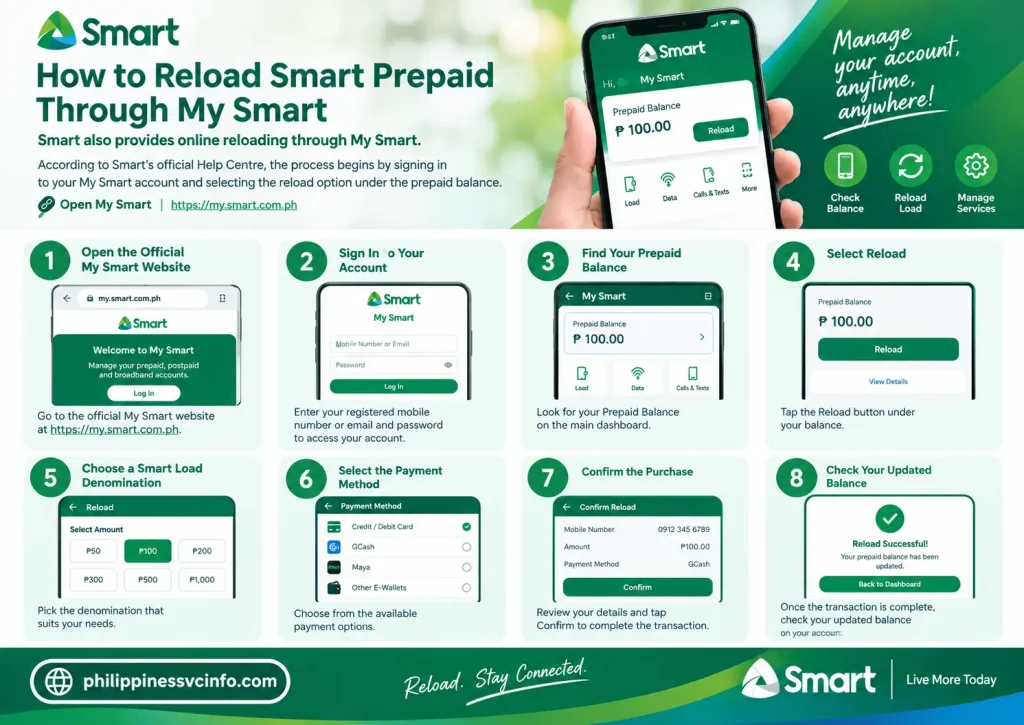
A typical process is:
- Open the official My Smart website.
- Sign in to your account.
- Find your Prepaid Balance.
- Select Reload.
- Choose a Smart Load denomination.
- Select the available payment method.
- Confirm the purchase.
- Check your updated balance.
Use the official Smart website rather than a third-party page claiming to be the My Smart login.
How to Buy Smart Load From a Physical Retailer
Online loading isn’t your only option. Smart says its customers can purchase e-load from more than 1.3 million Smart Load retailers nationwide.
This makes physical retailers useful when:
- You don’t have an online payment method.
- Your mobile data isn’t working.
- You need Smart Load immediately.
- You are already near a participating retailer.
At the shop, provide your 11-digit Smart mobile number and tell the retailer how much load you want.
Before leaving, check that the amount was credited to the correct number.
How to Reload Using a Smart Call & Text Card
Smart Call & Text Cards are another traditional method of adding prepaid credit.
Smart’s official instructions state that you should lightly scratch the protective area of the card to reveal the 14-digit PIN.
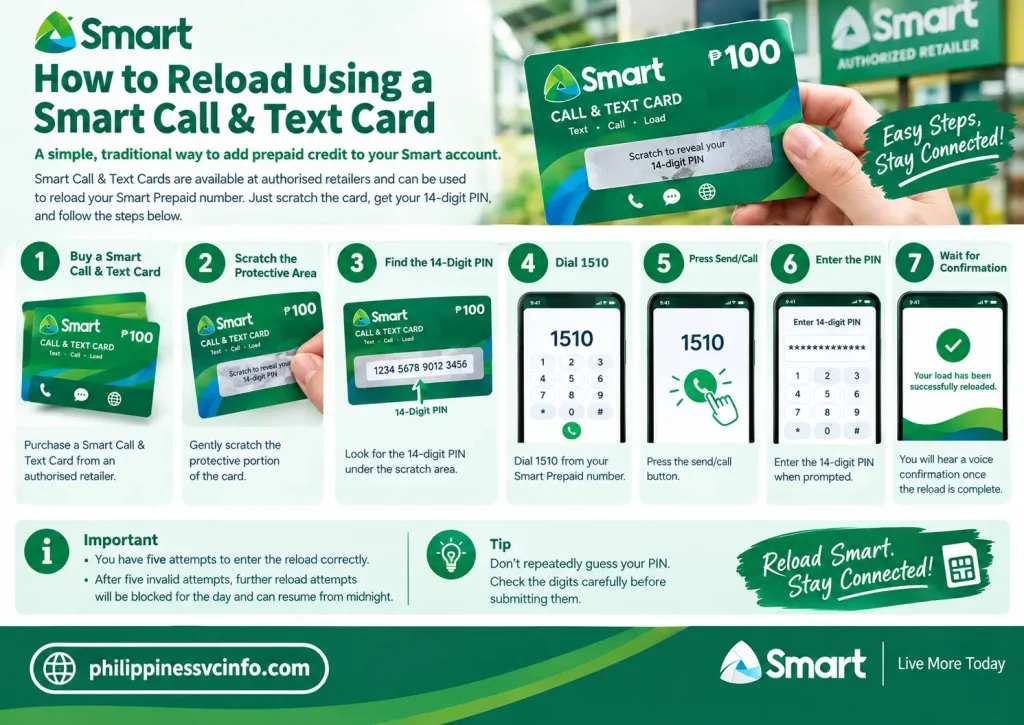
Smart Call & Text Card Steps
- Purchase a Smart Call & Text Card from an authorised retailer.
- Scratch the protective portion carefully.
- Find the 14-digit PIN.
- Dial 1510 from your Smart Prepaid number.
- Press send/call.
- Enter the PIN when prompted.
- Wait for the voice confirmation.
Smart states that you have five attempts to enter the reload correctly. After five invalid attempts, further reload attempts are blocked for that day and can resume from midnight.
Tip: Don’t repeatedly guess a PIN. Check the digits carefully before submitting them.
Smart Load Through Other Reload Channels
Smart’s Help Centre also documents additional ways to reload, including mobile banking and load machines at selected Smart Stores.
The availability of a particular payment channel can depend on the bank, retailer, app or service being used. For that reason, it’s better to check the current options shown by the provider instead of assuming that every third-party app supports every Smart Load product.
Smart also has a retailer network, making physical e-load widely available across the Philippines.
How Long Does Smart Load Last?
Smart distinguishes between the validity of the prepaid card value and the validity of the prepaid account.
Smart’s official Help Centre states that Smart Prepaid, TNT and Smart Bro Prepaid Call & Text Card value must be used within 365 days (one year) from the date it is loaded into the account.
There is also an important account-validity rule. When the account balance reaches ₱0, Smart states that the subscriber has 180 days to reload to keep the account active. If no reload occurs during that period, the prepaid account can be disconnected.
This means you should not confuse load validity with SIM/account activity. They are related but are not exactly the same thing.
Smart Load and Promos: What’s the Difference?
A common mistake is assuming that buying Smart Load automatically means you have purchased a data promo.
It doesn’t necessarily work that way.
Regular Smart Load is prepaid credit. You can use it according to applicable Smart rates or, where supported, use it to subscribe to an available promo.
A promo is a particular Smart offer that provides defined services, such as data, calls or texts, for a stated period or under specific conditions.
For current promos, check Smart’s official channels rather than relying on old screenshots or outdated promo codes.
How to Check Your Smart Load Balance
After buying Smart Load, it is sensible to confirm that the credit has actually reached your account.
You can use Smart’s available account-management channels to monitor your prepaid service. Smart also directs customers to its official support channels for assistance with prepaid accounts.
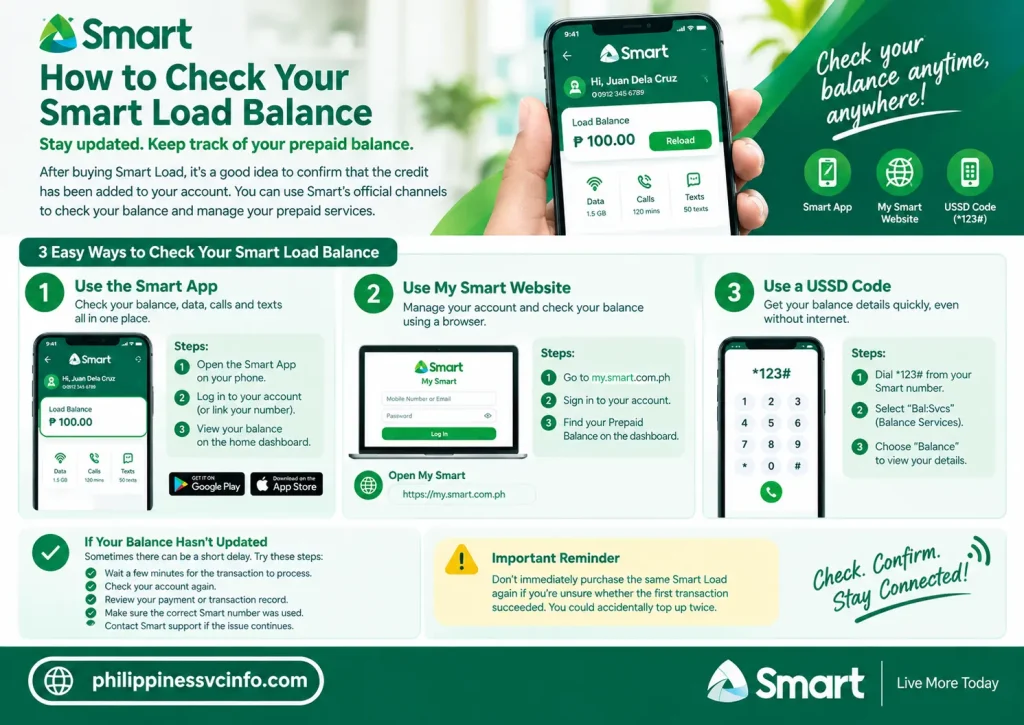
If you have just completed a purchase and the balance has not changed:
- Wait briefly for the transaction to process.
- Check your account again.
- Review the payment or transaction record.
- Confirm that the correct Smart number was used.
- Contact Smart support if the transaction remains unresolved.
Don’t immediately purchase the same Smart Load again if you’re unsure whether the first transaction succeeded. You could accidentally top up twice.
Smart Load Troubleshooting
Load Was Paid For but Not Received
Start by checking the transaction record and your Smart account balance.
If you purchased through an online service, keep the payment confirmation or transaction reference. If the purchase was made through a retailer, ask the retailer to verify the transaction.
For online reloads, Smart’s official Help Centre is the best place to start if you need further assistance.
Smart Data Is Not Working After Reloading
Receiving Smart Load does not automatically guarantee that mobile data will work if there is no active data package or if another network setting is causing the problem.
Check:
- Your remaining balance or active promo.
- Mobile data status.
- Network signal.
- Airplane Mode.
- Device network settings.
- Whether your SIM is properly registered.
If the problem continues, use Smart’s official support channels rather than changing advanced settings based on an unofficial tutorial.
Call or Text Is Not Working
First confirm that your account is active and that you have the required balance or an applicable offer.
If your account has reached zero, remember Smart’s stated 180-day reload period for keeping the prepaid account active.
Smart Load: Important Safety Tips
Use these checks whenever you buy Smart Load online:
- Use the official Smart website or a trusted authorised channel.
- Check the mobile number before confirming.
- Keep your payment reference.
- Don’t share a Call & Text Card PIN with strangers.
- Don’t enter your Smart credentials on an unknown website.
- Be cautious of websites offering unusually large discounts.
- Check current Smart prices and offers before paying.
- Use Smart’s official Help Centre if a transaction goes wrong.
Smart’s official Online Store is the safest starting point when you specifically want to purchase Smart Load online.
Smart Load vs Promo Registration
It helps to separate these two actions:
- Loading: adds peso credit to your prepaid account.
- Promo registration: uses an eligible payment method or load balance to activate a particular Smart offer.
- Usage: consumes the data, calls, texts or other benefits included in the active service.
- Reloading: adds more credit when your balance becomes low.
For example, if you purchase ₱100 of Smart Load, that does not by itself mean you have activated a specific data package. You need to check the current Smart offers and subscribe to the one that matches your usage.
For current products and offers, use the official Smart website rather than relying on old promo lists.
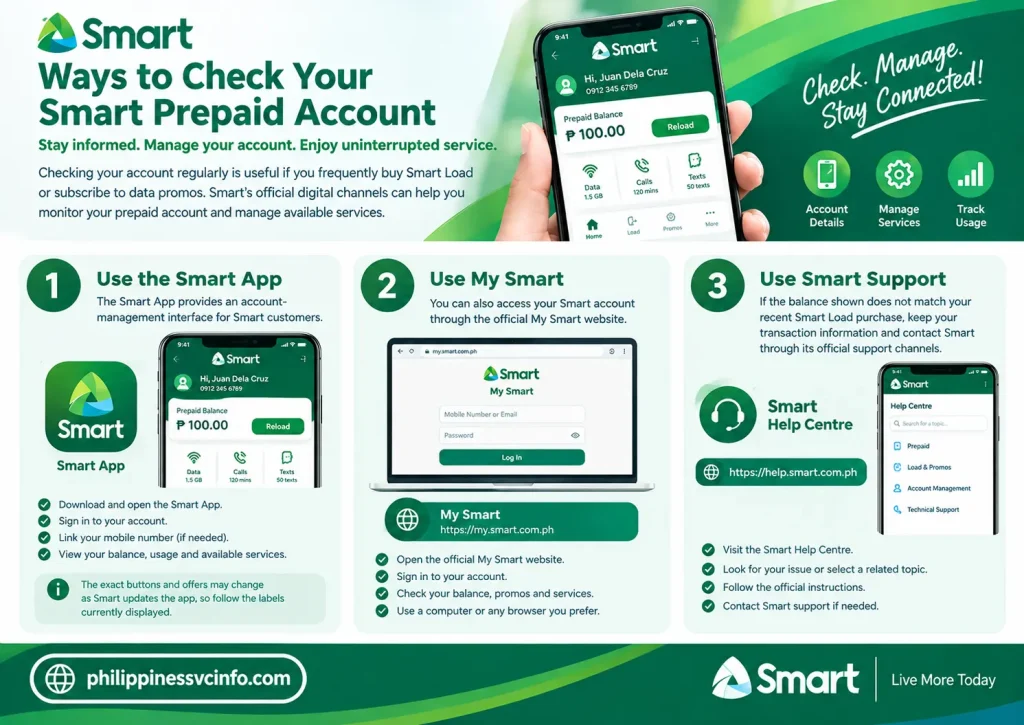
Ways to Check Your Smart Prepaid Account
Checking your account regularly is useful if you frequently buy Smart Load or subscribe to data promos.
Depending on the service and account setup, Smart’s official digital channels can help you monitor your prepaid account and manage available services.
Use the Smart App
The Smart App provides an account-management interface for Smart customers. After signing in and linking the relevant mobile number, you can review information displayed for your account and available services.
The exact buttons and offers may change as Smart updates the app, so follow the labels currently displayed rather than relying on an old screenshot.
Use My Smart
You can also access your Smart account through the official My Smart website.
This can be particularly useful when you are using a computer or prefer managing your account through a browser.
Use Smart Support
If the balance shown does not match your recent Smart Load purchase, keep your transaction information and contact Smart through its official support channels.
What to Do When Smart Load Does Not Arrive
A missing load transaction can be worrying, especially if you have already paid. Before purchasing another load, check whether the original transaction was actually completed.
First Check Your Payment Record
If you purchased Smart Load online, check the payment confirmation from the payment provider or the Smart checkout process.
Look for:
- Transaction status
- Amount paid
- Recipient Smart number
- Transaction or reference number
- Date and time of payment
If the transaction shows as successful, don’t immediately repeat the purchase.
Confirm the Mobile Number
An incorrect mobile number is one of the most important details to check. Compare the number entered during checkout with the intended Smart Prepaid number.
If you bought load for someone else, ask that person to check their account before assuming the transaction failed.
Check Your Account Again
Allow the transaction time to process, then check your Smart account through an official channel.
Smart’s Help Centre provides reload guidance and support information for prepaid customers.
What If You Bought the Wrong Smart Load Amount?
If you accidentally selected the wrong denomination, don’t immediately make another purchase.
First determine whether the transaction has already been processed. Save the receipt, payment confirmation and transaction reference.
For questions about a completed transaction, use Smart’s official customer-support resources:
Whether a transaction can be cancelled, reversed or adjusted depends on the specific transaction and channel used. Don’t assume that an online purchase can automatically be refunded.
How to Choose the Right Smart Load
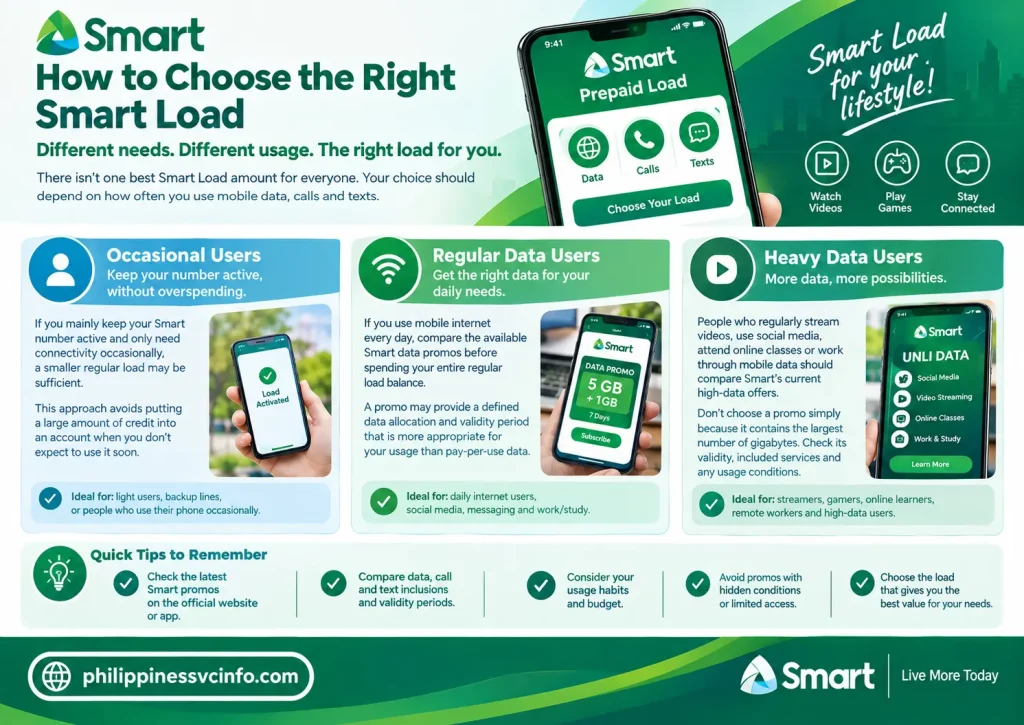
There isn’t one best Smart Load amount for everyone. Your choice should depend on how often you use mobile data, calls and texts.
Occasional Users
If you mainly keep your Smart number active and only need connectivity occasionally, a smaller regular load may be sufficient.
This approach avoids putting a large amount of credit into an account when you don’t expect to use it soon.
Regular Data Users
If you use mobile internet every day, compare the available Smart data promos before spending your entire regular load balance.
A promo may provide a defined data allocation and validity period that is more appropriate for your usage than pay-per-use data.
Heavy Data Users
People who regularly stream videos, use social media, attend online classes or work through mobile data should compare Smart’s current high-data offers.
Don’t choose a promo simply because it contains the largest number of gigabytes. Check its validity, included services and any usage conditions.
Smart Load for Students and Travellers
Students often use prepaid mobile service for messaging, online classes, research and everyday communication. A suitable Smart Load strategy is to keep enough regular credit for emergencies while selecting data offers based on actual usage.
Travellers and temporary residents can also benefit from checking Smart’s current prepaid requirements before purchasing a SIM or loading an account.
If you are using a newly purchased SIM, make sure the applicable SIM registration requirements have been completed before expecting normal prepaid service.
Smart Load Expiry: What You Should Remember
One of the easiest things to misunderstand is the difference between the expiry of load value and the status of the prepaid account.
According to Smart’s official Help Centre, Smart Prepaid, TNT and Smart Bro Prepaid Call & Text Card value has a 365-day validity from the date it is loaded into the account.
There is also a separate account rule. Smart states that when the account balance reaches zero, the subscriber has 180 days to reload before the account may be disconnected.
Quick Reference
| Situation | Smart’s stated period |
|---|---|
| Prepaid Call & Text Card value | 365 days |
| Account at ₱0 without reload | 180 days before possible disconnection |
Always check Smart’s latest official information if you are dealing with an old SIM or an account that has been inactive for an extended period.
Common Smart Load Mistakes to Avoid
Small mistakes can create unnecessary problems when purchasing prepaid credit.
1. Entering the Wrong Number
Always verify the recipient’s number before submitting an online order.
2. Buying a Promo Without Checking Its Terms
Look at the data amount, validity and included services before registering.
3. Repeating a Transaction Too Quickly
If a payment appears delayed, check the transaction status first instead of immediately buying another Smart Load.
4. Using Unofficial Websites
Search results can contain third-party pages that look similar to an official telecom website. For account access and loading, start with Smart’s own domains.
5. Relying on Old Promo Codes
Smart changes its prepaid products and promotional offers. A code found in an old article or social-media post may no longer be available.
Smart Load Safety Checklist
Before confirming any prepaid transaction, run through this short checklist:
Before payment
- Check the Smart number.
- Confirm the amount.
- Read the product description.
- Verify the payment method.
- Make sure you’re using an official or authorised channel.
After payment
- Save the confirmation.
- Check whether the load was credited.
- Keep the reference number if there is a problem.
- Don’t share account passwords or card PINs.
Smart’s official reload guidance remains the best reference when a particular loading method is unclear.
Final Smart Load Checklist
Managing a Smart Prepaid account becomes much easier when you separate three things: loading your account, choosing a promo and monitoring your usage.
For online purchases, start with the official Smart Store. For reload instructions and troubleshooting, consult Smart’s Help Centre. If you purchase from a physical retailer, verify the mobile number and amount before completing the transaction.
The most important habit is to check current information before buying. Smart can update denominations, offers, payment channels and service details, so an old Smart Load guide may not accurately describe today’s options.
Smart Load Frequently Asked Questions
Conclusion
Smart Load provides a convenient way for Smart Prepaid users in the Philippines to keep their mobile services active. Whether you need regular load, a data promo, or another prepaid service, you can choose a loading method that suits your needs. Before purchasing, check your balance, promo validity, and the official Smart channels to make sure you select the right option. Using the official Smart website and supported loading channels also helps keep your transactions secure and up to date.
Discover What You Need to Know:
- myMapúa Student Portal Guide 2026: Login, Enrollment, Grades, Schedule & Account Help
- CEU Portal Philippines 2026 : Complete Guide of Login, Student Portal and Registration Guide
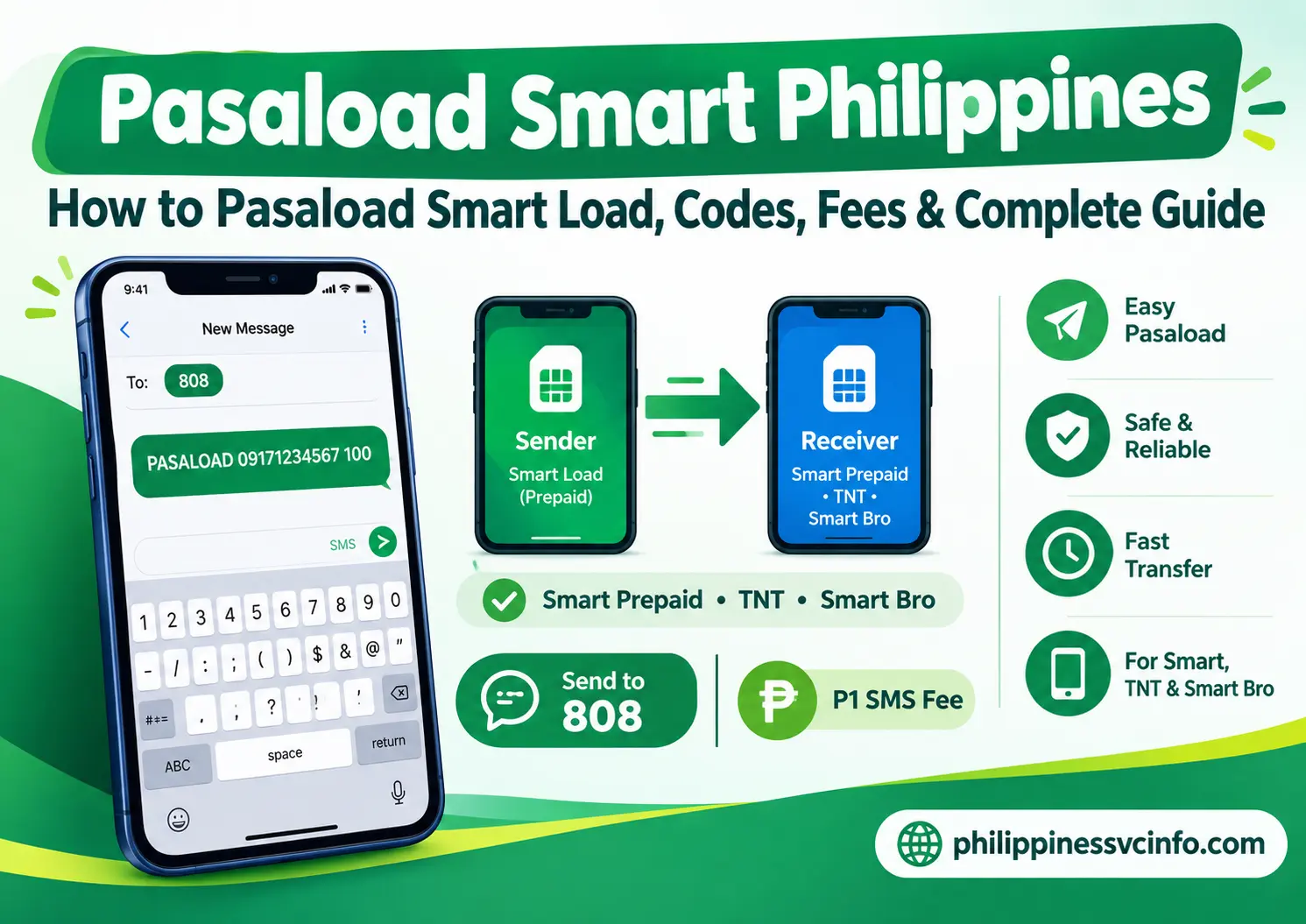
- Pasaload Smart Philippines 2026: How to Pasaload Smart Load, Codes, Fees & Complete Guide
- Smart Magic Data Philippines 2026 : Complete Guide to No-Expiry Data, Promos, Prices & Registration
- PAIS Admin Philippine 2026: PNP Login, Registration, Website & Access Guide