

Smart SIM Registration is a mandatory process for all Smart, TNT, and Smart Bro subscribers in the Philippines under the SIM Registration Act (Republic Act No. 11934). Whether you are using a new or existing SIM card, registering it is required to keep your mobile services active and comply with Philippine law. Smart provides several convenient registration options, including its official online portal, the Smart App, QR codes, and Smart Stores. In this guide, you’ll learn the complete Smart SIM registration process, eligibility requirements, accepted valid IDs, and step-by-step instructions for Filipino citizens, foreign nationals, minors, businesses, and persons with disabilities (PWDs), along with solutions to common registration issues.
What Is Smart SIM Registration?

Smart SIM Registration is a mandatory process that requires Smart subscribers in the Philippines to register their SIM cards under the country’s SIM Registration Act (Republic Act No. 11934). The initiative was introduced to strengthen the security of the telecommunications network, reduce fraudulent activities, and improve user identification. While SIM registration policies differ around the world, the Philippines now requires all eligible mobile users to complete this process.
Whether you are a new or existing Smart subscriber, you must register your SIM card to keep your mobile services active. Registration is available through both online and offline channels, making it convenient for Filipino citizens and eligible foreign nationals.
Why Smart SIM Registration Is Necessary?
Smart SIM Registration plays an important role in creating a safer and more reliable telecommunications environment in the Philippines. By connecting each SIM card with verified user information, the registration system helps protect subscribers from digital threats, fraudulent activities, and the misuse of mobile networks.
A registered Smart or TNT SIM allows authorities to identify and take action against suspicious numbers involved in scams, spam messages, and other illegal activities. This verification process helps reduce financial fraud and strengthens trust between mobile users, telecom providers, and the government.
SIM registration is required for all Smart and TNT users, whether they have a newly purchased SIM card or an existing one. Users who do not complete the registration may lose access to essential services, including calls, text messaging, and mobile data.
Beyond security benefits, Smart SIM Registration also promotes responsible digital citizenship. Once registered, users can continue enjoying Smart and TNT services while contributing to a more secure communication network across the Philippines and beyond.
Smart SIM Registration Requirements
To complete the Smart SIM Registration process in the Philippines, users must provide accurate personal details and valid identification documents for identity verification. The information submitted during registration should match official records because providing false details, fake documents, or incorrect identity information may result in penalties under government regulations.
Having the required documents ready before starting the registration process helps prevent delays and makes verification smoother.
Personal Information Needed for Smart SIM Registration
Users are required to provide the following details:
- Full legal name
- Smart mobile number and SIM serial number
- Date of birth
- Complete residential address
- Nationality (for foreign users)
- Valid government-issued ID details
- Recent selfie photo for identity verification
Documents Required for Smart SIM Verification
The required documents may vary depending on the user category. However, most applicants need to prepare:
- Personal information matching their official records
- A valid government-issued ID with a clear photo
- Selfie verification photo
- Additional documents for special cases, such as minors and foreign nationals
Postpaid Smart subscribers generally do not need to submit the same documents as prepaid users because their account information has already been collected during subscription. They only need to complete the registration process and confirm their details.
Valid IDs Accepted for Smart SIM Registration
Smart accepts various government-issued IDs to make verification accessible for different users. The submitted ID must be valid, readable, unexpired, and contain the user’s photo.
Commonly accepted IDs include:
- Philippine Identification (National ID)
- Passport
- Driver’s License
- Voter’s ID
- Social Security System (SSS) ID
- Unified Multi-Purpose ID (UMID)
- PhilHealth ID
- Senior Citizen ID
- Person with Disabilities (PWD) ID
- Police Clearance
- National Bureau of Investigation (NBI) Clearance
- Professional Regulation Commission (PRC) ID
- Bureau of Internal Revenue (BIR) ID
- Government Service Insurance System (GSIS) e-Card
- Overseas Workers Welfare Administration (OWWA) ID
- Integrated Bar of the Philippines (IBP) ID
- Firearms License ID
- Other government-issued IDs with a clear photograph
Requirements for Special Users
Special users must provide additional documents and information to complete SIM registration successfully.
Minors Below 18 Years Old
Minors can register a Smart SIM under the supervision of a parent or legal guardian. Additional documents may be required to confirm the relationship and authorisation.
Foreign Nationals and Tourists
Foreign users must provide valid travel and identification documents, including a passport and other required information related to their stay in the Philippines.
Why Valid IDs Are Important
A valid ID helps Smart verify that the SIM card belongs to the correct person. The document should clearly show the user’s name, photo, and identification number to avoid rejection during the verification process.
Preparing the correct information and documents before registration ensures a faster and more successful Smart SIM activation while supporting a safer digital communication network in the Philippines.
Smart SIM Registration Methods (Online and Offline)
Smart provides multiple ways for subscribers to register their SIM cards, including online platforms and in-person assistance. These options make the registration process more convenient for prepaid users, postpaid subscribers, Filipino citizens, and eligible foreign nationals.
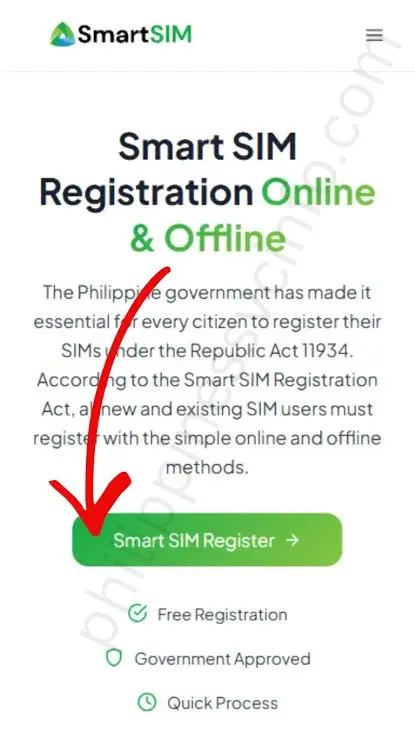
Smart SIM Registration Through Online Web Portal
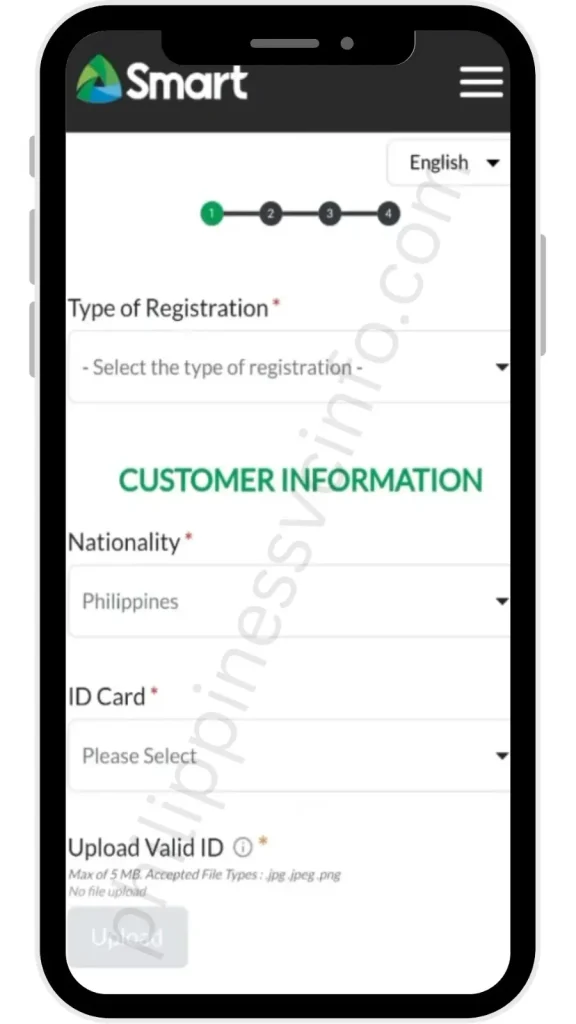
The Smart SIM Registration Portal is the official online method for completing SIM registration. Users can follow these steps:
- Open the Smart SIM Registration Portal and select the option to register your SIM.
- Enter your Smart mobile number and agree to the terms and conditions.
- Click the OTP verification option and enter the code sent to your mobile number.
- After successful verification, provide your personal details.
- Select your nationality and upload a clear image of a valid government-issued ID.
- Enter the required information, including:
- Full name
- Date of birth
- Gender
- ID number
- Registration type
- Add your complete address and alternative contact details.
- Review all information carefully before submitting the form.
- Confirm your registration and save the provided control number for future reference.
After successful submission, Smart will send a confirmation message once the SIM activation process is completed.
Smart SIM Registration Through QR Code

Smart also provides a QR code option that allows users to quickly access the SIM registration portal. By scanning the QR code, subscribers can directly open the registration page and complete the required steps online without manually searching for the portal.
Smart SIM Registration Through GigaLife or Smart App
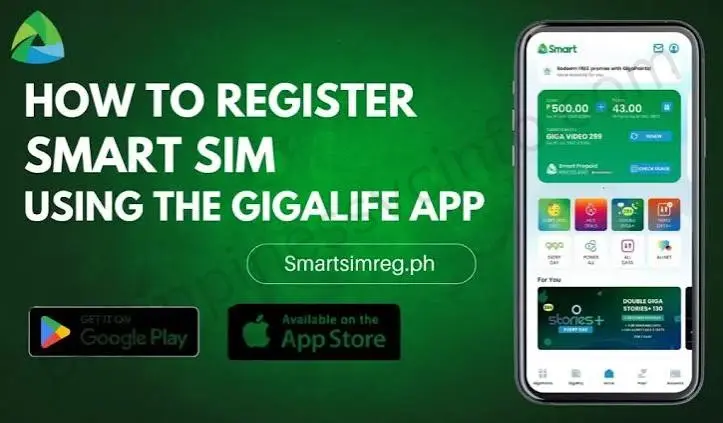
The GigaLife app offers another digital method for registering a Smart SIM. Users can complete the process through these steps:
- Download and open the Smart GigaLife app.
- Enter your Smart mobile number.
- Request and verify the OTP sent to your SIM.
- Provide your personal information and upload a valid ID.
- Complete face verification if required.
- Review the registration details and submit the form.
- Wait for the confirmation message after successful registration.
The app can also be used later to manage account details, check promos, and access Smart services.
Smart SIM Registration Through Call
SIM registration through a phone call is mainly available for eligible Smart postpaid subscribers. Prepaid TNT users cannot complete registration through this method.
Postpaid customers can use Smart’s available call-based verification service to confirm their details and complete the registration process through guided instructions.
New Postpaid SIM Registration
Smart postpaid users usually have a simpler registration process because their subscriber information is already collected during account activation. After purchasing a postpaid SIM, users only need to verify their details through Smart’s system, and the SIM registration can be processed automatically.
Existing Postpaid SIM Renewal Registration
Existing postpaid users may renew or confirm their registration by following Smart’s provided instructions. In some cases, users can send the required confirmation message and complete the verification steps provided by Smart.
Smart SIM Registration Through Smart Store
Subscribers who prefer face-to-face assistance can visit a Smart Store for SIM registration. Store representatives help users complete the process, verify documents, and submit the required information.
This option is useful for users who experience difficulties with online registration or need additional guidance. However, store visits may take longer during busy periods due to customer demand.
Smart SIM Registration Helpline Method
Postpaid subscribers may also use Smart’s customer support channels for registration assistance. By contacting the available Smart helpline service, users can follow the instructions provided by customer representatives to complete the verification process.
Choosing the right registration method depends on the user’s preference, device access, and account type. Online methods are generally faster, while Smart Stores provide direct support for users who need assistance.
Tips for Successful Smart SIM Registration
Completing Smart SIM Registration correctly can help prevent delays, verification errors, or rejected submissions. Before starting the process, make sure you prepare the required information and follow the official registration guidelines carefully.
Use Only Official Smart Registration Channels
Always access Smart SIM Registration through official Smart platforms. Avoid using unknown websites, links, or third-party services that may collect incorrect information or compromise your personal details.
Provide Accurate Information
Enter your details exactly as they appear on your valid identification document. Review your name, address, birth date, and other information before submitting the registration form to avoid verification problems.
Upload Clear Documents and Photos
Make sure your uploaded ID image is clear, readable, and not expired. Your selfie or live photo should have proper lighting, a clean background, and your face should be visible for successful identity verification.
Maintain a Stable Internet Connection
A reliable internet connection is important while completing online registration. Connection interruptions during OTP verification or document uploads may cause errors or require you to restart the process.
Enter OTP Immediately
The One-Time Password (OTP) sent during verification is usually time-sensitive. Enter the code as soon as possible to complete the verification process without delays.
Review Details Before Final Submission
Before clicking the final submit button, carefully check all information one last time. Correct details increase the chances of successful registration and faster SIM activation.
Smart SIM Activation Process After Registration
After successfully completing the Smart SIM Registration, the SIM card goes through an activation process before users can fully access mobile services. Smart provides both online and offline registration options, allowing subscribers to complete the process through a method that suits their needs.
In most cases, Smart SIM activation happens automatically after registration and may be completed within a few minutes or hours. However, the standard processing period can take up to 24 hours, depending on system verification and network processing.
Once activated, users can continue using Smart services, including calls, text messages, and mobile data. If the SIM remains inactive after the expected timeframe, subscribers should check their registration details and contact Smart customer support for further assistance.
How to Check Smart SIM Registration Status?
After completing the Smart SIM Registration process, subscribers should verify whether their SIM card has been successfully registered. Checking the registration status confirms that the submitted information has been accepted and helps ensure continued access to Smart services, including calls, text messages, and mobile data.
Smart users can check their registration status through the Smart GigaLife App or the Smart online portal.
Check Smart SIM Registration Status Through GigaLife App
The Smart GigaLife app provides a simple way to view your SIM registration details. Follow these steps:
- Open the Smart GigaLife app on your smartphone.
- Log in using your registered Smart mobile number.
- Go to your account dashboard.
- Check the status displayed beside your mobile number.
- A registered indicator will appear if your SIM registration has been completed successfully.
The app also allows users to manage their Smart account, check available promos, view rewards, and monitor subscription details.
Check Smart SIM Registration Status Through Smart Portal
Subscribers can also confirm their SIM registration status through the Smart web portal by following these steps:
- Visit the official Smart SIM Registration Portal.
- Enter your registered Smart mobile number.
- Request the One-Time Password (OTP).
- Enter the OTP sent to your SIM card.
- Submit the verification code.
- The portal will display your SIM registration status.
What to Do If Smart SIM Registration Is Not Verified?
If your Smart SIM still shows as unregistered after completing the process, check that all submitted details are correct and wait for the activation process to finish. Registration updates may take some time due to verification procedures.
If the issue continues, contact Smart customer support or visit a Smart Store for further assistance.
Common Smart SIM Registration Problems & Solutions
Although Smart SIM Registration is designed to be simple, some users may experience issues during verification, document submission, or app usage. Most errors can be fixed by checking your details, improving your internet connection, or following the correct troubleshooting steps.
Here are the most common Smart SIM Registration problems and their solutions:
OTP Not Received
Problem:
Some users do not receive the One-Time Password (OTP) needed to verify their mobile number. This may happen because of weak network coverage, temporary system delays, or high traffic on the registration portal.
Solution:
- Check your Smart SIM signal and network connection.
- Wait a few minutes before requesting another OTP.
- Use the Resend OTP option if available.
- Make sure your SIM can receive text messages.
ID Rejected or “ID Not Clear” Error
Problem:
The registration system may reject your ID if the image is blurry, incomplete, or the information cannot be read clearly.
Solution:
- Upload a clear photo of your valid government-issued ID.
- Make sure the ID image shows your name, photo, and ID number.
- Avoid using dark, cropped, or damaged images.
- Check that the uploaded file follows the required size limit.
Camera Not Working or Selfie Not Accepted
Problem:
Users may face problems while taking a selfie for identity verification due to camera permission settings or poor image quality.
Solution:
- Allow camera access in your browser or Smart app settings.
- Check that your device camera is working properly.
- Take the selfie in a bright area with a clear background.
- Keep your face visible and avoid wearing anything that blocks identification.
Smart SIM Registration Portal Not Loading
Problem:
The Smart registration website may load slowly or fail to open because of heavy traffic, server delays, or an unstable internet connection.
Solution:
- Use a stable internet connection.
- Refresh the page and try again later.
- Clear your browser cache if needed.
- Complete registration during less busy hours.
“Your SIM Is Already Registered” Error
Problem:
Some users receive an error saying their SIM is already registered. This may happen if the SIM card was previously registered under another person’s information.
Solution:
- Confirm whether you have already completed the registration.
- Contact Smart customer support if the SIM belongs to a previous owner.
- Request assistance to update ownership or correct registration details.
Smart GigaLife App Keeps Crashing
Problem:
The Smart GigaLife app may stop working due to outdated software, insufficient storage, app errors, or temporary server issues.
Solution:
- Update the GigaLife app to the latest version.
- Restart your smartphone.
- Free up device storage space.
- Check your internet connection.
- Try accessing the app again later.
Quick Troubleshooting Checklist
Before restarting the registration process, make sure:
- Your Smart SIM has network coverage.
- Your mobile number is entered correctly.
- Your OTP is entered before it expires.
- Your ID photo is clear and readable.
- Your camera permissions are enabled.
- Your personal information matches your official documents.
Following these solutions can help Smart users complete SIM registration successfully and avoid common verification problems.
Smart SIM Helpline and Support Details
If you experience problems with Smart SIM Registration, such as failed verification, activation delays, incorrect registration details, or ownership issues, you can contact Smart through its official customer support channels.
Smart provides different support options for prepaid and postpaid subscribers to help resolve registration-related concerns.
Smart Customer Support Hotline
For Smart and TNT Mobile Users:
📞 *888
Smart subscribers can dial this number directly from their Smart or TNT mobile phones for assistance with SIM registration, activation, and account concerns.
For Landline Users:
☎️ (02) 8888-1111
Customers calling from a landline can use this number to reach Smart customer support.
Official Smart SIM Registration Portal
Users can access the official Smart SIM Registration platform to complete registration, check updates, and manage SIM-related services:
Email Support
For registration concerns that require written assistance, users can contact Smart through email:
Other Smart SIM Registration Support Options
If your SIM registration fails, your SIM remains inactive, or your number appears registered under another person’s details, you can also seek help through:
- Official Smart Customer Support Channels
Get assistance from Smart representatives regarding registration and activation issues. - Smart Official Social Media Support
Use Smart’s verified Messenger support channel for online assistance. - Smart SIM Registration FAQ Resources
Review official FAQs for answers to common registration questions and troubleshooting steps.
Using official Smart support channels ensures that your personal information remains protected while resolving SIM registration concerns quickly and safely.
Penalties for Non-Compliance With Smart SIM Registration
Failing to complete Smart SIM Registration can lead to restrictions on mobile services and may affect your ability to use your SIM card. Under the Philippines’ SIM Registration requirements, subscribers are responsible for ensuring that their SIM cards are properly registered with accurate information.
Users who do not comply with registration rules may experience the following consequences:
Suspension of Mobile Services
If a Smart SIM is not registered within the required period, the network provider may limit or suspend certain services. This can include restrictions on:
- Voice calls
- Text messaging
- Mobile data access
- Other SIM-based services
Completing the registration process is necessary to restore or maintain full access to mobile features.
SIM Card Deactivation
In cases where registration requirements are not completed, the SIM card may be permanently deactivated. Once deactivated, users may lose access to their mobile number and may need to purchase a new SIM card to continue using mobile services.
Why Keeping Registration Details Updated Matters
Maintaining accurate registration information helps protect your mobile account from unauthorised use and ensures smoother access to Smart services. Users should always provide correct details and update their information whenever required.
Completing Smart SIM Registration on time helps prevent service interruptions and supports a safer telecommunications environment in the Philippines.
Frequently Asked Questions About Smart SIM Registration
Final Thoughts on Smart SIM Registration
Completing Smart SIM Registration is an important step to ensure secure and uninterrupted mobile services in the Philippines. Under Republic Act No. 11934, all new and existing Smart users must register their SIM cards using the official Smart Web Portal, GigaLife App, or Smart Store assistance. By providing accurate information and keeping registration details updated, subscribers can continue enjoying Smart services, access available promotions, and protect their accounts from unauthorised use. Users can also check their registration status online and contact Smart customer support if they face any issues during verification or activation. Properly registering your Smart SIM helps create a safer digital communication environment while ensuring a smooth and reliable mobile experience.
Discover What You Need to Know:
- STL Result Today: Official PCSO Winning Numbers (10:30 AM, 3 PM, 7 PM & 8 PM)
- SSS Portal Guide 2026: Registration, Login & Online Services in the Philippines
- Swertres Result History 2026: Complete PCSO 3D Results Archive
- Globe SIM Registration 2026: Complete Online Registration Guide
- SIM Registration 2026: Complete Guide for Smart, Globe & DITO








