
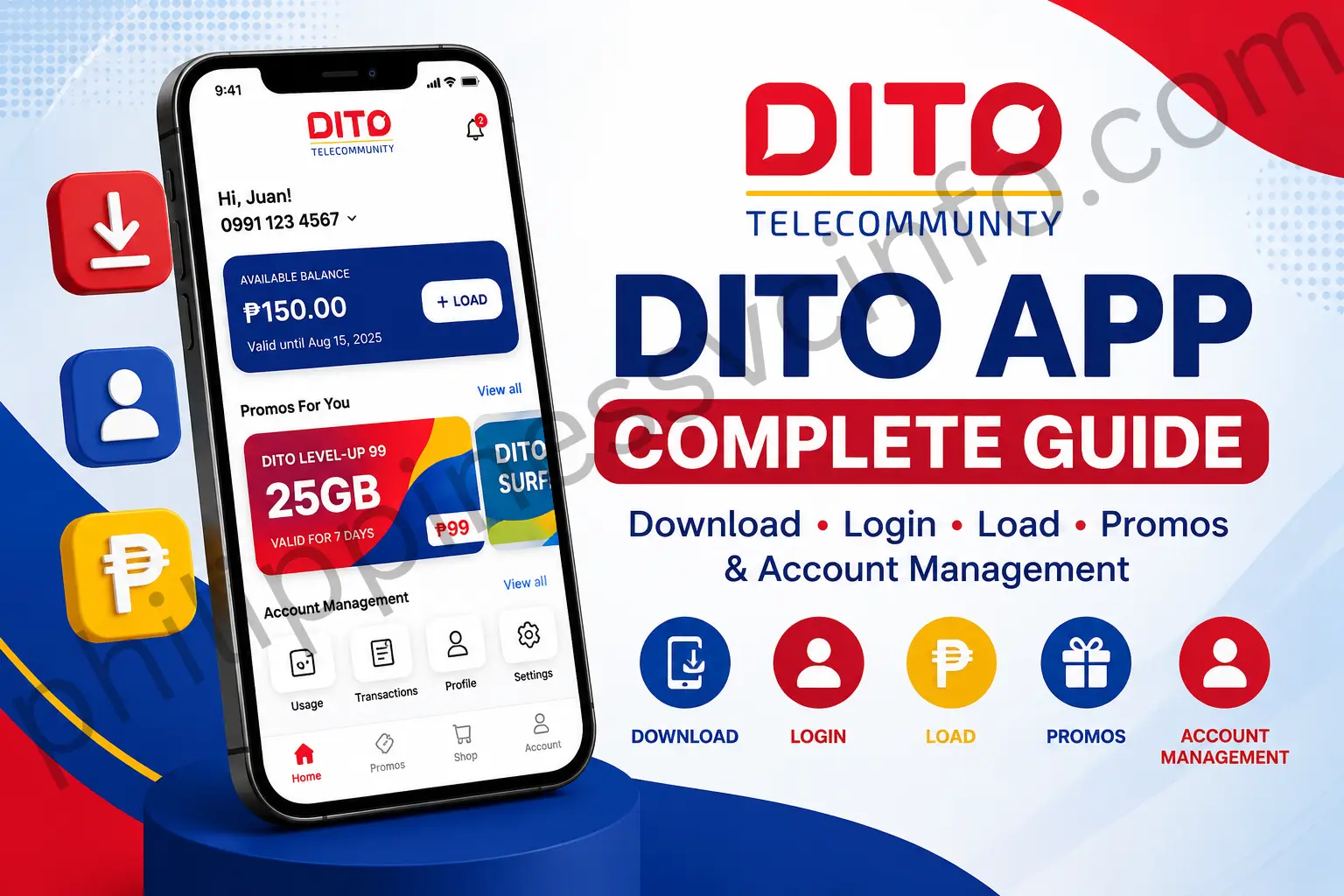
The DITO App is the official mobile app from DITO Telecommunity in the Philippines, designed to make everyday account management more convenient. Users can use the app to check their load and data balances, buy promos, monitor usage, pay bills, and access other DITO account services in one place.
With the DITO App, customers can manage their mobile services through a single platform rather than handling each task separately. It offers a convenient way to access DITO services whenever needed.
What Is the DITO App?
The DITO App gives DITO Telecommunity subscribers a central place to manage their mobile services. Instead of handling account tasks separately, users can access key features directly through the app.
Depending on their account and available services, users can use the DITO App to:
- View their account balance
- Purchase DITO load
- Register and manage promos
- Manage subscriptions
- Check data usage
- Earn and redeem rewards
- Update account details
- Get customer support
For regular DITO users, the app provides a convenient way to keep track of their mobile account and access important services from one platform.
Why Download the DITO App?
Choosing a DITO app download gives subscribers a more convenient way to handle everyday mobile services. Instead of relying on traditional account-management methods, users can access important features directly from their device.
Manage Your Account Easily
The app lets you access your DITO account whenever you need it, without having to visit a physical store for routine account tasks.
Buy DITO Load Quickly
Users can purchase prepaid load through the app and choose from the available payment methods.
Register DITO Promos
The app makes it easier to view available offers and activate suitable packages, including:
- Data promos
- Unlimited data packages
- Call and text bundles
- Level-Up Packs
Monitor Your Mobile Usage
You can keep track of important account details, such as:
- Remaining mobile data
- Active subscriptions
- Available load balance
- Promo expiry dates
Manage DITO Rewards
Eligible transactions can allow users to earn rewards points, while the app provides a convenient way to view and manage those rewards.
Where to Download the DITO App
The official DITO App can be installed through major app platforms, depending on the device you use. For account security, always choose the official DITO application when downloading.
DITO App Download for Android
Android users can get the app from the Google Play Store:
Before installing, check that you are downloading the official DITO application to help protect your account information.
DITO App Download for iPhone
iPhone users can install the DITO App through the Apple App Store:
The application is available for compatible iOS devices.
DITO App Download for Huawei Devices
Huawei users can access information about installing DITO on Huawei devices through Huawei’s AppGallery community:
Always use official app platforms and sources when installing the DITO App so you can access the appropriate version for your device.
How to Download and Install the DITO App
Installing the DITO App is straightforward. Choose the app store that matches your device, find the official application, and complete the installation.

Step 1: Open the App Store
Start by opening the appropriate app store on your device:
- Android: Google Play Store
- iPhone: Apple App Store
- Huawei: AppGallery
Step 2: Search for the DITO App
Use the search bar and enter:
Make sure you select the correct application before proceeding with the download.
Step 3: Download and Install
Tap the download or install option and allow the application to finish installing on your device.
Step 4: Open the App and Log In
Once installation is complete, launch the DITO App and enter your DITO mobile number. Follow the verification process shown on the screen.
After successful login, you can access the account features available for your DITO service.
How to Register Your DITO Account in the App
Creating an account in the DITO App lets you manage your DITO SIM and use available mobile services from your smartphone. The process centres on registering an active DITO number and confirming it through an OTP.

Step 1: Download and Open the DITO App
Install the official DITO App from the appropriate app store for your device, then launch it after installation.
Use the official application to help keep your account and personal information secure.
Step 2: Choose the Sign-Up Option
On the app’s opening screen, find Register, Sign Up, or Create an Account. Select the option that allows you to create a new account.
If the application detects an existing account, choose the new-account option instead.
Step 3: Enter Your DITO Number
Provide the active DITO mobile number you want to link to your account. Double-check the number before proceeding, as it will be used for verification.
Step 4: Confirm Your Number With an OTP
The app may send a one-time password (OTP) to your DITO number by SMS. Enter the code in the designated field while it is still valid.
Never disclose your OTP to anyone, including someone claiming to represent DITO.
Step 5: Finish Setting Up Your Account
After your number has been verified, follow the instructions shown in the application. Depending on the version you are using, you may need to confirm account details and create the required login credentials.
Choose information and credentials you can manage securely, and don’t share your login details with others.
Step 6: Agree to the Terms
Read the applicable Terms and Conditions and privacy information. If you accept them, select the required confirmation and proceed.
Step 7: Open Your DITO Dashboard
After successful registration, you can enter your DITO App dashboard. From there, available services may include checking your balance, viewing data and subscriptions, buying load or promos, and managing other account features.
Requirements for DITO App Registration
Before beginning, have the following ready:
- An active DITO mobile number
- Access to the DITO SIM for receiving OTP messages
- A compatible smartphone
- A stable internet connection
- The latest official DITO App version
Important Note
Registration screens and available options can change as the DITO App is updated. If your screen looks different, follow the instructions provided in the latest version of the application.
How to Buy DITO Load Using the App
The DITO App gives subscribers a convenient way to top up their account or purchase available offers directly from their smartphone. You can choose a suitable load or promo and complete the payment through the supported options.

Step 1: Log In to the DITO App
Open the DITO App and sign in using your DITO mobile number.
Step 2: Tap Buy Promo
From the app’s home screen, select the Buy Promo option to view available load and promotional offers.
Step 3: Select a Load or Promo
Choose the offer that suits your needs. Available options may include:
- Regular load
- DITO Level-Up Packs
- Data promos
- Call and text packages
For related information, see the DITO SIM Registration guide.
Step 4: Choose Your Payment Method
Select one of the available payment options. The supplied material lists:
- DITO load
- Local Mastercard
- Visa credit card
- Visa debit card
- GCash
- Maya
- GrabPay
- ShopeePay
- WeChat Pay
Step 5: Confirm the Purchase
Review your selected offer and payment details, then confirm the transaction. Once the payment is successful, the app will provide a confirmation notification.
The purchased load or promo will then be activated automatically.
Manage Your Top-Ups and Subscriptions
The DITO App makes it easier to keep track of your top-ups and mobile subscriptions in one place. You can review account activity and manage the services linked to your DITO account without needing to visit a physical store.
Using the app, you can manage:
- Active promos
- Data packages
- Auto-pay settings
- Load history
- Previous transactions
Your account information remains accessible wherever you are, whether you’re at home, at work, or travelling.
DITO App Auto Pay Feature
The DITO App provides auto-pay options that can help users manage recurring purchases more conveniently. Instead of making the same payment manually each time, eligible recurring services can be handled through the available auto-pay settings.
Key benefits include:
- Automatic promo renewal when applicable
- Less manual loading for recurring services
- **Continuous mobile
DITO App Rewards Program
The DITO App also gives subscribers a convenient way to access available rewards and promotional benefits. Eligible activities may allow users to earn rewards while using DITO services.
Rewards may be earned through activities such as:
- Buying load
- Registering promos
- Paying bills
- Using eligible DITO services
Depending on current DITO campaigns, rewards may include:
- Exclusive offers
- Discounts
- Special promotions
- Bonus benefits
Reward offers and eligibility can change as DITO introduces or updates its campaigns. For account assistance, you can also check the DITO customer service options available to subscribers.
Features Available in the DITO App
The DITO App brings several self-service tools together, allowing subscribers to manage their mobile account and services from one platform.
Account Dashboard
The dashboard provides access to key account information, including:
- Mobile number details
- Current balance
- Active promos
- Data usage
Load and Promo Management
Subscribers can use the app to purchase available offers, such as:
- Regular load
- Data packages
- Unlimited promos
- Call and text offers
Subscription Management
The app also lets users manage their existing services and keep track of relevant promo or subscription expiry dates.
Transaction History
Previous account activity can be reviewed, including:
- Load purchases
- Promo registrations
- Payments
This makes it easier to keep track of recent transactions.
Customer Support Access
Users can also access the available DITO customer support channels when they need assistance with their account or mobile services.
Is the DITO App Free?
Yes. The DITO App can be downloaded and used without an app fee. Users aren’t charged simply for installing or accessing the application.
Keep in mind that mobile data charges may still apply when you use the app over mobile data without an active data package. Using an available Wi-Fi connection can help avoid mobile data usage charges.
Common DITO App Problems and Solutions
Although the DITO App is designed for convenient account management, users may occasionally encounter installation, login, payment, or update issues. The following checks can help resolve some common problems.
DITO App Not Installing
If the application won’t install, try these steps:
- Check your internet connection
- Update your device’s operating system
- Free up storage space
- Download the app from the official app store
Unable to Log In
If you can’t access your account, check whether:
- You’ve entered the correct DITO mobile number
- You can receive the required OTP
- Your internet or network connection is working properly
Payment Failed
When a payment doesn’t go through, you can:
- Verify the payment details
- Check your available account balance
- Try a different supported payment method
DITO App Not Updating
If an update isn’t installing automatically, enable automatic app updates or open your device’s app store and update the DITO App manually.
Staying Safe While Using the DITO App
Protecting your DITO App account starts with a few simple habits. Always install the app from an official app store, keep your login details private, and avoid accessing your account on devices you do not trust.
- Download the official DITO App only.
- Never share your OTP with anyone.
- Avoid signing in on unfamiliar or public devices.
- Keep the DITO App updated to the latest available version.
- Use trusted and secure payment methods when making transactions.
These practices can help reduce the risk of unauthorised access and keep your DITO account more secure.
DITO App FAQs: Common Questions and Answers
Final Thoughts
Managing a DITO SIM becomes more convenient when essential services are available in one place. The DITO App lets subscribers check their balances, monitor data, purchase load and promos, manage subscriptions, and access rewards directly from their smartphones.For a smooth experience, download the app through an official app store and keep it updated. This helps ensure that you can use the latest available features and services while keeping your DITO account easier to manage.
Discover What You Need to Know:
- DITO eSIM Philippines: Complete Registration & Activation Guide 2026
- SIM: Complete Guide to SIM Cards, eSIM, Types, Activation & Registration 2026
- Globe eSIM Philippines: Buy, Install, Register & Activate Online 2026
- GOMO SIM Registration Guide: Register, Verify & Activate Your SIM Online 2026
- Smart eSIM Activation: Complete Philippines Setup & Registration Guide 2026
- GlobeOne App: Complete Guide to Registration, Login, Load & Rewards (2026)








