
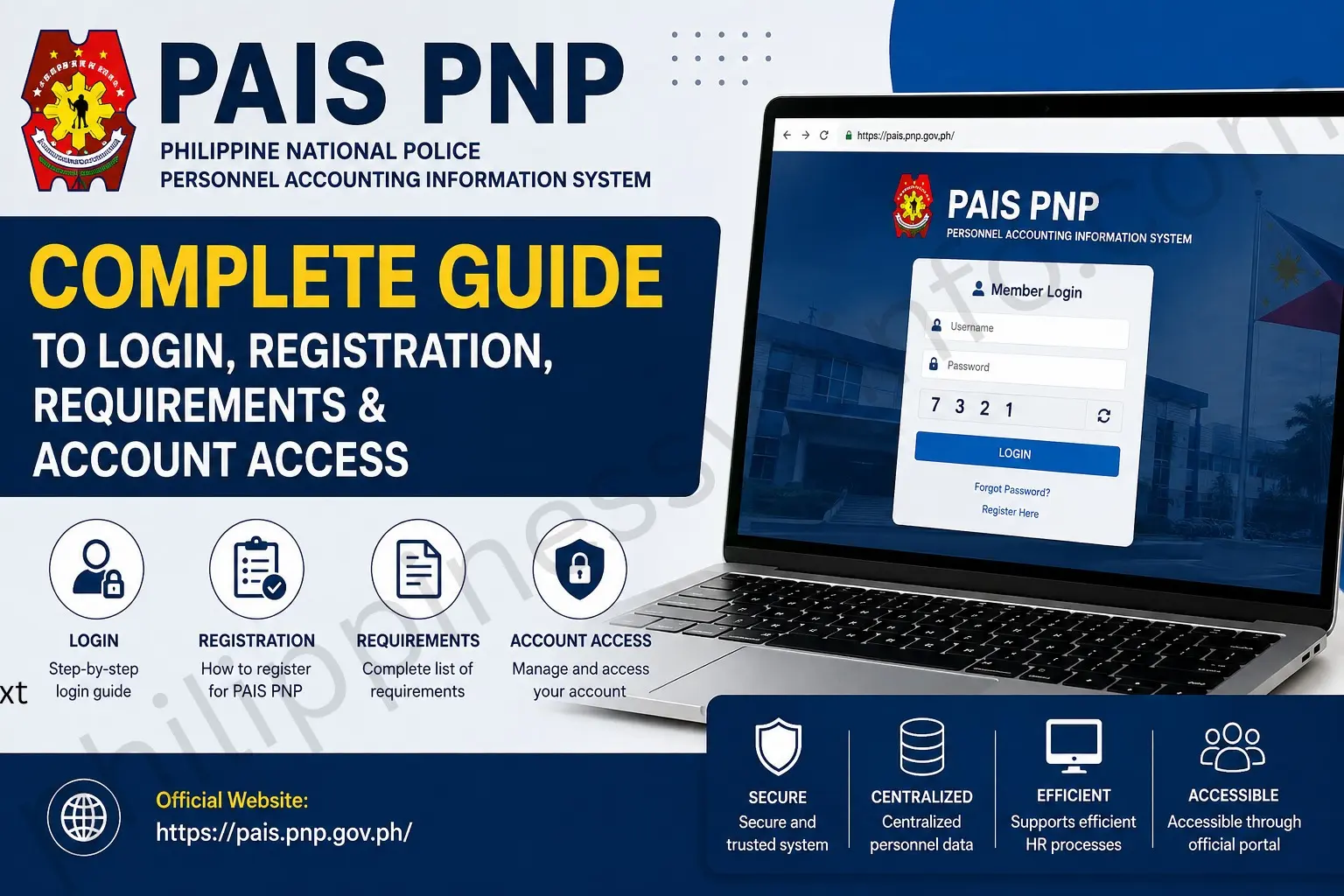
The PAIS PNP (Personnel Accounting and Information System) is a Philippine National Police personnel information system used to maintain and manage personnel-related information. Official PNP documents describe PAIS as a database containing information about PNP personnel, while the newer Online Personnel Accounting and Information System (OPAIS) is described as a web-based system used for encoding, validation, updating, and generating reports for human-resource actions and decision-making.
This guide explains PAIS PNP login, registration, requirements, account access, record management, status checking, and common problems. Because PAIS is an internal PNP system, some functions may depend on the user’s authorized access and PNP network or administrative procedures.
What Is PAIS PNP?
PAIS PNP stands for Personnel Accounting and Information System. It is part of the PNP’s personnel-information infrastructure and supports the management of personnel records.
An official PNP memorandum defines PAIS as a database containing information or personal circumstances of active and retired PNP personnel.
The system is associated with personnel accounting and records management. PNP issuances also describe OPAIS as a web-based information system that stores PNP personnel information and supports real-time encoding, validation, updating, and report generation for human-resource management and decision-making.
For PNP personnel, keeping information accurate can be important because personnel records may be used in administrative and human-resource processes.
What Is PAIS PNP Used For?
The main purpose of PAIS PNP is to support the centralized management of PNP personnel information.
Depending on the user’s authorized access and the modules available to the account, PAIS-related functions can support:
- Personnel information management
- Personnel accounting
- Service and assignment records
- Record verification and updating
- Human-resource management
- Personnel-related reports
- Administrative personnel transactions
PNP documents specifically indicate that OPAIS information can be used as a basis for human-resource actions, resource allocation, and decision-making.
This makes PAIS PNP different from public-facing PNP services. It is primarily connected with internal personnel information rather than a general public account.
How to Access PAIS PNP
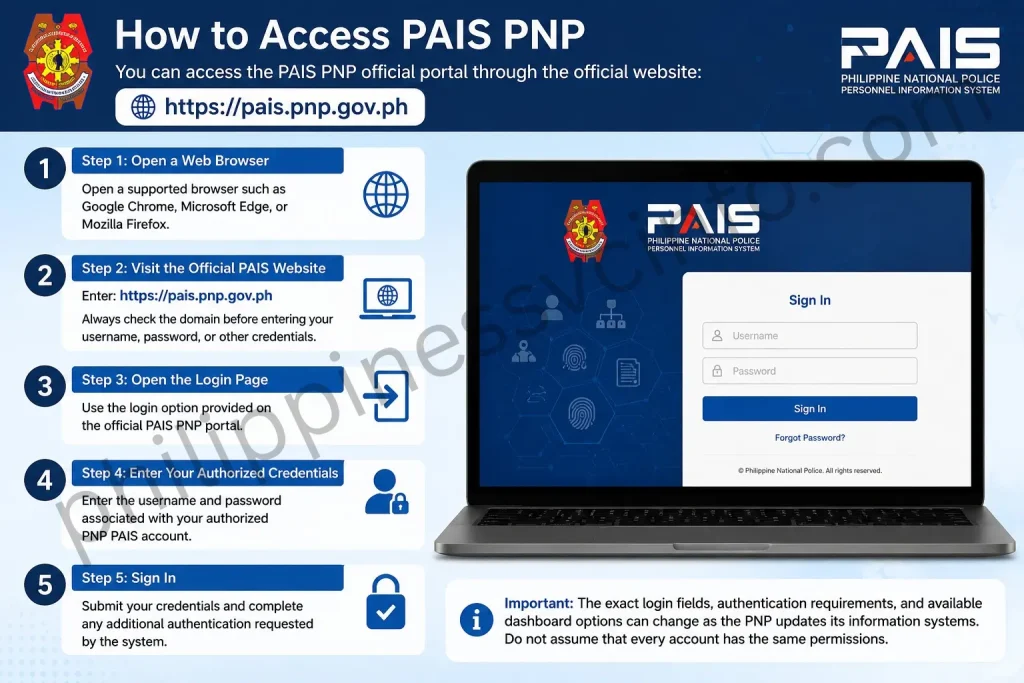
You can access the PAIS PNP official portal through the official website:
Step 1: Open a Web Browser
Open a supported browser such as Google Chrome, Microsoft Edge, or Mozilla Firefox.
Step 2: Visit the Official PAIS Website
Enter:
Always check the domain before entering your username, password, or other credentials.
Step 3: Open the Login Page
Use the login option provided on the official PAIS PNP portal.
Step 4: Enter Your Authorized Credentials
Enter the username and password associated with your authorized PNP PAIS account.
Step 5: Sign In
Submit your credentials and complete any additional authentication requested by the system.
Important: The exact login fields, authentication requirements, and available dashboard options can change as the PNP updates its information systems. Do not assume that every account has the same permissions.
How to Log In to PAIS PNP
The basic PAIS PNP login process is straightforward when you already have an authorized account.

- Go to the official PAIS PNP website.
- Open the login page.
- Enter your registered username.
- Enter your password.
- Complete any security verification shown.
- Select Login or the equivalent sign-in button.
- Wait for your PAIS dashboard to load.
If your credentials are rejected, avoid repeatedly entering incorrect passwords. Instead, verify your credentials or contact the appropriate PNP personnel/IT administrator responsible for your account.
PAIS PNP Login Requirements
Before attempting a PAIS PNP login, make sure you have:
- An authorized PAIS PNP account
- Your registered username or account identifier
- Your current password
- Access to the required PNP network or connection, if applicable
- Any additional authentication required by your account
PAIS is not the same as a public website where anyone can simply create an account and access personnel records. Access to personnel information is controlled by the PNP.
How to Register for PAIS PNP

One important point about PAIS PNP registration is that users should follow the registration or account-activation procedure provided by their PNP unit or system administrator.
The supplied information suggests a registration workflow involving personnel identification, official credentials, and administrator validation. However, the official sources reviewed here do not establish a universal public self-registration procedure with specific fields such as TIN, GSIS number, or a mandatory eight-character password.
Therefore, users should not rely on unofficial registration instructions.
General PAIS PNP Registration Process
- Visit the official PAIS PNP portal.
- Check whether a registration or account-activation option is available to your account type.
- Provide the personnel information requested by the official system.
- Follow the verification instructions.
- If administrator approval is required, wait for your unit’s authorized personnel or IT administrator to validate the account.
- Complete account activation when instructed.
If no public registration option is available, contact your unit Personnel Officer or authorized PNP system administrator rather than attempting to create an account through an unofficial website.
How to Use the PAIS PNP System
After successfully completing your PAIS PNP login, the available functions depend on your account permissions.
The system can be used for authorized personnel-information activities such as reviewing or updating records and supporting personnel-related administrative processes.
Personal Information
Personnel can review information available through their authorized account and identify records that may require correction or updating.
Service Information
Personnel-related service information may be maintained through the PNP’s personnel information systems.
Personnel Records
PAIS supports the maintenance of personnel information used by PNP offices for administrative and human-resource purposes.
Record Verification
Checking information regularly can help personnel identify discrepancies before they affect an administrative transaction.
How to Update Information in PAIS PNP
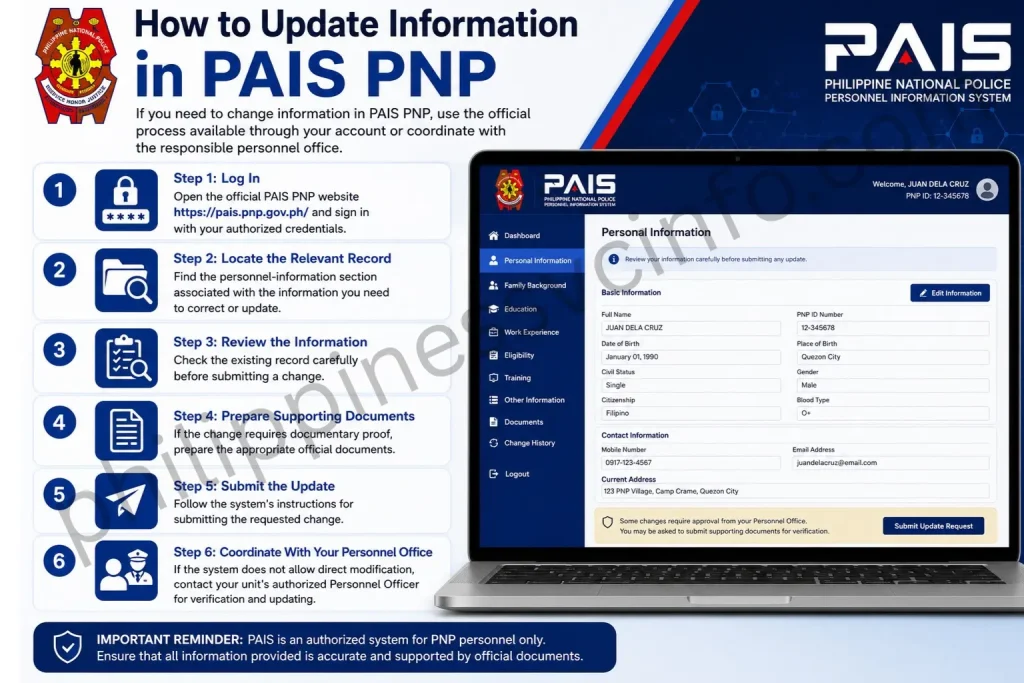
If you need to change information in PAIS PNP, use the official process available through your account or coordinate with the responsible personnel office.
Step 1: Log In
Open the official PAIS PNP website and sign in with your authorized credentials.
Step 2: Locate the Relevant Record
Find the personnel-information section associated with the information you need to correct or update.
Step 3: Review the Information
Check the existing record carefully before submitting a change.
Step 4: Prepare Supporting Documents
If the change requires documentary proof, prepare the appropriate official documents.
Step 5: Submit the Update
Follow the system’s instructions for submitting the requested change.
Step 6: Coordinate With Your Personnel Office
If the system does not allow direct modification, contact your unit’s authorized Personnel Officer for verification and updating.
Do not upload altered, incomplete, or unofficial documents.
PAIS PNP Status Checking
The exact PAIS PNP status checking features available to an individual user depend on the system and account permissions.
If your account provides a status or transaction section, you can use it to review the progress of an authorized personnel transaction.
A status may indicate that a request is still being processed, has been verified, requires additional information, or has been completed. The exact status names should always be interpreted according to the labels displayed by the official PAIS system.
PAIS PNP Common Login Problems and Fixes
Invalid Username or Password
Check that your credentials are entered correctly. Pay attention to capitalization, spaces, and keyboard settings.
Account Access Problem
If your account has been disabled, locked, or otherwise restricted, contact the appropriate PNP administrator rather than repeatedly attempting to log in.
PAIS Website Not Loading
Check your internet or authorized PNP network connection and try opening the official portal again.
Session or Browser Error
Try closing the browser and reopening the official website. You can also update your browser if it is outdated.
Login Still Not Working
If the problem continues, contact your unit’s authorized personnel or IT support. Avoid giving your password or authentication information to another person.
PAIS PNP Account Recovery
If you cannot access your PAIS PNP account, first check whether the official login page provides an account-recovery or password-reset option.
If the available recovery method does not work, contact the appropriate PNP personnel or system administrator.
For security reasons:
- Do not share your password.
- Do not disclose authentication codes.
- Do not use unofficial password-reset websites.
- Do not provide your credentials to people claiming to offer PAIS support.
PAIS PNP Services and Features
The PAIS PNP system is designed to support the management of official personnel information and records. The exact features available may depend on the user’s role, account permissions, and the current version of the system.
Common personnel-information functions may include:
Personnel Information Management
PAIS PNP provides a centralized environment for maintaining personnel information. Authorized personnel can use the system to manage and verify records required for personnel administration.
Service Record Management
Personnel service information can be maintained and reviewed through the PNP’s personnel information systems. This can help authorized offices manage information related to an individual’s service history.
Personnel Accounting
A key purpose of PAIS PNP is personnel accounting. Official PNP issuances describe PAIS as a database containing information about active and retired PNP personnel.
Record Updating and Validation
The system supports the encoding, validation, and updating of personnel information. PNP documentation on OPAIS specifically describes these functions as part of its web-based personnel information management capabilities.
Report Generation
Authorized PNP offices may use personnel information systems to generate reports needed for administrative and human-resource processes.
PAIS PNP Security and Privacy
Because PAIS PNP contains personnel information, users should treat their account credentials and records as confidential.
When using the PAIS PNP portal:
- Use only the official PAIS PNP website.
- Keep your username and password private.
- Never share OTPs or authentication codes.
- Avoid entering credentials on unofficial websites.
- Log out after using a shared computer.
- Keep your browser and operating system updated.
- Report suspicious account activity to the appropriate PNP administrator.
For privacy-related questions, personnel should follow the PNP’s official policies and applicable Philippine data-protection requirements.
PAIS PNP vs Other PNP Online Systems
The PAIS PNP portal should not be confused with other PNP online services.
PAIS PNP
PAIS is focused on PNP personnel information and accounting and is primarily associated with internal personnel administration.
PNP Online Recruitment System
The PNP Online Recruitment System (PNP-ORS) is associated with recruitment-related processes. It should not be treated as the same system as PAIS PNP.
National Police Clearance System
The police clearance service is intended for police-clearance transactions and is different from the internal personnel-information functions of PAIS.
Therefore, always use the system that corresponds to your specific transaction.
Who Can Use PAIS PNP?
PAIS PNP is primarily an internal PNP personnel information system. Access is controlled according to the user’s authorization and role.
Active PNP personnel, authorized Non-Uniformed Personnel, and designated PNP offices may have access to relevant functions depending on their responsibilities.
Public users should not assume that they can create a PAIS account simply by visiting the website.
If you need a public PNP service instead, use the official PNP website to identify the appropriate online service.
Is PAIS PNP Available Online?
Yes. The official PAIS PNP portal is available at:
However, online availability does not necessarily mean that every PAIS function is publicly accessible. Some functions may require authorized credentials, specific permissions, or access through PNP-controlled systems and networks.
If you cannot access a particular function, contact your unit’s authorized personnel or IT administrator.
Tips for Using PAIS PNP
Follow these tips to keep your PAIS PNP account and personnel information secure:
- Use the official website — Always start from
pais.pnp.gov.ph. - Check your records regularly — Review available information for errors or outdated details.
- Keep credentials private — Never give your password to another person.
- Use a secure device — Avoid accessing confidential personnel information from unknown computers.
- Log out properly — Especially when using a shared workstation.
- Keep supporting documents ready — Some personnel updates may require documentary verification.
- Contact your Personnel Officer — Use the proper administrative channel when a record needs official correction.
- Avoid unofficial PAIS websites — Do not enter credentials into websites that imitate the official portal.
PAIS PNP Frequently Asked Questions
Final Thoughts on PAIS PNP
The PAIS PNP system plays an important role in managing Philippine National Police personnel information. It supports personnel accounting and helps handle information used for administrative and human-resource processes. Personnel who need to access PAIS PNP should use the official portal at PAIS PNP Official Website and keep their login credentials confidential. Because PAIS PNP functions, login procedures, and available modules may change over time, users should follow the latest instructions provided through the official PNP portal or their authorized PNP office. For record corrections or verification, always use the proper administrative channel instead of relying on unofficial third-party information.
Discover What You Need to Know:
- SSS Employer Philippines Complete Guide of Registration, Contributions & Payment Guide
- DTR (Daily Time Record) Philippines: CSC Form 48 Guide, Download, Requirements & FAQs (2026)
- PEOS: Complete Guide to Registration, Requirements, Benefits & Online Process (2026)
- PNP Payslip Portal 2026: Login, Registration, Download, and Online Salary Access Guide
- DTI Registration Philippines 2026: Complete Guide to Requirements, Fees, Online Application & Certificate
- National ID Digital Copy: Complete Guide PhilSys Registration Process, Download & Use (2026)








