
Globe SIM registration is mandatory for all Globe subscribers in the Philippines to keep their mobile services active. If your SIM card is not registered, you may lose access to calls, text messages, mobile data, and other network services in accordance with the SIM Registration Act (Republic Act No. 11934).
Globe Sim Registration

The SIM Registration Act, officially known as Republic Act No. 11934, requires all mobile phone users in the Philippines to register their SIM cards with their respective network providers. This law applies to all subscribers, including Globe, Smart, TNT, DITO, and TM users. To comply, users must complete the registration process through their provider’s official online portal by submitting the required personal information and a valid government-issued ID. The law aims to strengthen public safety, reduce mobile-related crimes such as scams and identity theft, and promote greater accountability across the country’s telecommunications networks.
Globe SIM Registration Requirements (2026)
Before starting your Globe SIM registration, make sure you have all the required information and documents ready. Preparing these in advance helps you complete the registration smoothly and reduces the chances of verification delays or application errors.
Information Required for Globe SIM Registration
You will be asked to provide the following personal information during the registration process.
| Required Information | Description |
|---|---|
| Full Name | First name, middle name (if applicable), last name, and suffix |
| Date of Birth | Your complete birth date |
| Gender | Male or Female |
| Nationality | Your current nationality |
| Mobile Number | The Globe or TM SIM number you are registering |
| Residential Address | House/Unit Number, Street, Village/Subdivision, Barangay, City, Province, and ZIP Code |
| Valid Government ID Number | ID number matching your selected identification |
| Selfie Photo | A clear selfie for identity verification |
Accepted Valid IDs for Globe SIM Registration
Globe accepts various government-issued IDs for identity verification.
| Accepted ID | Eligible Users |
|---|---|
| Philippine National ID (PhilSys) | Filipino Citizens |
| Passport | Filipinos and Foreign Nationals |
| Driver’s License | Filipino Citizens |
| UMID Card | Filipino Citizens |
| SSS ID | Filipino Citizens |
| PhilHealth ID | Filipino Citizens |
| PRC ID | Licensed Professionals |
| Voter’s ID | Filipino Citizens |
| Senior Citizen ID | Senior Citizens |
| NBI Clearance | Filipino Citizens |
| BIR ID | Taxpayers |
| OWWA ID | Overseas Filipino Workers |
| IBP ID | Lawyers |
| PWD ID | Persons with Disabilities |
| School ID (when applicable) | Eligible Students |
| GSIS e-Card | Government Employees |
Additional Requirements for Foreign Nationals
Foreign nationals registering a Globe SIM may be required to provide additional documents depending on their immigration status.
These may include:
- Valid Passport
- Visa or Entry Permit
- Alien Certificate of Registration (ACR I-Card)
- Work Permit or Student Permit (if applicable)
- Proof of Philippine Address or Residence (when required)
Requirements for Minors
Subscribers under 18 years of age must register their SIM card under the name of a parent or legal guardian.
The following may be required:
- Parent’s or Guardian’s Valid Government ID
- Minor’s Birth Certificate (if requested)
- Parent’s or Guardian’s Consent
- Active Globe or TM SIM Card
Before You Start Your Registration
To avoid delays, make sure you have the following ready:
- ✅ Active Globe or TM SIM card
- ✅ Stable internet connection
- ✅ Valid government-issued ID
- ✅ Clear selfie photo
- ✅ Complete personal information
- ✅ Mobile phone that can receive OTP messages
Important: Double-check all information before submitting your application. Any incorrect or mismatched details may delay the verification process or require you to repeat your Globe SIM registration.
Ways to Register Your Globe SIM
| Registration Method | Description | Best For |
|---|---|---|
| Official Globe SIM Registration Portal | Register your Globe SIM online through the official Globe SIM Registration website using any web browser. | Users who prefer registering online from a computer or mobile browser. |
| GlobeOne App | Complete your Globe SIM registration directly through the GlobeOne App available for Android and iOS devices. | Smartphone users who want to manage Globe services in one app. |
| Globe Store or EasyHub | Visit the nearest Globe Store or EasyHub where Globe representatives will assist you with the registration process. | Users who need in-person assistance or cannot register online. |
| Official Globe SIM Registration QR Code | Scan the official Globe QR code to open the registration portal instantly and complete your SIM registration. | Users who want quick access to the registration page or Globe eSIM users. |
| GCash App | Fully verified GCash users can register their Globe SIM directly through the GCash App without visiting the registration website. | Fully verified GCash users looking for a fast and convenient registration method. |
Recommendation: The Official Globe SIM Registration Portal and the GlobeOne App are the easiest and most recommended methods for most Globe subscribers. Use the Globe Store if you need personal assistance, the Official QR Code for quick access, or the GCash App if you are a fully verified GCash user.
How to Register Your Globe SIM Online
Registering your Globe SIM card online is quick and simple through the official Globe SIM Registration portal. Before you begin, prepare a valid government-issued ID, ensure you have a stable internet connection, and keep your Globe SIM active to receive the verification code.
Follow these simple steps to complete your Globe SIM registration through the official Globe SIM Registration Portal.
Step 1: Visit the Official Registration Portal

Open your preferred web browser and visit the official Globe SIM Registration website.
You can also scan the official Globe or TM QR code to access the registration page directly. Once the portal opens, choose your preferred language (English or Taglish), read the registration guidelines, and click Continue to proceed.
Step 2: Enter Your Globe Mobile Number
Type your active 10-digit Globe mobile number (without +63), then request the One-Time Password (OTP).

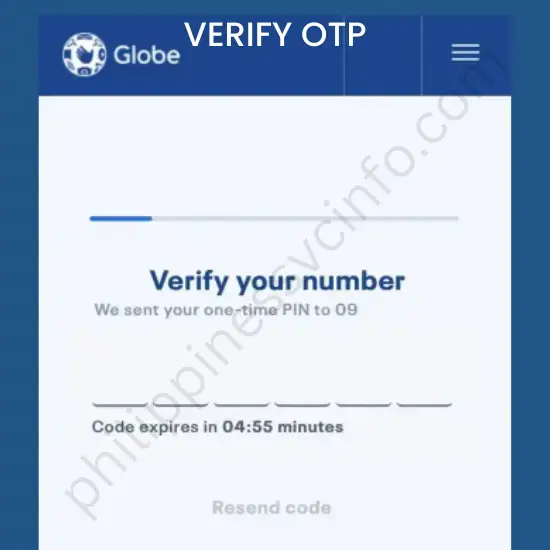
Step 3: Verify the OTP
Enter the 6-digit OTP sent to your Globe number within the allowed time to verify your mobile number.
Step 4: Complete the Registration Form
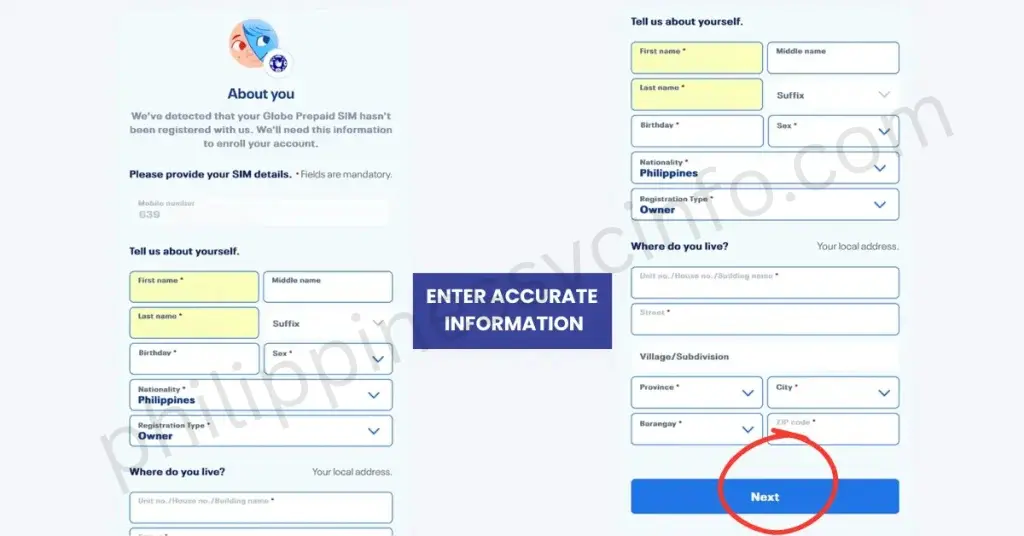
Fill in your personal information exactly as it appears on your valid government-issued ID, including:
- Full Name
- Date of Birth
- Gender
- Nationality
- Complete Residential Address
Step 5: Upload Your ID and Selfie
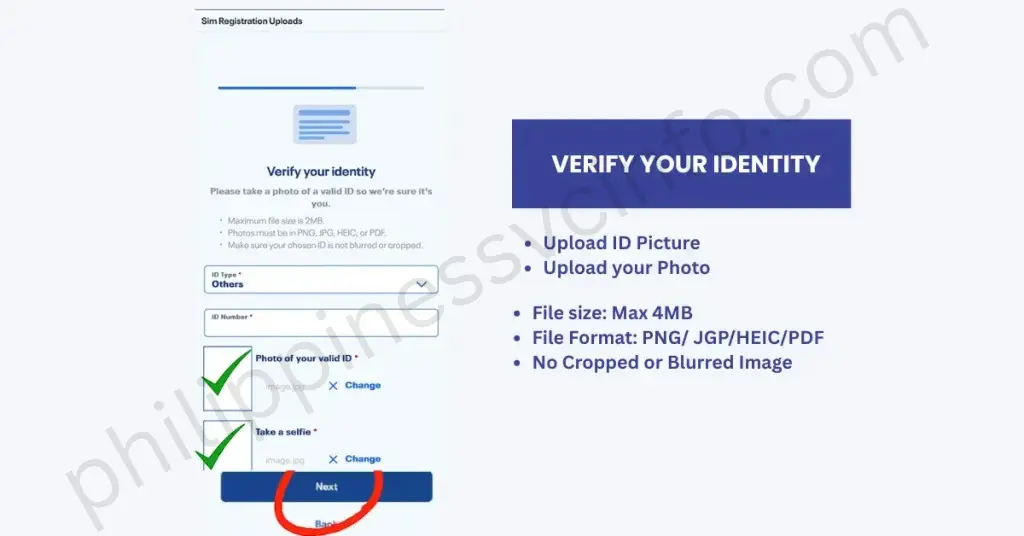
Upload a clear photo of your accepted government-issued ID and take a selfie for identity verification. Ensure both images are clear and readable.
Step 6: Review and Submit
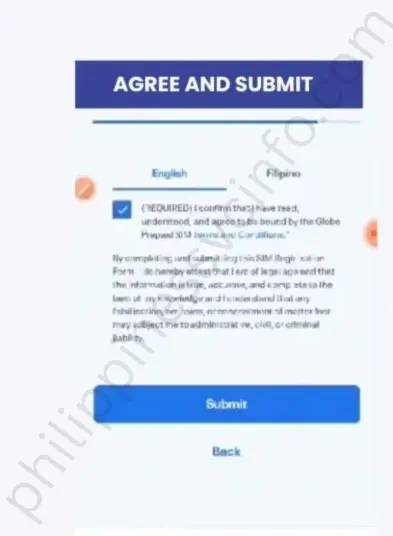
Carefully review all the information you’ve entered. If everything is correct, accept the declaration and click Submit.
Step 7: Save Your Reference Number
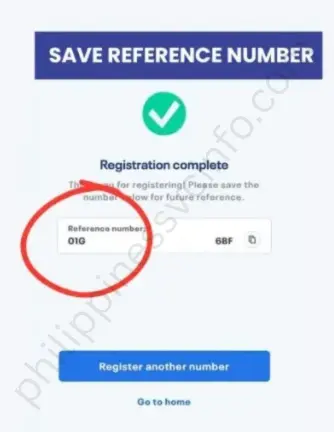
After successful registration, Globe will display a confirmation message along with your reference number. Save or take a screenshot of this number, as it may be required for future verification or customer support.
Tip: Make sure your Globe SIM is active and your phone has a stable internet connection before starting the registration process to avoid OTP or submission errors.
How to Register Your Globe SIM Using the GlobeOne App
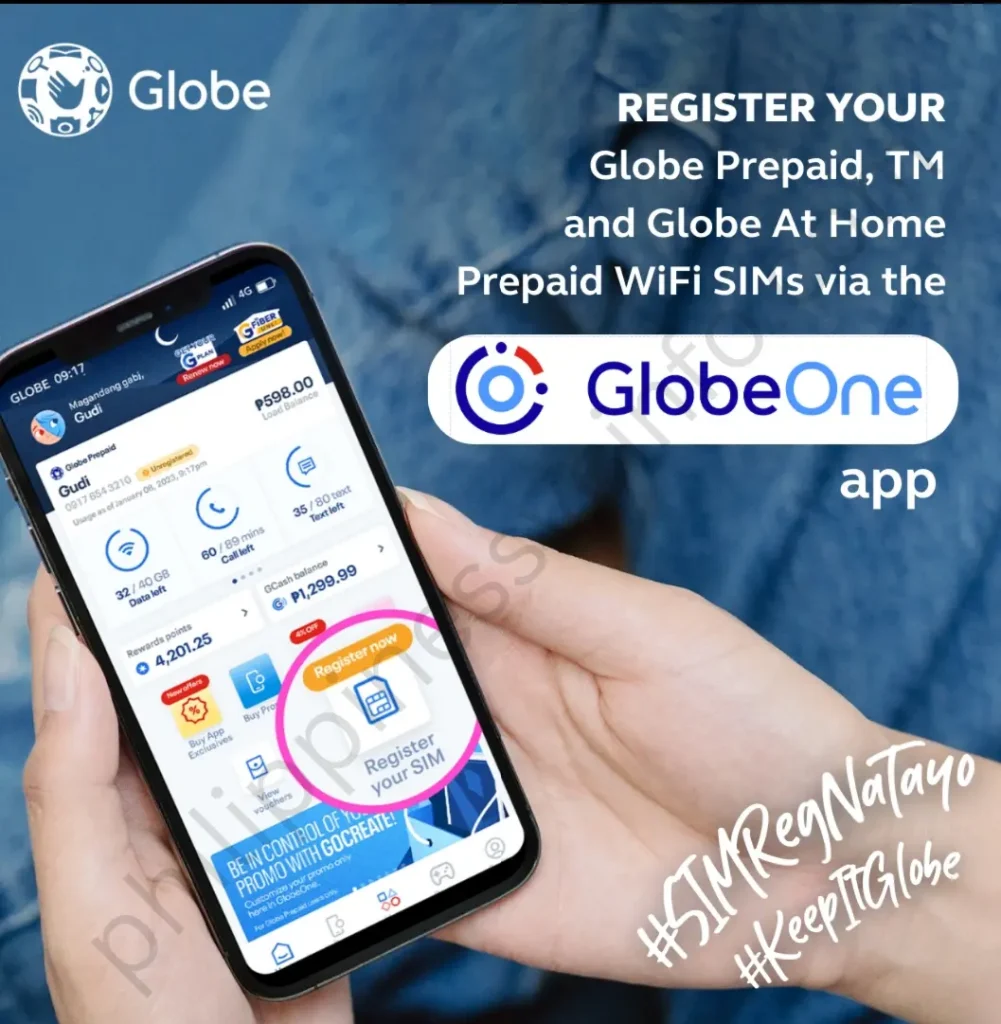
You can also complete your Globe SIM registration through the GlobeOne App, available for Android and iPhone devices. The app provides a secure and convenient way to register your SIM card without visiting a website. Before you begin, make sure you have a stable internet connection, your Globe SIM card, and a valid government-issued ID.
Step 1: Download and Set Up the GlobeOne App
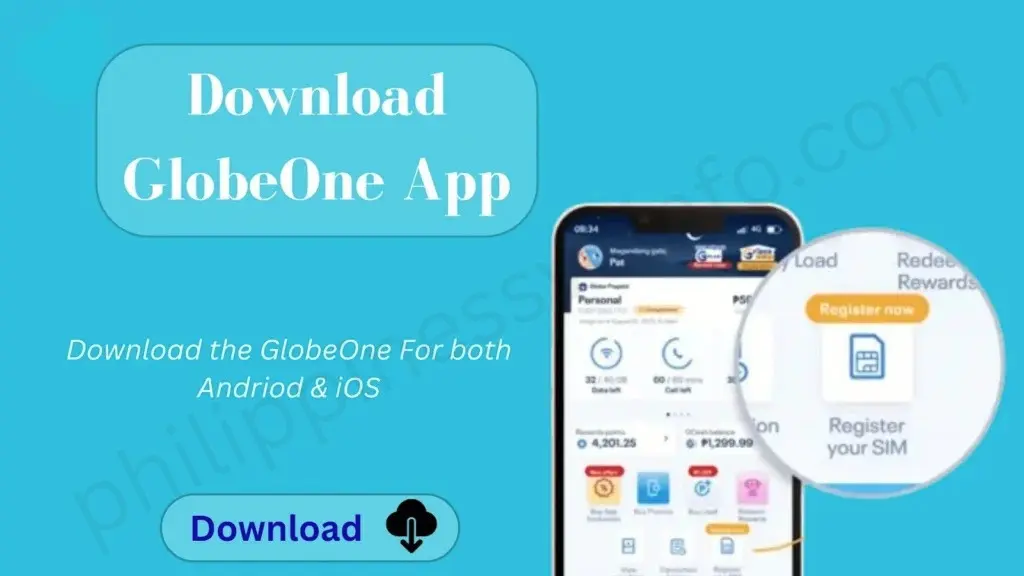
Download the GlobeOne App from the Google Play Store or the Apple App Store. Install and open the app, then tap Create New Account if you’re a new user. Accept the Terms and Conditions, create a secure PIN, and optionally enable fingerprint or Face ID authentication for quicker access.
Step 2: Enter and Verify Your Globe Mobile Number
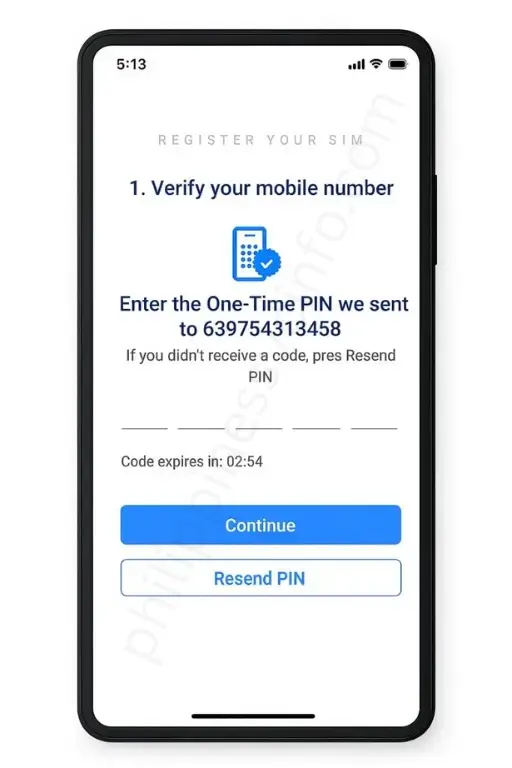
Register Your SIM
On the Home screen, tap Register Your SIM. Select your SIM type and enter the Globe mobile number you want to register. Globe will send a 6-digit One-Time Password (OTP) via SMS. Enter the OTP to verify your mobile number, then tap Let’s Start to continue.
Step 3: Complete Your Personal Information

Fill out the registration form with your personal details, including:
- Full Name
- Date of Birth
- Gender
- Nationality
- Email Address (if required)
- Complete Residential Address
Carefully review your information before tapping Next.
Step 4: Verify Your Identity
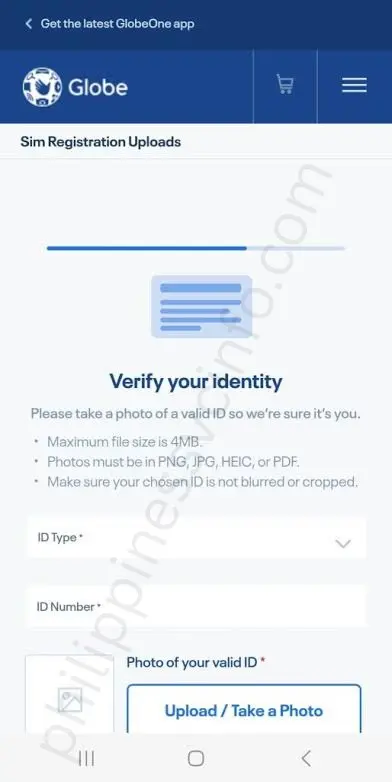
Choose one of the accepted government-issued IDs, such as:
- National ID (PhilSys)
- Passport
- Driver’s License
- UMID
- SSS ID
- PRC ID
- NBI Clearance
- Voter’s ID
- Senior Citizen ID
- PWD ID
- School ID (for eligible students)
- Other IDs accepted by Globe
Enter your ID number, then upload clear photos of your valid ID. Next, take a selfie using your device’s camera to confirm your identity. Ensure all uploaded images are clear, readable, and within the app’s file size limit.
Step 5: Review and Submit Your Registration

Review all the information you’ve entered to make sure it is complete and accurate. Tick the checkbox confirming that you agree to the Terms and Conditions and that all information provided is true.
Tap Submit to complete your Globe SIM registration.
Once your application has been submitted successfully, you’ll receive a confirmation message along with a reference number. Save this reference number for future verification or customer support. Globe may take up to 24 hours to validate your information and complete the registration process.
Important: Minors must register their SIM card under a parent or legal guardian. If a minor’s parents are deceased, the SIM may be registered under a legal guardian or the person legally responsible for their care, subject to Globe’s registration requirements.
Globe SIM Registration at a Globe Store
If you’re unable to register your Globe SIM online or through the GlobeOne App, you can visit a Globe Store for in-person assistance. Globe representatives are available to help customers complete the SIM registration process, making it a convenient option for those without internet access or those experiencing technical issues.
Step 1: Find the Nearest Globe Store
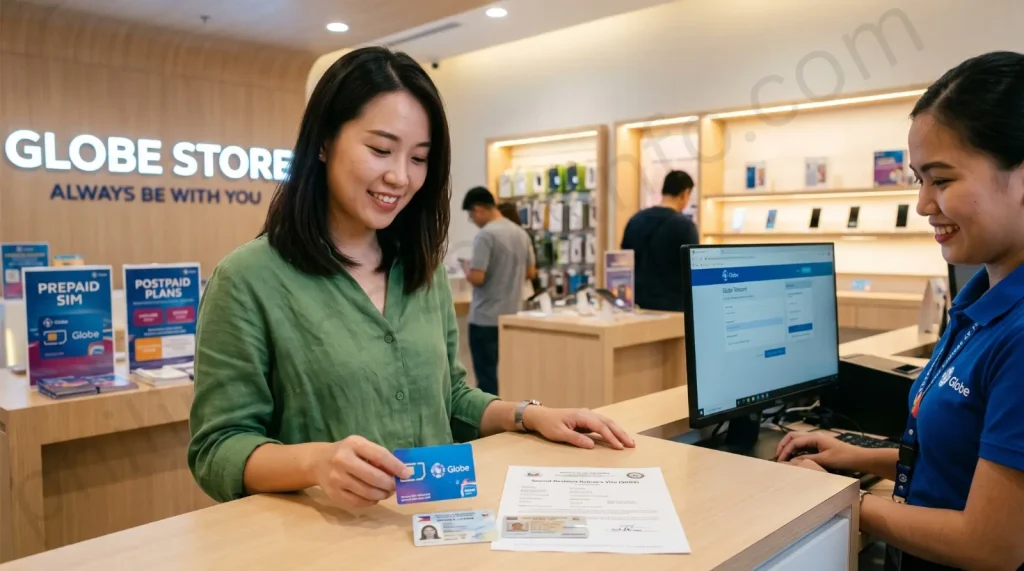
Use Google Maps or Globe’s official store locator to find the nearest Globe Store or EasyHub in your area. Choose the location that is most convenient for you.
Step 2: Bring Your Required Documents
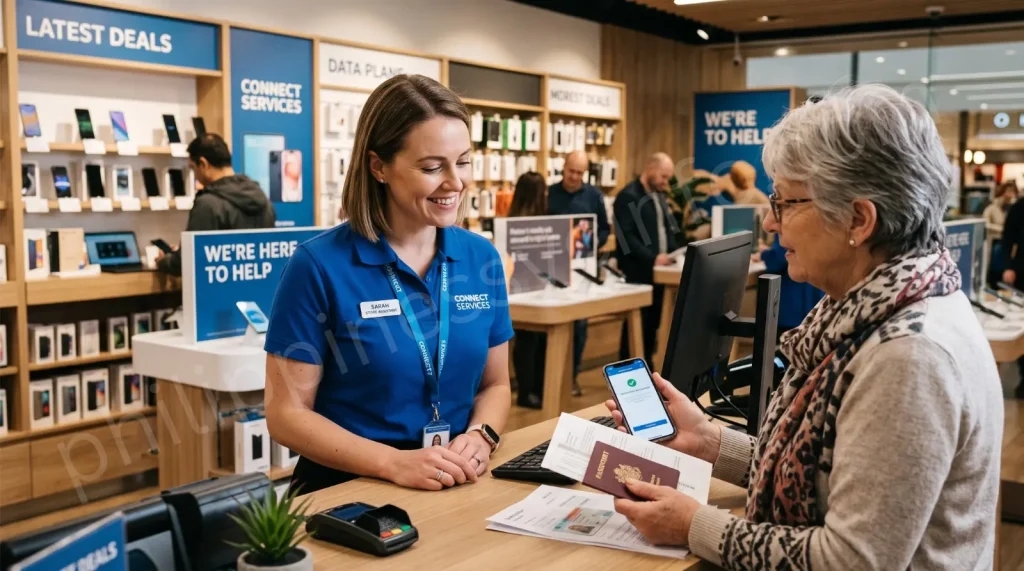
Visit the Globe Store with your Globe SIM card and a valid government-issued ID. Foreign nationals should also bring any additional documents required for their residency or visa status.
Step 3: Request SIM Registration Assistance

Inform the Globe staff that you would like to register your SIM card. A representative will guide you through the registration process and explain any requirements.
Step 4: Provide Your Personal Information

You will be asked to provide your registration details, including:
- First Name
- Last Name
- Date of Birth
- Gender
- Complete Residential Address
- ZIP or Postal Code
If necessary, the representative may also ask you to answer security questions to verify your identity.
Step 5: Complete the Registration
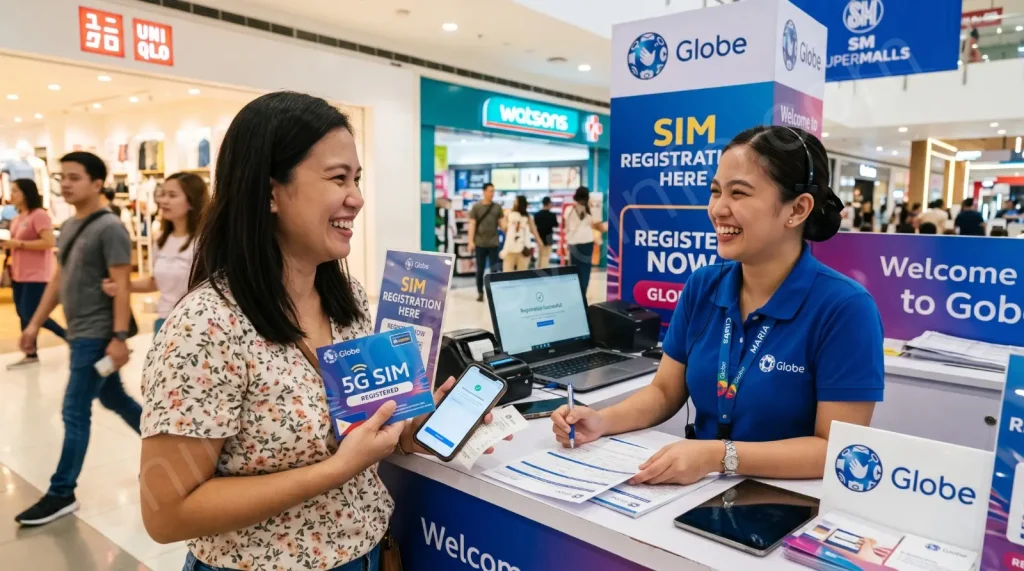
After verifying your information and documents, the Globe representative will process your SIM registration. Once completed, you will receive a confirmation message or reference number confirming that your registration request has been successfully submitted.
Important: Globe offers in-person SIM registration assistance through its Globe Stores and EasyHubs nationwide. Registration requirements differ for Filipino citizens and foreign nationals, so ensure you bring all required identification and supporting documents before visiting a Globe Store.
Globe SIM Registration Using a QR Code
Globe also allows subscribers to register their SIM cards by scanning an official QR code. This method is quick and convenient because the QR code takes you directly to the official Globe SIM Registration portal, where you can complete the registration process. Globe eSIM users typically receive their QR code via email, while physical SIM users may find it on Globe’s official website, promotional materials, or the GlobeOne App.
Step 1: Scan the Official QR Code

Open your smartphone’s camera or any QR code scanner app and scan the official Globe SIM Registration QR code. If you’re activating a Globe eSIM, use the QR code sent to your registered email address.
Step 2: Open the Registration Portal

After scanning the QR code, your device will automatically redirect you to the official Globe SIM Registration website. Ensure the page opens on Globe’s official domain before continuing.
Step 3: Complete the Registration Form
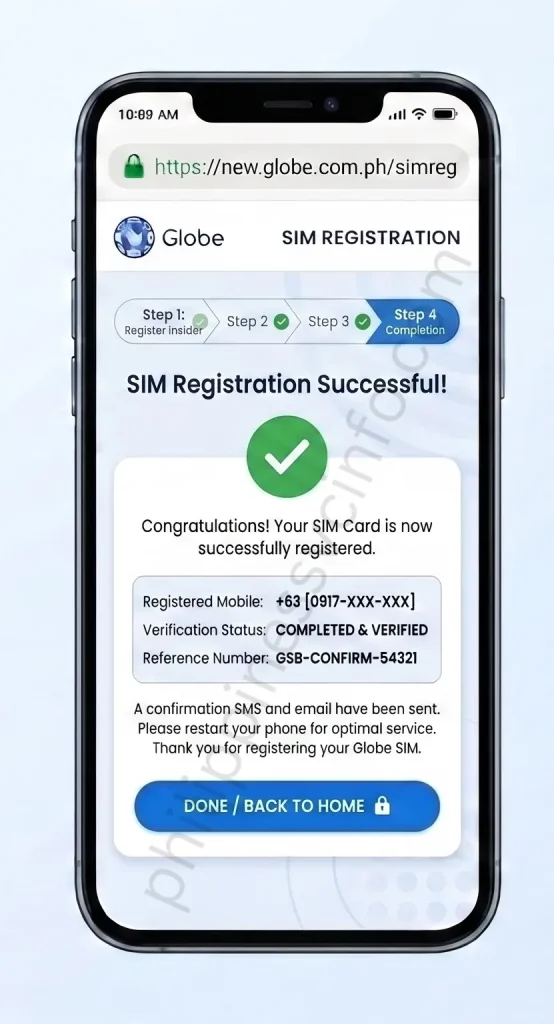
Enter the required information, including your mobile number, full name, date of birth, nationality, and complete residential address. Make sure all details are accurate before proceeding.
Step 4: Upload Your Valid ID

Select one of the accepted government-issued IDs, enter the corresponding ID number, and upload a clear photo of your ID. You may also be required to take or upload a selfie for identity verification.
Step 5: Review and Submit

Review all the information you have entered, agree to the Terms and Conditions, and submit your registration. Once the process is complete, Globe will display a confirmation message along with a reference number confirming that your SIM registration request has been successfully received.
Note: Always use an official Globe QR code obtained from the Globe website, the GlobeOne App, your Globe eSIM activation email, or authorised Globe materials. Avoid scanning QR codes from unknown or unofficial sources to protect your personal information.
Register Your Globe SIM Using the GCash App
Fully verified GCash users can also complete their Globe SIM registration directly through the GCash app. This method provides a quick and convenient way to register without visiting the Globe SIM Registration portal separately.
Step 1: Open the GCash App

Launch the GCash App on your Android or iPhone. If you don’t have it installed, download it from the Google Play Store or the Apple App Store and log in to your fully verified GCash account.
Step 2: Select the SIM Registration Prompt

If your Globe SIM has not yet been registered, GCash will display a Register Your SIM prompt on the home screen. Tap the prompt to begin the registration process.
Step 3: Complete the Registration

Review the pre-filled information (if available), provide any additional details requested, and follow the on-screen instructions to complete your registration.
Step 4: Authorise Data Sharing
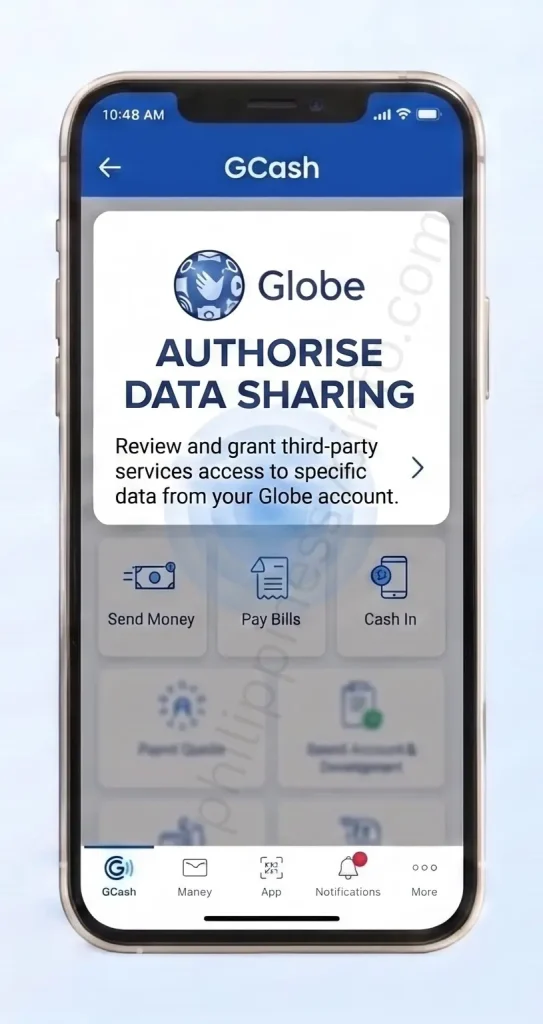
By continuing, you authorise GCash to securely share your registration details with Globe Telecom for SIM registration and identity verification.
Step 5: Submit Your Registration
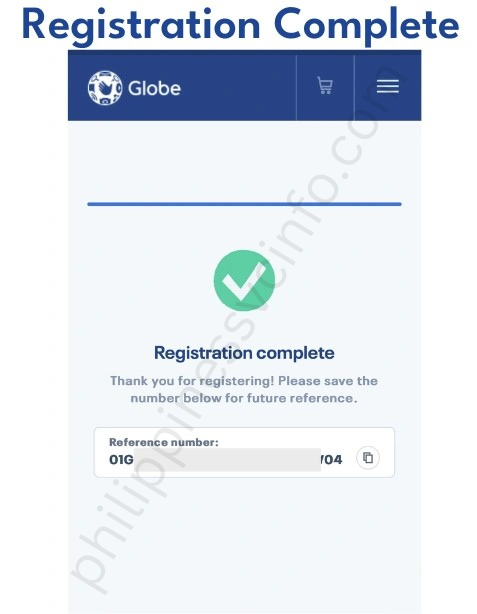
Review your information carefully and tap Submit. Globe Telecom will verify your details, and once the registration is approved, you will receive a confirmation notification. Verification may take several hours or a few days, depending on the validation process.
Note: SIM registration through the GCash app is available only to fully verified GCash users. If you are not yet verified or do not see the registration prompt, you can register your Globe SIM using the official Globe SIM Registration portal, the GlobeOne App, a Globe Store, or the official QR code.
How to Check Your Globe SIM Registration Status
After completing your Globe SIM registration, you can verify whether your SIM has been successfully registered using any of the following methods.
1. Check Through the GlobeOne App

If you registered using the GlobeOne App or already have the app installed, you can easily check your registration status.
Steps:
- Open the GlobeOne App.
- Sign in using your Globe mobile number.
- Go to the Dashboard or My Account section.
- Check the status displayed beside your mobile number.
- If your SIM has been registered successfully, the app will show its registration status.
Best for: GlobeOne App users.
2. Verify Through the Official Globe SIM Registration Portal

You can also verify your registration through the official Globe SIM Registration website.
Steps:
- Visit the official Globe SIM Registration Portal.
- Enter your Globe mobile number.
- Verify your number using the One-Time Password (OTP) sent via SMS.
- After successful verification, the portal will display your SIM registration status.
- If your registration is complete, you’ll see a confirmation message.
Best for: Users who registered through the online portal.
3. Check at a Globe Store or EasyHub

If you cannot verify your SIM online, Globe representatives can check it for you.
Steps:
- Visit the nearest Globe Store or EasyHub.
- Bring your Globe SIM card and a valid government-issued ID.
- Inform the representative that you want to verify your SIM registration.
- Provide your mobile number and any requested details.
- The representative will check your registration status and assist you if necessary.
Best for: Users who need in-person assistance.
4. Verify Through the Official QR Code
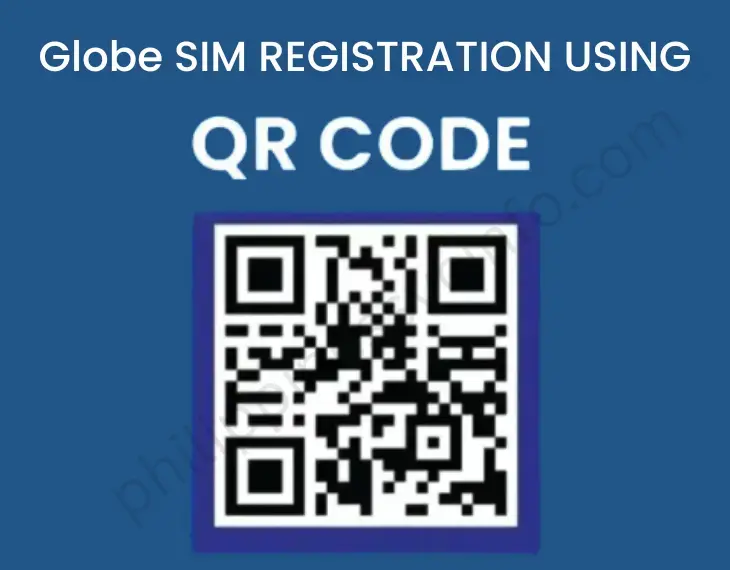
If you registered using the official Globe QR Code, you can also verify your registration through the same portal.
Steps:
- Scan the official Globe SIM Registration QR Code.
- It will redirect you to the official registration website.
- Enter your Globe mobile number.
- Complete the OTP verification.
- Your registration status will appear on the screen.
Best for: Users who prefer accessing the portal via QR code.
5. Check Through the GCash App

Fully verified GCash users who registered through the GCash App may also verify their registration.
Steps:
- Open the GCash App.
- Log in to your verified account.
- Navigate to the SIM Registration section (if available).
- Check the registration status linked to your Globe mobile number.
- If additional verification is required, follow the on-screen instructions or wait for Globe’s confirmation notification.
Globe SIM Registration Troubleshooting Guide
If you experience any issues while registering your Globe SIM, don’t worry. Most registration problems can be resolved by checking your information, improving your internet connection, or trying the registration again. Below are the most common Globe SIM registration errors and their solutions.
| Problem | Possible Cause | Solution |
|---|---|---|
| OTP Not Received | Weak signal, network congestion, or expired OTP | Ensure you entered the correct mobile number, wait a few minutes, restart your phone, toggle Airplane Mode on and off, then request a new OTP if needed. |
| Registration Failed | Incorrect or incomplete information | Review all the details entered, ensure they match your valid ID, then edit and resubmit your registration through the official Globe SIM Registration portal. |
| Mismatched ID Details | Information on the form doesn’t match your ID | Return to the registration portal, verify your number using OTP, correct the mismatched information, and submit the application again. |
| Selfie or ID Upload Error | Blurry image, unsupported format, or file size too large | Upload a clear photo of your valid ID and selfie. Make sure images are readable and within Globe’s required file size limit. Compress or resize the image if necessary. |
| GlobeOne App Not Working | Outdated app, corrupted cache, or temporary bug | Update the GlobeOne App from the Google Play Store or App Store. If the issue continues, clear the app cache or reinstall the application. |
| Submission Failed | Weak internet connection or browser issues | Refresh the page, clear your browser cache, check your internet connection, and submit the registration form again. You can also try another browser or device. |
| Technical or Server Issues | Globe system maintenance or heavy traffic | Wait for a while and try again later. If the registration portal is temporarily unavailable, retry after a few hours or within 24 hours. |
| Can’t Receive Calls or Texts After Registration | Registration still being processed or network issue | Restart your phone, ensure your SIM is properly inserted, and wait for Globe to complete verification. Contact Globe Customer Support if the issue continues. |
Tip: Always use the official Globe SIM Registration Portal, GlobeOne App, GCash App, or visit a Globe Store to complete your registration. If none of the above solutions resolve your issue, contact Globe Customer Support or visit the nearest Globe Store or EasyHub for further assistance.
How to Activate Your Globe SIM
If you’ve purchased a new Globe SIM card, you’ll need to activate and register it before you can enjoy calls, text messages, mobile data, and other Globe services. New prepaid SIMs must be registered under the SIM Registration Act (Republic Act No. 11934), while most postpaid SIMs are activated after account verification.
Activate a New Globe SIM

Follow these steps to activate your new Globe SIM:
Step 1: Insert Your Globe SIM
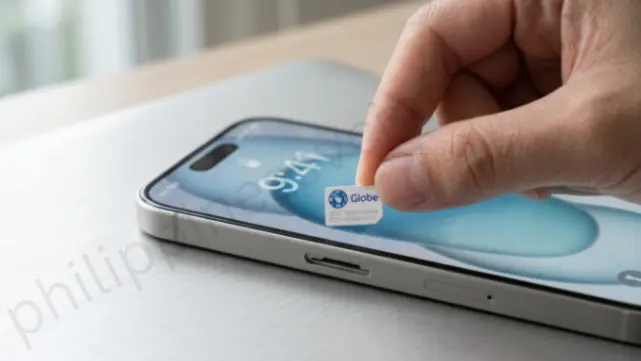
Insert the Globe SIM card into your mobile phone and turn on the device.
Step 2: Wait for Network Signal
Allow a few moments for your phone to detect the Globe network. Once the signal bars appear, make sure Airplane Mode is turned off.
Step 3: Complete Globe SIM Registration

Visit the official Globe SIM Registration Portal or use the GlobeOne App to register your SIM card.
You’ll need to:
- Verify your mobile number using an OTP.
- Provide your personal information.
- Upload a valid government-issued ID and a selfie.
- Submit your registration.
Step 4: Wait for Confirmation
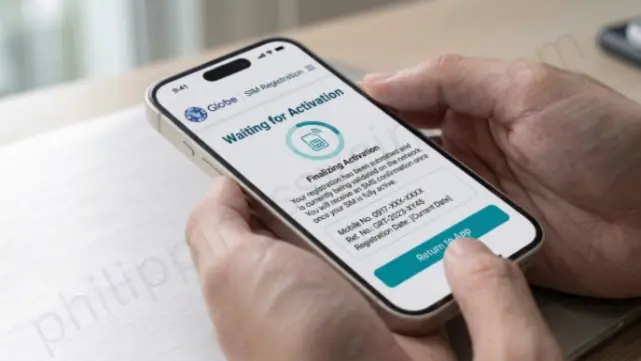
After your registration is approved, your Globe SIM will be activated and ready to use. You’ll be able to access calls, SMS, mobile data, and other Globe services.
How to Activate a Globe eSIM
If you’re using a Globe eSIM, activation is quick and can be completed using the GlobeOne App or the official eSIM QR code provided by Globe.
Method 1: Activate Using the GlobeOne App

- Download and open the GlobeOne App.
- Sign in to your Globe account.
- Follow the instructions to activate your Globe eSIM.
- Complete the verification process.
- Wait for the activation confirmation.
Method 2: Activate Using the eSIM QR Code
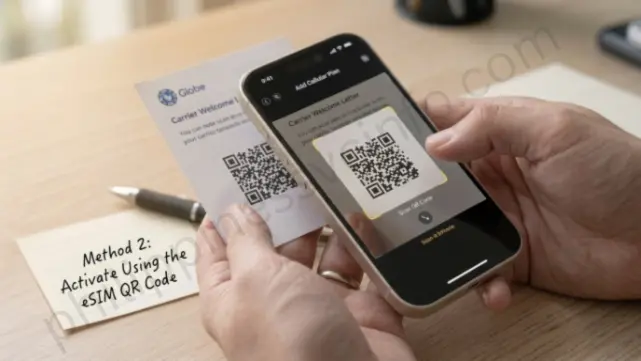
- Open your phone’s Settings.
- Go to Mobile Network, Cellular, or SIM Manager.
- Select Add eSIM or Add Cellular Plan.
- Scan the Globe eSIM QR code provided by Globe.
- Follow the on-screen instructions to download and activate the eSIM profile.
- Wait for the activation to complete before using your eSIM.
Note: If you’re converting your existing physical Globe SIM to an eSIM, you may need to request the conversion through the GlobeOne App, Globe Customer Support, or by visiting a Globe Store, depending on your account type.
Globe SIM Not Working After Registration?
If your Globe SIM is registered but still isn’t working, try these troubleshooting steps:
- Restart your mobile phone.
- Reinsert the SIM card and ensure it is properly seated.
- Test the SIM in another compatible device.
- Check that your device is receiving a Globe network signal.
- Update your phone’s network settings if necessary.
- Contact Globe Customer Support or visit the nearest Globe Store if the issue persists.
Tip: Always register and activate your Globe SIM using the official Globe SIM Registration Portal, the GlobeOne App, or an authorized Globe Store to ensure a secure and successful activation process.
How to Update or Change Your Globe SIM Registration Information
If your personal information changes after completing your Globe SIM registration, you should update your registration details to keep your records accurate. You can update your information through the official Globe SIM Registration Portal or the GlobeOne App.
Steps to Update Your Globe SIM Information
- Visit the official Globe SIM Registration Portal or open the GlobeOne App.
- Log in using your registered Globe mobile number.
- Select the View or Edit Your Details or Update Information option.
- Enter your 11-digit Globe mobile number if prompted.
- Update the information you want to change, such as:
- Full Name
- Residential Address
- Government-issued ID
- Other personal details (if applicable)
- Upload any supporting documents if required.
- Review your updated information and click Submit.
- Enter the One-Time Password (OTP) sent to your registered Globe number to verify your identity.
- After successful verification, your updated information will be submitted for processing.
When Should You Update Your Globe SIM Information?
You should update your Globe SIM registration details if any of the following information changes:
- Your residential address has changed.
- Your name has changed due to marriage or other legal reasons.
- You have renewed or replaced your government-issued ID.
- Your personal information needs correction because of an error during registration.
Globe SIM Information Update Summary
| Update Type | Can Be Updated? |
|---|---|
| Name (Legal Change) | ✅ Yes |
| Residential Address | ✅ Yes |
| Government-Issued ID | ✅ Yes |
| Personal Information Correction | ✅ Yes |
| Supporting Documents | ✅ If Required |
Note: Always use the official Globe SIM Registration Portal or the GlobeOne App to update your registration details. If you’re unable to update your information online, visit the nearest Globe Store or EasyHub for assistance.
Who Needs to Register Their Globe SIM?
Under the SIM Registration Act (Republic Act No. 11934), all Globe subscribers must register their SIM cards to continue using mobile services. This requirement applies to both individual and business users across different Globe products and services.
The following users are required to register their Globe SIM:
- Globe Prepaid subscribers
- Globe Postpaid subscribers
- Globe Platinum customers
- Globe At Home Prepaid WiFi users
- Globe Business or Corporate SIM users
- Foreign nationals and tourists using Globe SIM cards
- Minors, whose SIM cards must be registered under a parent or legal guardian
Globe Postpaid and Platinum SIM Registration
For Globe Postpaid and Globe Platinum subscribers, the registration process is generally simpler because Globe already has your account information on file.
- Globe may notify Postpaid and Platinum customers through SMS, email, or the GlobeOne App regarding their SIM registration status or any additional verification required.
- If additional information is needed, you can complete the process through the GlobeOne App, the official Globe SIM Registration Portal, or by visiting a Globe Store.
- Globe Platinum customers can also contact their dedicated Account Manager for registration assistance.
Globe At Home LTE and Prepaid WiFi Registration
If you’re using a Globe At Home LTE or Globe At Home Prepaid WiFi SIM, you must also complete SIM registration.
You can register by:
- Using the Official Globe SIM Registration Portal
- Registering through the GlobeOne App
- Visiting a Globe Store or EasyHub if you need assistance
Note: Registration requirements may vary depending on your Globe service or account type. If you’re unsure about your registration status or need help completing the process, contact Globe Customer Support or visit the nearest Globe Store for assistance.
Benefits of Globe SIM Registration
Registering your Globe SIM card offers more than just compliance with the SIM Registration Act (Republic Act No. 11934). It helps protect your mobile account, keeps your services active, and gives you access to Globe’s full range of features and customer support.
| Benefit | Description |
|---|---|
| Uninterrupted Mobile Services | Continue enjoying calls, text messages, mobile data, and other Globe services without service interruption. |
| Enhanced Security | Protect your SIM card from identity theft, SIM swap fraud, phishing, scams, and other unauthorized activities. |
| Legal Compliance | Meet the requirements of the SIM Registration Act and avoid SIM deactivation due to non-registration. |
| Access to Globe Services | Use Globe services such as GCash, Go+ promos, roaming services, and other exclusive offers available to registered users. |
| Globe Rewards | Earn Globe Rewards points that can be redeemed for mobile promos, vouchers, and other rewards. |
| Share-A-Load Service | Transfer prepaid load easily to family and friends using Globe’s Share-A-Load feature. |
| Eligibility for Globe Postpaid Plans | Apply for Globe Postpaid plans and device bundles, including selected smartphones, subject to Globe’s approval requirements. |
| Better Customer Support | Receive faster account verification and assistance when contacting Globe Customer Support or visiting a Globe Store. |
| Roaming Services | Activate local and international roaming services more conveniently while traveling. |
| Consumer Protection | A registered SIM helps Globe and government authorities reduce mobile-related fraud, spam, scams, and other illegal activities. |
Why Register Your Globe SIM?
Registering your Globe SIM keeps your mobile number active, protects your personal information, ensures compliance with Philippine law, and gives you uninterrupted access to Globe’s mobile services, rewards, customer support, and exclusive promotions.
Penalties and Consequences of Not Registering Your Globe SIM
Under the SIM Registration Act (Republic Act No. 11934), all Globe subscribers must register their SIM cards to continue using mobile services. Failure to register your SIM before the official deadline may result in the following consequences:
| Consequence | Description |
|---|---|
| SIM Deactivation | Your Globe SIM card may be permanently deactivated if it is not registered before the deadline. |
| Loss of Mobile Services | You will no longer be able to make or receive calls, send text messages, or use mobile data. |
| Loss of Access to Globe Services | Services linked to your SIM, such as mobile promos, Globe Rewards, and other mobile features, may no longer be available. |
| Possible Loss of Your Mobile Number | Once a SIM is deactivated, you may not be able to recover or continue using the same mobile number, subject to Globe’s policies. |
| Service Disruption | Unregistered SIM cards cannot access Globe’s network until they comply with applicable registration requirements, if reactivation is permitted. |
Important: To avoid service interruption and SIM deactivation, complete your Globe SIM registration before the deadline using the official Globe SIM Registration Portal, the GlobeOne App, the GCash App, or by visiting a Globe Store or EasyHub.
Frequently Asked Questions (FAQs)
Final Thoughts
Globe SIM registration is a simple but important process that helps keep your mobile number active while protecting you from scams, identity theft, and unauthorized SIM use. Whether you register through the official Globe SIM Registration Portal, the GlobeOne App, the GCash App, an official QR code, or by visiting a Globe Store, the process only takes a few minutes if you have your valid ID and personal information ready. To avoid delays, always provide accurate details, upload a clear government-issued ID and selfie, and keep your reference number after submitting your application. If you encounter issues such as OTP errors, ID verification problems, or registration failures, the troubleshooting solutions in this guide can help you resolve them quickly. Most importantly, don’t wait until the registration deadline. Complete your Globe SIM registration as early as possible to avoid service interruption and continue enjoying calls, texts, mobile data, GCash, Globe Rewards, roaming services, and other Globe features without interruption.
May Also Like This:








