SIM Registration 2026: Complete Guide for Smart, Globe & DITO
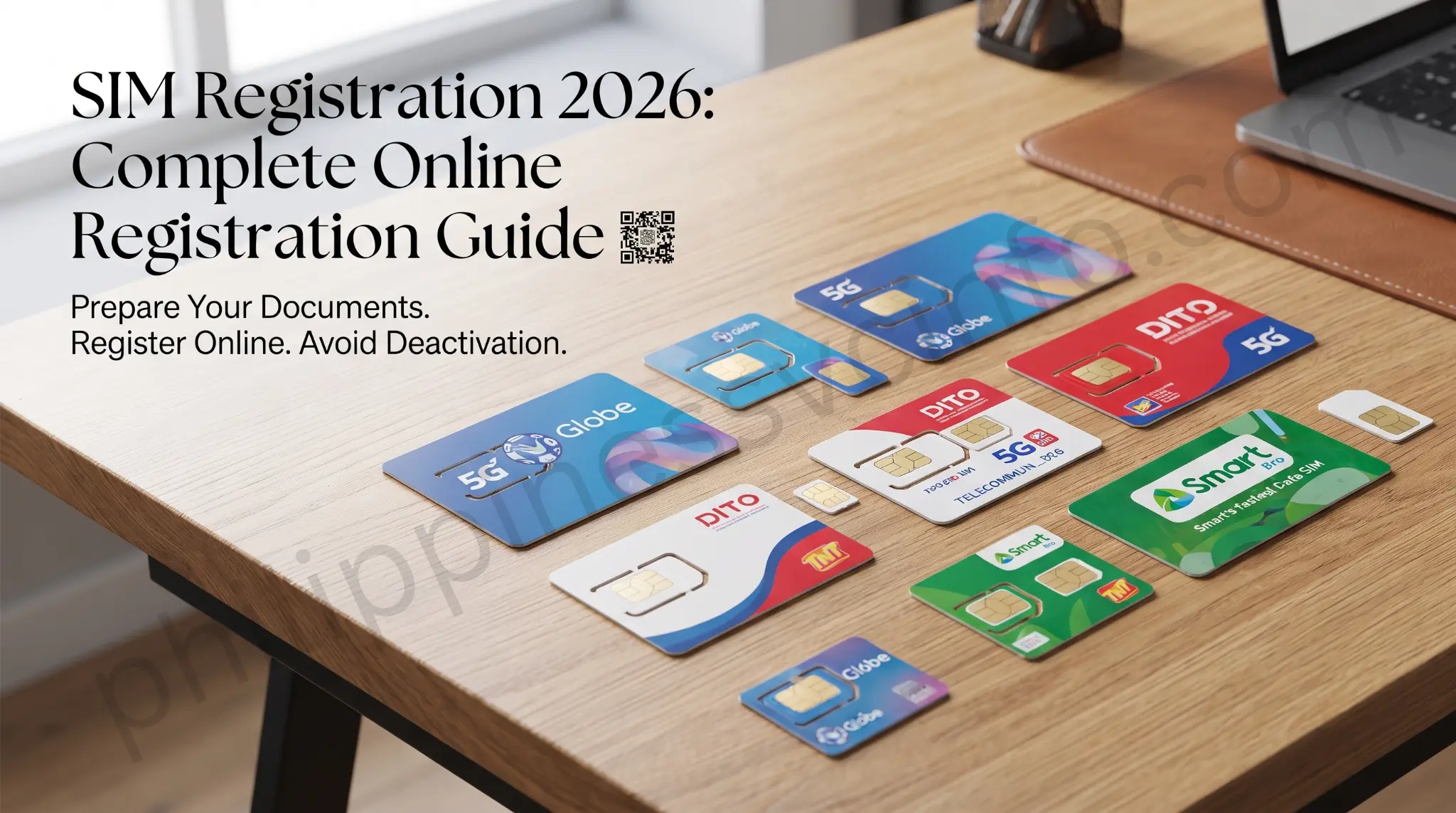
Complete your SIM card registration to continue enjoying uninterrupted calls, text messages, and mobile data services. In this complete 2026 guide, you’ll learn how to register your SIM card online, find official registration links, check the requirements, verify your registration status, and keep your mobile services active without interruption.
What Is SIM Card Registration in the Philippines?
SIM card registration in the Philippines is a legal requirement under Republic Act No. 11934, also known as the SIM Registration Act. The law requires all prepaid, postpaid, and eSIM users to register their SIM cards using valid personal information and a government-issued ID. The purpose of this regulation is to help prevent text scams, fraud, identity theft, phishing attacks, and other crimes committed through anonymous mobile numbers. It applies to Filipino citizens, foreign nationals, and businesses that use SIM cards purchased in the Philippines.
If you are wondering how to register a SIM card in the Philippines, the process is completed online through the official registration portal of your mobile network provider, such as Smart, TNT, Globe, TM, or DITO. New SIM cards must be registered before activation, while existing subscribers are required to keep their registration information accurate and up to date whenever required by their mobile network provider. Registering your SIM card ensures uninterrupted access to calls, text messages, mobile data, and other mobile services while complying with Philippine law.
Why Is SIM Card Registration Mandatory in the Philippines?
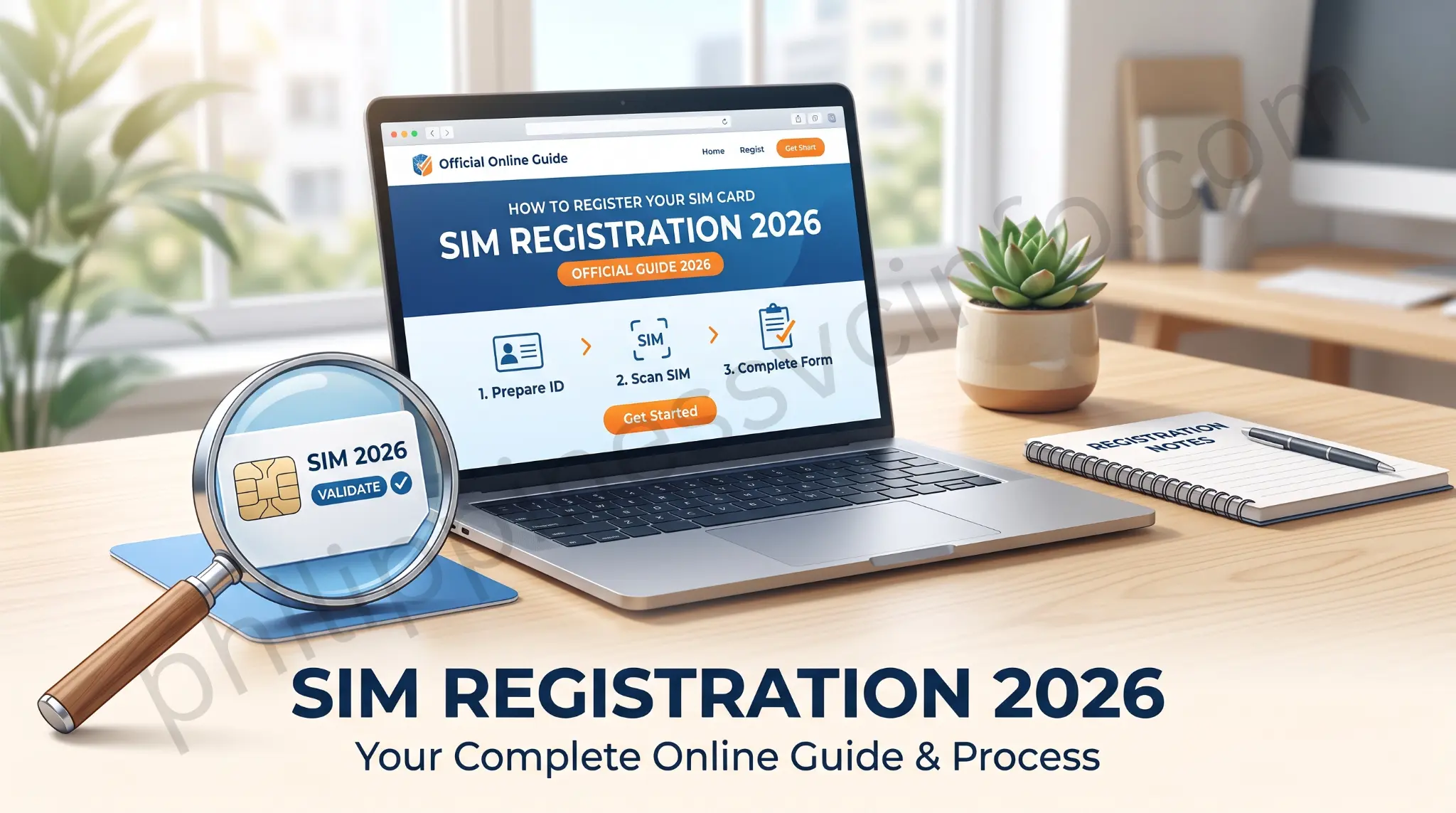
SIM card registration is mandatory in the Philippines under Republic Act No. 11934, also known as the SIM Registration Act. The law requires all prepaid, postpaid, and eSIM users to register their SIM cards with valid personal information and a government-issued ID before they can be activated. Its primary goal is to reduce text scams, phishing attacks, identity theft, online fraud, and other cybercrimes by linking every mobile number to a verified owner.
Before this law was introduced, anonymous SIM cards were often used for illegal activities, making it difficult for authorities to identify those responsible. By requiring registration, the government and telecommunications providers can better protect consumers, improve public safety, and support law enforcement investigations. The Act also includes strict data privacy provisions, requiring all personal information collected during registration to be kept confidential and handled in accordance with applicable Philippine data protection laws.
How Is Your Personal Data Protected During SIM Registration?
Ths Act (Republic Act No. 11934) includes strict data privacy and confidentiality provisions to protect the personal information collected during registration. Telecommunications providers are required to securely store subscriber information and use it only for purposes permitted by law. Your personal details cannot be disclosed, shared, or accessed by unauthorized individuals or organizations.
As a subscriber, your information remains confidential and may only be released under specific legal circumstances. These include a court order, a lawfully issued subpoena, or a written request from a law enforcement agency as part of an official investigation involving a mobile number suspected of being used in the commission of a crime. Outside of these legally authorized situations, your personal data must remain protected in accordance with the Act and the Data Privacy Act of 2012 (Republic Act No. 10173).
Privacy Tip: Always register your SIM card through your mobile network provider’s official website or mobile app. Never share your OTP, identification documents, or personal information with unofficial websites or individuals to help protect yourself from identity theft and online scams.
What Happens If You Don’t Register Your SIM Card?
If your SIM card is not registered before the government-designated deadline, it will be deactivated. A deactivated SIM cannot make or receive calls, send or receive text messages, or access mobile data services. You may also lose any remaining prepaid load and be unable to receive one-time passwords (OTPs) required for online banking, e-wallets, shopping platforms, social media accounts, and other secure online services.
Additionally, an active mobile number is often required for banking transactions, loan applications, and important account notifications. Registering your SIM on time ensures uninterrupted mobile service and continued access to essential digital services.
Note: The nationwide registration deadline established during the initial rollout of the SIM Registration Act has already passed. Today, newly purchased SIM cards must be registered before they can be activated, while existing users should keep their registration information accurate and updated whenever required by their mobile network provider.
What Are the Penalties Under the SIM Registration Act?
The SIM Registration Act and its Implementing Rules and Regulations (IRR) impose penalties on individuals and Public Telecommunications Entities (PTEs) that violate the law. These penalties are designed to discourage the use of false identities, forged documents, unauthorized SIM transfers, identity theft, and the unlawful disclosure of subscriber information. Depending on the nature of the violation, offenders may face fines, imprisonment, or both.
Penalties for Violations
| Violation | Penalty |
|---|---|
| Providing false information or using forged documents during SIM registration | Imprisonment of 6 months to 2 years and a fine of ₱100,000 to ₱300,000 |
| Selling or transferring a registered SIM card without completing the required registration process | Imprisonment of 6 months to 6 years and a fine of ₱100,000 to ₱300,000 |
| Spoofing or impersonating a registered SIM card owner | At least 6 years imprisonment and a fine of ₱200,000 |
| Selling a stolen SIM card | Imprisonment of 6 months to 2 years and a fine of ₱100,000 to ₱300,000 |
| Unauthorized disclosure or breach of subscriber confidentiality | Fine ranging from ₱100,000 to ₱4,000,000 |
| Failure or refusal of a Public Telecommunications Entity (PTE) to comply with their requirements | First Offense: ₱100,000 to ₱300,000Second Offense: ₱300,000 to ₱500,000Third and Subsequent Offenses: ₱500,000 to ₱1,000,000 |
Important: These penalties are provided under the Act and its Implementing Rules and Regulations (IRR). To avoid legal consequences, always register your SIM using accurate information and follow your telecom provider’s official registration procedures.
The SIM Card Registration Act in the Philippines: Complete Guide
The SIM Registration Act (Republic Act No. 11934) establishes the legal framework for SIM card registration in the Philippines. It requires all prepaid, postpaid, and eSIM users to register their SIM cards with authorized telecommunications providers using accurate personal details and a valid government-issued ID. The law aims to strengthen mobile security, improve accountability in mobile communications, and support law enforcement agencies in preventing and investigating crimes committed through the use of anonymous mobile numbers.
Subscribers must complete the registration process through the official platforms of authorized telecom providers such as Smart, TNT, Globe, TM, and DITO. Foreign nationals are also required to register their SIM cards and submit additional supporting documents based on their immigration or residency status.
The Act also includes strict data privacy and confidentiality provisions that require telecommunications companies to safeguard subscriber information and use it only for purposes authorized by law. Individuals who provide false information, use forged documents, impersonate another subscriber, unlawfully transfer registered SIM cards, or disclose subscriber information without authorization may face fines, imprisonment, or both under the Registration Act and its Implementing Rules and Regulations (IRR).
How to Register Your SIM Card in the Philippines
You can register your SIM card online through the official SIM registration portal of your mobile network provider. Whether you are using Smart, TNT, Globe, TM, or DITO, the registration process is simple and only takes a few minutes. Before you begin, make sure you have a valid government-issued ID, your mobile number, and any additional information required by your telecom provider. Once you submit your details and complete the identity verification process, your telecom provider will review your information and confirm your registration.
Below, you’ll find step-by-step instructions for registering your SIM card with each major telecom provider in the Philippines, along with the official registration links, required documents, and helpful tips to ensure a smooth registration process.
Official SIM Registration Portals
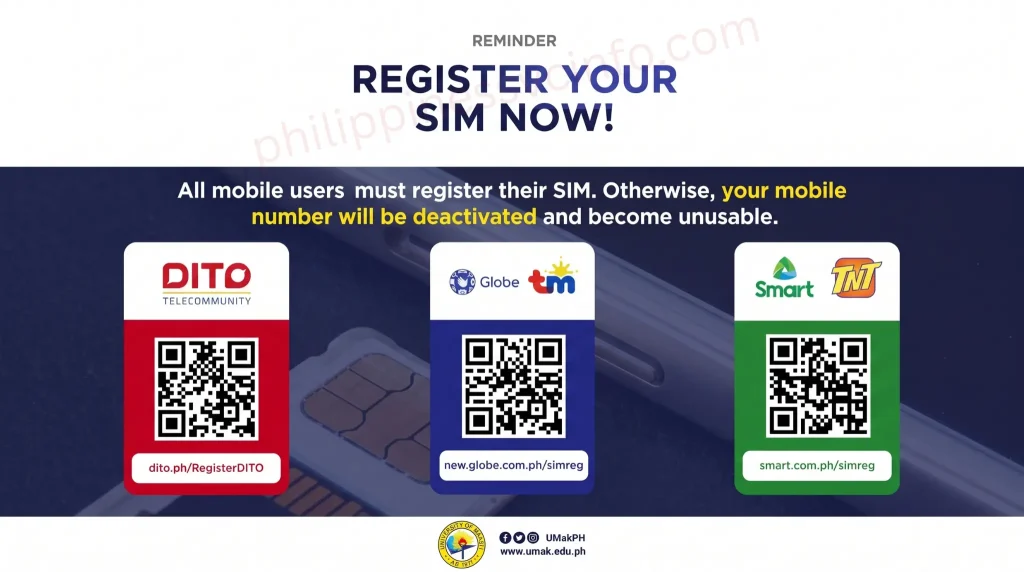
To ensure a safe and successful registration, always use your mobile network provider’s official their registration platform. Avoid third-party websites or unofficial links that may compromise your personal information.
| Telecom Provider | Official Registration Portal |
|---|---|
| Globe & TM | Official Globe SIM Registration Portal |
| Smart & TNT | Official Smart SIM Registration Portal |
| DITO | Official DITO SIM Registration Portal |
Tip: Always verify that you are visiting your telecom provider’s official website before entering your personal information or uploading identification documents.
How to Register a Globe or TM SIM Card
Globe and TM subscribers can register their prepaid or postpaid SIM cards online through Globe’s official SIM registration portal. Before starting, make sure you have your mobile number, a valid government-issued ID, and a stable internet connection. The registration process is free and usually takes only a few minutes.
Globe & TM Prepaid SIM Registration Steps
- Visit the official Globe SIM Registration portal.
- Enter your 10-digit Globe or TM mobile number and select Register.
- Input the One-Time Password (OTP) sent to your mobile number.
- Complete the online registration form by providing your:
- Full name
- Date of birth
- Gender
- Residential address
- Upload a clear photo of your valid government-issued ID and, if requested, a selfie for identity verification.
- Review your information, agree to the terms and conditions, and submit your registration.
- Save the reference number displayed after submission. You will also receive an SMS confirming that your SIM card has been successfully registered.
Other Registration Options
- Globe One App: Globe and TM prepaid users can also register their SIM cards using the GlobeOne mobile app.
- Assisted Registration: Subscribers without internet access or those using basic mobile phones may visit Globe Stores, assisted registration hubs, or authorized registration booths nationwide for free assistance.
Globe Postpaid and Business Subscribers
Most Globe postpaid, Platinum, Globe At Home, and Globe Business customers may only need to verify or confirm their existing subscriber information, as much of their account details are already on file with Globe. If additional verification is required, Globe will notify subscribers through its official communication channels and provide the necessary instructions.
Tip: Always register your SIM card using Globe’s official registration portal or the GlobeOne app. Never share your OTP, personal information, or identification documents with unofficial websites or individuals to protect yourself from scams and identity theft.
How to Register a Smart or TNT SIM Card
Smart and TNT subscribers can register their prepaid or postpaid SIM cards online through Smart’s official SIM Registration portal. The registration process is free, secure, and only takes a few minutes. Before you begin, prepare your mobile number, a valid government-issued ID, and a stable internet connection.
Smart & TNT Prepaid SIM Registration Steps
- Visit the official Smart SIM Registration portal.
- Enter your 10-digit Smart or TNT mobile number.
- Read and accept the Terms and Conditions and Privacy Notice.
- Tap Send OTP and enter the verification code sent to your mobile number.
- Complete the online registration form by providing your personal information.
- Upload a clear photo of your valid government-issued ID and any other required verification documents.
- Review your details and submit your registration.
- Save your SIM Registration Control Number for future reference. You will also receive an SMS confirming that your SIM card has been successfully registered.
Other Registration Options
If you cannot register online, you may also:
- Register through the Smart App (formerly GigaLife App).
- Visit the nearest Smart Store for assisted registration.
- Contact Smart Customer Care for registration assistance if needed.
Smart Postpaid Subscribers
Most Smart Postpaid customers already have their personal information on file. In many cases, their submitted subscriber records are used to complete SIM registration. If additional confirmation or verification is required, Smart will notify subscribers through its official channels and provide the necessary instructions.
Tip: Always register your Smart or TNT SIM through Smart’s official registration portal or authorized channels. Never share your OTP, ID details, or personal information with unofficial websites or anyone claiming to register your SIM on your behalf.
How to Register a DITO SIM Card Online
DITO subscribers can register their prepaid or postpaid SIM cards online through the official DITO SIM Registration portal or the DITO App. The registration process is free, secure, and typically takes only a few minutes to complete. Before you begin, make sure you have your DITO mobile number, a valid government-issued ID, and a stable internet connection.
DITO SIM Registration Steps
- Visit the official DITO SIM Registration portal or open the DITO App on your mobile device.
- Enter your DITO mobile number and proceed with the registration process.
- Verify your number by entering the One-Time Password (OTP) sent via SMS.
- Complete the online registration form by providing your personal information, including:
- Full Name
- Date of Birth
- Gender
- Complete Residential Address
- Upload a clear photo of your valid government-issued ID and, if required, take a selfie or live photo for identity verification.
- Carefully review all the information you entered and confirm that it is accurate.
- Agree to the Terms and Conditions and Privacy Policy, then click Submit to complete your registration.
- Once your registration is successful, save or take a screenshot of the confirmation page or reference number. You will also receive an SMS confirming that your DITO SIM card has been successfully registered.
Other Registration Options
If you are unable to register online, you may also:
- Register through the official DITO App, available for Android and iOS devices.
- Visit the nearest DITO Experience Store or an authorized registration center for assisted SIM registration.
- Contact DITO Customer Care if you need help completing your registration or verifying your account.
DITO Postpaid Subscribers
Most DITO Postpaid subscribers already have their personal information on file when they apply for their service. If additional verification or confirmation is required, DITO will notify subscribers through its official communication channels and provide instructions to complete the registration process.
Tip: Always register your DITO SIM card using the official DITO SIM Registration portal, the DITO App, or an authorized DITO registration center. Never share your OTP, government-issued ID, or personal information with unofficial websites or individuals claiming to register your SIM on your behalf, as doing so may expose you to scams or identity theft.
Required Information for SIM Card Registration
When registering a SIM card in the Philippines, subscribers must provide accurate personal details through the official registration portal or application of their mobile network provider. The required details help verify the identity of the SIM card owner and ensure compliance with the SIM Registration Act (Republic Act No. 11934).
Information Required During SIM Registration
- Full Name
- Complete Residential Address
- Date of Birth
- Gender
- Mobile Number linked to the SIM card
- SIM Card Serial Number (ICCID), if required by the telecom provider
- Valid Government-Issued ID
- ID Number
- Clear Photo of the Valid ID
- Selfie or Live Photo for identity verification (when requested)
Important: Make sure all the information you provide is accurate and matches the details on your valid government-issued ID. Submitting false or incorrect information may delay your registration or violate the provisions of the SIM Registration Act.
Documentary Requirements for SIM Card Registration
To complete your SIM card registration in the Philippines, you must present a valid government-issued ID to verify your identity. Depending on your mobile network provider, you may also be asked to upload a clear photo of your ID and a selfie or live photo during the online registration process.
Accepted Valid IDs
The following identification documents are commonly accepted for registration:
- Philippine National ID (PhilSys ID)
- Passport
- Driver’s License
- Unified Multi-Purpose ID (UMID)
- Social Security System (SSS) ID
- Government Service Insurance System (GSIS) e-Card
- Professional Regulation Commission (PRC) ID
- Taxpayer Identification Number (TIN) ID
- Voter’s ID or Voter’s Certificate (if accepted by the provider)
- Senior Citizen ID
- Persons with Disability (PWD) ID
- Overseas Workers Welfare Administration (OWWA) ID
- National Bureau of Investigation (NBI) Clearance
- Police Clearance
- Firearms License to Own and Possess ID
- School ID (for minors, together with the registration details of a parent or legal guardian)
Note: Accepted identification documents may vary slightly depending on your telecom provider. Ensure that your ID is valid, unexpired, and clearly visible when uploading it during the registration process. All personal information provided must match the details shown on your identification document.
SIM Card Registration Requirements for Foreign Nationals
Foreign nationals who purchase and use a SIM card in the Philippines are also required to register their SIM under the SIM Registration Act (Republic Act No. 11934). The registration process helps verify the identity of foreign subscribers and supports efforts to prevent fraud and other mobile-related crimes.
Information Required
Foreign nationals must provide the following details during register the SIM:
- Full Name
- Nationality
- Passport Number
- Philippine Residential or Temporary Address
- Mobile Number to be Registered
Required Documents
Depending on your purpose of stay in the Philippines, you may be asked to submit one or more of the following documents:
- Valid Passport
- Return or Onward/Departure Ticket (for tourists)
- Proof of Address in the Philippines
- Alien Certificate of Registration (ACR) ID
- Alien Employment Permit (AEP), if applicable
- School Registration or Student ID (for international students)
- Other supporting documents required by your mobile network provider or the relevant government authorities
Important: For foreign tourists, a registered SIM card is generally valid for up to 30 days from the date of activation, unless extended in accordance with applicable Philippine regulations and upon submission of the required supporting documents. Foreign nationals with long-term visas or residency status may be eligible for a longer validity period after submitting the required supporting documents. Always check with your mobile network provider for the latest registration requirements and policies.
Frequently Asked Questions (FAQs) About SIM Registration in the Philippines
Final Thoughts
SIM registration is an important step in creating a safer and more secure mobile environment in the Philippines. By registering your prepaid, postpaid, or eSIM through your telecom provider’s official registration channels, you help reduce text scams, phishing attacks, identity theft, and other forms of mobile fraud while keeping your mobile number active and compliant with the SIM Registration Act (Republic Act No. 11934). Before registering, ensure you have all the required documents ready and always use your provider’s official website, mobile app, or authorized registration center. Never share your OTP, identification documents, or personal information through suspicious links, emails, or text messages. By completing your registration through your telecom provider’s official channels and keeping your information up to date, you can stay compliant with Philippine law, protect your identity, and enjoy uninterrupted mobile services with greater peace of mind.
May Also Like This: