
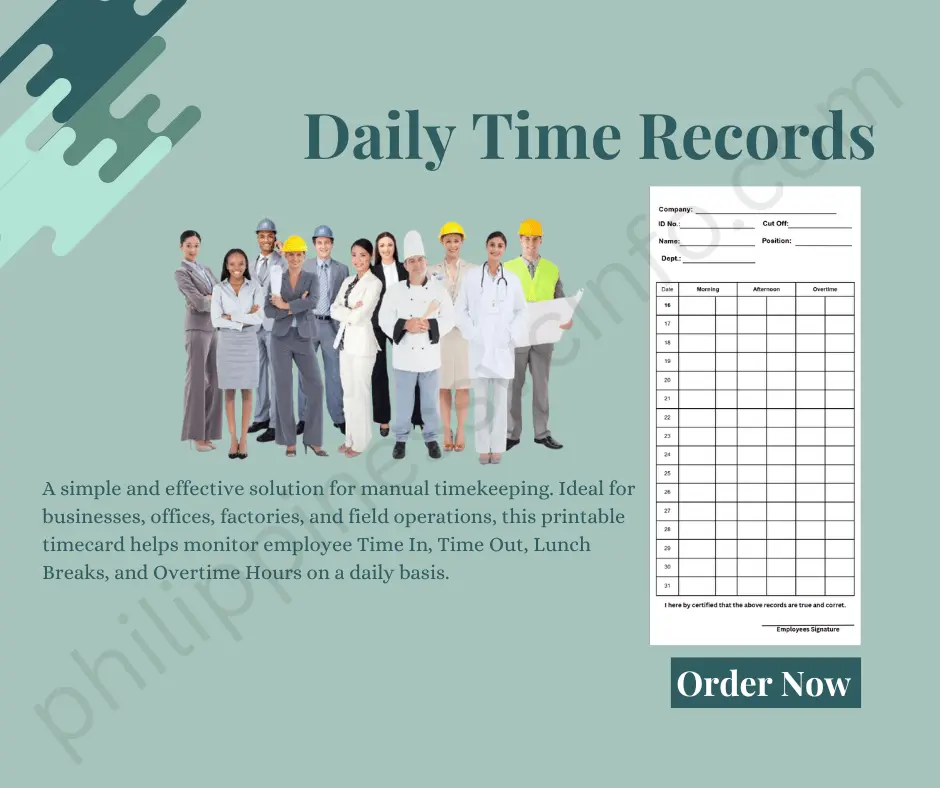
The DTR (Daily Time Record), officially known as Civil Service Form No. 48 (CS Form 48), records an employee’s daily arrival and departure times. Aside from tracking attendance, the Daily Time Record is also used for salary processing, leave computation, auditing, and monitoring compliance with official working hours.
Whether you are a newly hired government employee or simply looking for the latest information about the DTR (Daily Time Record), this comprehensive guide explains everything you need to know—from the requirements and download process to properly filling out CSC Form 48 according to Civil Service Commission guidelines.
What is a DTR (Daily Time Record)?
A DTR (Daily Time Record) is the official attendance form prescribed by the Civil Service Commission (CSC) for government employees in the Philippines. Officially referred to as Civil Service Form No. 48 (CS Form 48), the Daily Time Record serves as the primary record of an employee’s daily working hours.
Every Daily Time Record contains the employee’s daily:
- Morning arrival time
- Morning departure time
- Afternoon arrival time
- Afternoon departure time
- Tardiness
- Undertime
- Attendance remarks
The information recorded in the DTR (Daily Time Record) is verified by supervisors and submitted to the Human Resource Management Office (HRMO) for payroll processing and attendance monitoring.
The official Civil Service Commission website provides downloadable forms, circulars, and guidelines related to the Daily Time Record.
Why is the Daily Time Record Important?
The Daily Time Record is much more than an attendance sheet. It serves multiple administrative and legal purposes within government offices.
Some of the primary purposes of the DTR (Daily Time Record) include:
1. Attendance Monitoring
The Daily Time Record accurately records an employee’s daily attendance, including arrival and departure times.
Government agencies use the DTR to verify whether employees complied with prescribed office hours.
2. Payroll Processing
Perhaps the most important purpose of the Daily Time Record is payroll preparation.
The DTR serves as the official supporting document for:
- Monthly salaries
- Honoraria
- Overtime computation
- Leave credits
- Service credits
- Payroll adjustments
Without a properly completed Daily Time Record, salary processing may be delayed.
Whenever employees take:
3. Leave Computation
- Vacation Leave
- Sick Leave
- Mandatory Leave
- Special Leave
the Daily Time Record is matched with approved leave applications to compute available leave credits.
4. Audit Compliance
Government auditors review the Daily Time Record to verify employee attendance and compliance with Civil Service regulations.
The DTR also serves as supporting documentation during financial and administrative audits.
5. Compliance with the 40-Hour Workweek
The Civil Service Commission requires most government employees to complete the prescribed 40-hour workweek unless operating under approved flexible work arrangements.
The Daily Time Record helps agencies determine whether employees meet this requirement.
Who Needs to Submit a Daily Time Record?
Generally, the Daily Time Record is required for employees working in:
- National Government Agencies
- Local Government Units (LGUs)
- Government-Owned and Controlled Corporations (GOCCs)
- State Universities and Colleges (SUCs)
- Constitutional Offices
- Government Boards and Commissions
Some agencies using biometric attendance systems may still require employees to submit a printed Daily Time Record together with biometric reports for payroll purposes.
Always follow your agency’s HR policies regarding Daily Time Record submission.
Requirements Before Filling Out a DTR
Before completing your Daily Time Record, prepare all necessary information and supporting documents.
Employee Information
Make sure you know your:
- Complete legal name
- Position title
- Office
- Division
- Department
- Designated work schedule
These details should match your official HR records.
Official Working Hours
Prepare your authorized office schedule.
A standard government schedule may be:
- 8:00 AM – 12:00 NN
- 1:00 PM – 5:00 PM
If your office follows:
- Flexible Working Hours
- Compressed Workweek
- Alternate Schedule
use your officially approved work schedule.
Attendance Records
The information entered in your Daily Time Record should always match official attendance records such as:
- Biometric printouts
- Bundy clock records
- Electronic attendance systems
- Office logbooks
Never estimate or guess arrival and departure times.
Supporting Documents
Depending on your attendance record, prepare the following documents:
- Approved CS Form 6 (Leave Application)
- Travel Orders (TO)
- Certificate of Appearance (CA)
- Official Business authorization
- Locator slips
- Pass slips
- Certified attendance logbook entries
These documents support entries made in the Daily Time Record.
How to Download the DTR Form
The safest place to obtain the latest Daily Time Record is the official Civil Service Commission website.

Step 1: Visit the Official CSC Website
Go to:
This is the official website of the Civil Service Commission where downloadable forms and official issuances are published.
Step 2: Open the Downloadable Forms Section
Navigate to the Downloadable Forms section of the CSC website.
The Civil Service Commission regularly updates official forms, including the Daily Time Record (CS Form 48).
Step 3: Search for Civil Service Form No. 48
Look for:
Civil Service Form No. 48 (Daily Time Record)
Depending on your agency, the form may be available in:
- PDF format
- Word format
- Excel format
Some agencies also provide their own editable versions while maintaining the CSC-prescribed format.
Step 4: Verify the Form Format
A standard Daily Time Record usually contains:
- Two identical DTR copies printed side-by-side
- Monthly attendance table
- Signature area
- Verification section
- Certification statement
One copy is generally retained by HR, while another copy may be kept for office records.
How to Fill Out the DTR (Daily Time Record)
Completing a Daily Time Record is straightforward when you follow the prescribed format. Always record your actual arrival and departure times and avoid making entries in advance.

Step 1: Complete the Header Information
Begin by filling out the employee information at the top of the Daily Time Record.
Enter the following details:
- Full Name (Last Name, First Name, Middle Initial)
- Month and Year
- Office or Department
- Official Office Hours
Example:
Name: Juan Dela Cruz
For the Month of: August 2026
Official Hours of Arrival and Departure
Write your authorized office schedule.
Example:
Morning
- Arrival: 8:00 A.M.
- Departure: 12:00 N.N.
Afternoon
- Arrival: 1:00 P.M.
- Departure: 5:00 P.M.
If your office follows a Flexible Working Hours or Compressed Workweek arrangement, indicate your approved schedule instead.
Step 2: Record Your Daily Attendance
The main section of the Daily Time Record contains rows numbered 1 through 31, representing each calendar day of the month.
For every working day, enter:
- Morning Arrival
- Morning Departure
- Afternoon Arrival
- Afternoon Departure
- Tardiness or Undertime (if applicable)
A properly completed Daily Time Record might look like this:
| Day | AM Arrival | AM Departure | PM Arrival | PM Departure | Remarks |
|---|---|---|---|---|---|
| 1 | 7:55 AM | 12:00 NN | 12:58 PM | 5:01 PM | — |
| 2 | 8:14 AM | 12:00 NN | 1:00 PM | 5:00 PM | 14 Minutes Late |
| 3 | REGULAR HOLIDAY | REGULAR HOLIDAY | REGULAR HOLIDAY | REGULAR HOLIDAY | Holiday |
| 4 | SATURDAY | SATURDAY | SATURDAY | SATURDAY | Weekend |
| 5 | SUNDAY | SUNDAY | SUNDAY | SUNDAY | Weekend |
| 6 | 8:00 AM | 12:00 NN | 1:00 PM | 5:00 PM | — |
| 7 | ON OFFICIAL BUSINESS | — | — | — | Travel Order Attached |
Always ensure that the entries in your Daily Time Record match your official attendance records.
Recording Weekends
For days when no regular work is required, write the appropriate notation across the row.
Saturday
If your office does not require Saturday work, write:
SATURDAY
If Saturday is a regular workday under your agency’s schedule, record your actual attendance.
Sunday
For Sundays, write:
SUNDAY
unless your office officially requires duty on Sundays.
Recording Official Holidays
When a national or local holiday falls within the month, indicate the appropriate holiday notation.
Examples include:
- REGULAR HOLIDAY
- SPECIAL NON-WORKING DAY
- SPECIAL WORKING DAY (if applicable)
Do not enter arrival or departure times unless your agency requires official duty during the holiday.
Recording Approved Leave
Whenever you take approved leave, indicate:
ON LEAVE
Your Daily Time Record should be supported by an approved CS Form 6 (Application for Leave).
Common leave types include:
- Vacation Leave
- Sick Leave
- Special Leave
- Mandatory Leave
- Maternity Leave
- Paternity Leave
Always attach the approved leave application when submitting your Daily Time Record, if required by your agency.
Recording Official Business (OB)
If you are assigned outside your regular office for official duties, indicate:
OB
or
ON OFFICIAL BUSINESS
Examples include:
- Seminars
- Trainings
- Official meetings
- Field inspections
- Conferences
- Government transactions
Your Daily Time Record should be supported by:
- Travel Order (TO)
- Certificate of Appearance (CA)
- Other authorized supporting documents
Recording Work Suspension
If work is officially suspended because of weather conditions, emergencies, or government directives, indicate:
WORK SUSPENDED
Examples include:
- Typhoon suspension
- Flooding
- Earthquake-related suspension
- Presidential declaration
- Local government suspension order
Follow your agency’s internal instructions regarding attendance documentation during work suspensions.
Recording Tardiness
If you arrive after your prescribed reporting time, record your actual arrival time.
Example:
Official Schedule:
8:00 A.M.
Actual Arrival:
8:12 A.M.
Tardiness:
12 Minutes
The Daily Time Record should reflect the actual arrival time. Do not alter your attendance to match the prescribed schedule.
Recording Undertime
Undertime occurs when an employee leaves before the official end of the workday without approved authorization.
Example:
Official Departure:
5:00 PM
Actual Departure:
4:35 PM
Undertime:
25 Minutes
Accurate recording in your Daily Time Record helps HR compute total lost work hours.
Step 3: Compute Total Tardiness and Undertime
At the bottom of the Daily Time Record, summarize all accumulated tardiness and undertime for the month.
Compute the total under:
- Hours
- Minutes
Example:
| Description | Hours | Minutes |
|---|---|---|
| Total Tardiness | 1 | 35 |
| Total Undertime | 0 | 45 |
| Total Lost Time | 2 | 20 |
Double-check your calculations before submitting the Daily Time Record.
Step 4: Employee Certification
At the bottom of CSC Form 48, employees must certify that the information provided is accurate.
The certification typically states:
“I certify on my honor that the above is a true and correct report of the hours of work performed, record of which was made daily at the time of arrival and departure from office.”
After reviewing your Daily Time Record:
- Sign above your printed name.
- Use dark ink if submitting a printed copy.
- Ensure all entries are complete before signing.
Step 5: Supervisor Verification
The completed Daily Time Record must also be verified by the appropriate supervisor or office head.
The supervisor confirms that:
- The recorded attendance is accurate.
- The employee observed the prescribed office hours.
- Supporting documents have been reviewed, when applicable.
The supervisor signs the “Verified as to the prescribed office hours” section before the Daily Time Record is forwarded to the Human Resource Management Office (HRMO).
DTR (Daily Time Record) Submission Checklist
Before submitting your Daily Time Record, review every section carefully to ensure there are no missing entries or inconsistencies.
Use the checklist below:
☑ Fully completed DTR (Daily Time Record)
☑ Employee signature
☑ Supervisor’s verification and signature
☑ Correct month and year
☑ Official office schedule indicated
☑ Daily attendance entries completed
☑ Total tardiness and undertime computed
☑ No blank working days unless properly explained
Required Supporting Documents
Depending on your attendance records, attach the necessary supporting documents to your Daily Time Record before submission.

1. Biometric or Bundy Clock Records
If your agency uses a biometric system or Bundy clock, include the certified attendance printout if required by your HR office.
These records should match the entries in your Daily Time Record.
2. Office Logbook
If the biometric system was unavailable, agencies may require:
- Certified attendance logbook entries
- Attendance certification
- Official logbook extracts
These documents support the information recorded in the Daily Time Record.
3. Approved Leave Application (CS Form 6)
If your Daily Time Record contains leave entries such as:
- Vacation Leave
- Sick Leave
- Special Leave
- Mandatory Leave
attach the approved Civil Service Form No. 6 (Application for Leave).
4. Travel Order (TO)
If your Daily Time Record includes entries marked:
- OB
- Official Business
- Official Travel
attach the approved Travel Order.
5. Certificate of Appearance (CA)
For seminars, meetings, conferences, and trainings conducted outside the office, agencies commonly require a Certificate of Appearance to support your Daily Time Record.
6. Locator or Pass Slips
If you left the office temporarily during working hours for official business, include:
- Approved locator slips
- Official pass slips
These documents explain temporary absences reflected in your Daily Time Record.
When Should You Submit Your DTR?
Submission deadlines may vary depending on the agency. However, many government offices require employees to submit their completed Daily Time Record within the first 3 to 5 working days of the following month.
Submitting your Daily Time Record on time helps prevent delays in:
- Salary processing
- Leave credit updates
- Attendance verification
- Payroll preparation
Always follow your agency’s internal HR schedule.
Important CSC Rules on the Daily Time Record
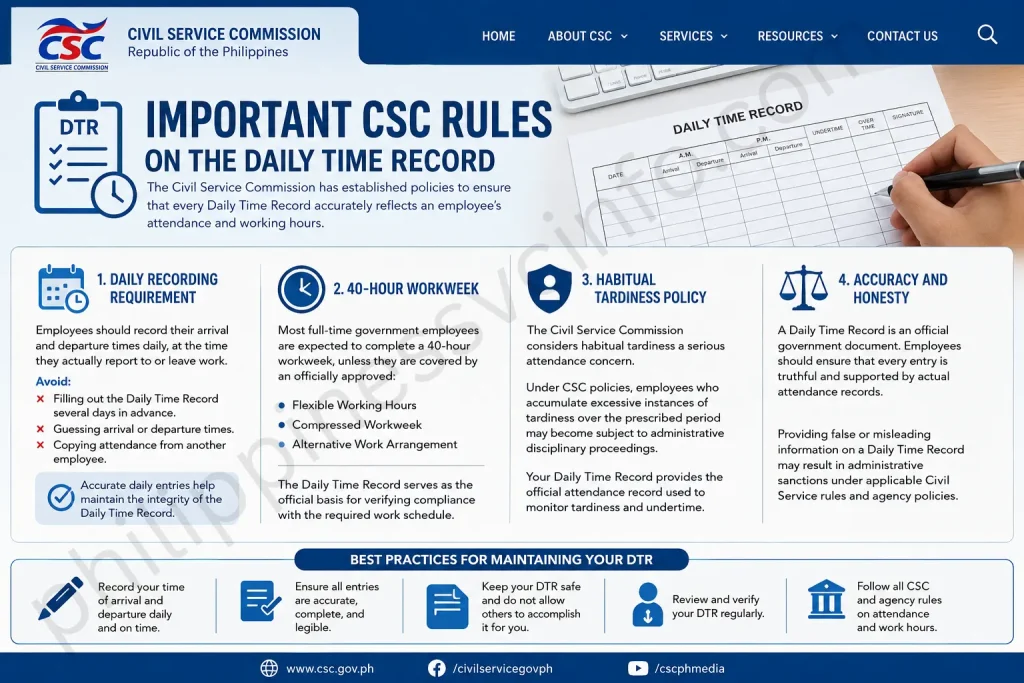
The Civil Service Commission has established policies to ensure that every Daily Time Record accurately reflects an employee’s attendance and working hours.
Daily Recording Requirement
Employees should record their arrival and departure times daily, at the time they actually report to or leave work.
Avoid:
- Filling out the Daily Time Record several days in advance.
- Guessing arrival or departure times.
- Copying attendance from another employee.
Accurate daily entries help maintain the integrity of the Daily Time Record.
40-Hour Workweek
Most full-time government employees are expected to complete a 40-hour workweek, unless they are covered by an officially approved:
- Flexible Working Hours
- Compressed Workweek
- Alternative Work Arrangement
The Daily Time Record serves as the official basis for verifying compliance with the required work schedule.
Habitual Tardiness Policy
The Civil Service Commission considers habitual tardiness a serious attendance concern.
Under CSC policies, employees who accumulate excessive instances of tardiness over the prescribed period may become subject to administrative disciplinary proceedings.
Your Daily Time Record provides the official attendance record used to monitor tardiness and undertime.
Accuracy and Honesty
A Daily Time Record is an official government document. Employees should ensure that every entry is truthful and supported by actual attendance records.
Providing false or misleading information on a Daily Time Record may result in administrative sanctions under applicable Civil Service rules and agency policies.
Best Practices for Maintaining Your DTR
Following good recordkeeping practices can help you avoid attendance issues and payroll delays.
Here are some practical tips:
- Record your arrival and departure times immediately.
- Review your Daily Time Record before signing it.
- Compare your entries with biometric records.
- Keep copies of approved leave applications and travel orders.
- Submit your Daily Time Record before the agency deadline.
- Inform your supervisor promptly if attendance discrepancies occur.
- Retain a personal copy of your completed Daily Time Record for future reference.
Common Mistakes to Avoid
Many attendance issues arise from simple errors that can be prevented with careful review.
Avoid these common mistakes:
- Leaving working days blank without explanation.
- Forgetting to sign the Daily Time Record.
- Missing the supervisor’s verification.
- Incorrectly computing total tardiness or undertime.
- Failing to attach supporting documents for leave or official business.
- Using estimated rather than actual attendance times.
- Submitting the Daily Time Record after the agency deadline.
Official Civil Service Commission Resources
For the latest forms, memorandum circulars, announcements, and attendance-related policies, refer to the official Civil Service Commission website:
Always rely on official CSC resources or your agency’s Human Resource Management Office for the most up-to-date guidance.
Frequently Asked Questions (FAQs)
Conclusion
The DTR (Daily Time Record) is an essential document for government employees in the Philippines. As Civil Service Form No. 48, it serves as the official record of attendance, supports payroll processing, leave administration, audit compliance, and helps ensure adherence to Civil Service Commission regulations. By completing your Daily Time Record accurately, maintaining supporting documents, and submitting it on time, you can help avoid payroll delays and attendance discrepancies while meeting your responsibilities as a public servant. For the latest DTR (Daily Time Record) forms, updates, and official guidelines, always visit the Civil Service Commission (CSC) website and follow the instructions issued by your agency’s Human Resource Management Office.
Discover What You Need to Know:
- Microsoft Forms: Complete Guide to Creating Online Forms, Surveys, Quizzes & Business Forms (2026)
- STI ELMS Login Guide 2026: Official Website, Login, Account Activation & Complete Student Portal Guide
- PEOS: Complete Guide to Registration, Requirements, Benefits & Online Process (2026)
- PNP Payslip Portal 2026: Login, Registration, Download, and Online Salary Access Guide
- Wayground: Complete Guide to Login, Features, Pricing & How to Use (2026)
- Form 137 (SF10): Complete Guide to Requirements, Request Process, Fees & FAQs (2026)








