

A DepEd logo PNG is a digital image file representing the Philippines Department of Education’s official visual identity in PNG format. It can provide a transparent background for use in presentations, educational materials, websites, research, and graphics. Users should verify the logo against official DepEd branding guidelines before using it.
What Is the DepEd Logo PNG?
A DepEd logo PNG is a Portable Network Graphics image containing the Department of Education’s visual branding in PNG format.
PNG is particularly useful for digital design because a properly prepared PNG can have a transparent background. This allows the logo to be placed over documents, coloured backgrounds, presentations, webpages and other designs without automatically creating a solid white rectangle around it.
However, the file format alone does not establish whether an image is an official DepEd asset.
That distinction matters.
A file can be labelled “DepEd logo PNG” on a third-party website while being an old version, an altered graphic, a regional logo or an unofficial recreation. For official work, the source and applicable branding guidance should be checked before using the image.
Official DepEd Logo vs Regional Logo
The word “DepEd” appears in many different government education graphics, but they are not necessarily the same asset.
For example, regional offices may have their own visual identities. DepEd Region II describes its regional logo separately, while DepEd Region X also publishes information about its own regional seal and logo.
Therefore, someone searching for the DepEd logo PNG Philippines should first determine which identity is actually required:
| Search Need | What to Look For |
|---|---|
| National DepEd branding | Department of Education official identity |
| DepEd seal | Official Department seal |
| Regional office logo | Specific DepEd regional identity |
| Schools Division logo | Relevant SDO branding |
| DepEd-MATATAG branding | Current applicable communication materials |
| General graphic | PNG or vector version suitable for the intended use |
This simple distinction can prevent the common mistake of downloading a regional or school-division logo when the project requires the national Department identity.
Where Should You Start Looking for the DepEd Logo?
The first step is always the official DepEd web presence.
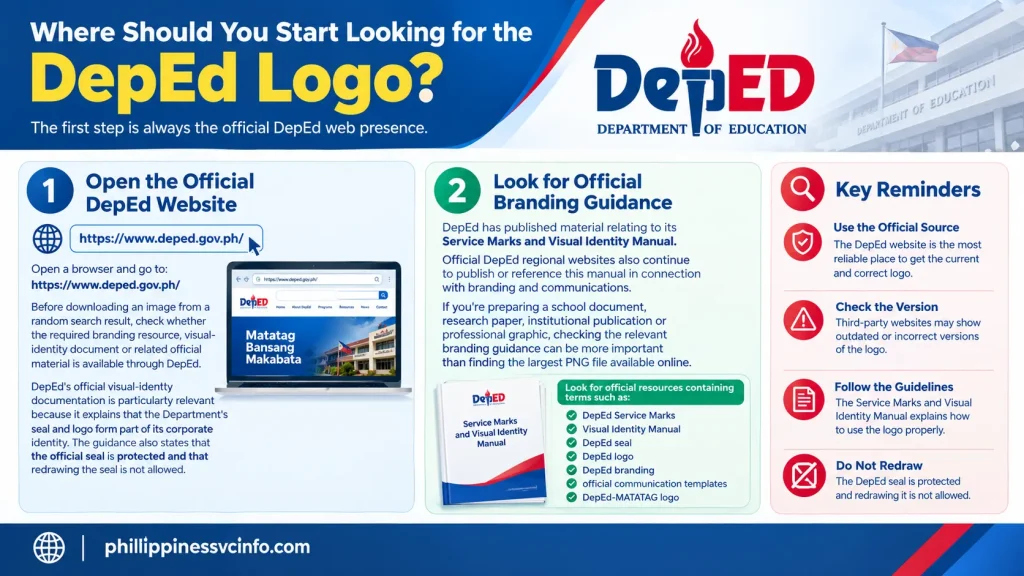
Step 1: Open the Official DepEd Website
Open a browser and go to:
Before downloading an image from a random search result, check whether the required branding resource, visual-identity document or related official material is available through DepEd.
DepEd’s official visual-identity documentation is particularly relevant because it explains that the Department’s seal and logo form part of its corporate identity. The guidance also states that the official seal is protected and that redrawing the seal is not allowed.
That makes the original source much more useful than simply copying an image from Google Images.
Step 2: Look for Official Branding Guidance
DepEd has published material relating to its Service Marks and Visual Identity Manual. Official DepEd regional websites also continue to publish or reference this manual in connection with branding and communications.
If you’re preparing a school document, research paper, institutional publication or professional graphic, checking the relevant branding guidance can be more important than finding the largest PNG file available online.
Look for official resources containing terms such as:
- DepEd Service Marks
- Visual Identity Manual
- DepEd seal
- DepEd logo
- DepEd branding
- official communication templates
- DepEd-MATATAG logo
The exact location of downloadable assets can change as government websites are redesigned, so don’t assume that an older page or filename will remain permanently available.
Why the Source Matters More Than the PNG Format
One of the easiest mistakes when searching for a DepEd logo PNG is assuming that a transparent image is automatically an official image.
It isn’t.
A transparent PNG simply describes the technical characteristics of the file. It doesn’t prove that the artwork is authentic or currently authorised for the purpose you have in mind.
For example, a third-party image may have:
- altered colours;
- missing elements;
- incorrect proportions;
- poor resolution;
- a white background;
- a modified seal;
- an outdated branding treatment;
- a regional identifier;
- or an entirely recreated version.
The image may still look convincing at first glance.
That’s why source verification should come before design convenience.
A Better Search Method
If the official website doesn’t immediately display a downloadable DepEd logo PNG, use a search engine to locate relevant pages on the official domain.
Try searches such as:
“site:deped.gov.ph DepEd logo”
or
“site:deped.gov.ph DepEd Service Marks Visual Identity Manual”
This approach helps narrow results to DepEd’s own domain instead of mixing government pages with unrelated logo repositories.
You can also search official regional DepEd domains when looking for a particular regional or Schools Division identity. However, make sure the logo you find actually matches the organisation you are representing.
Can You Use a Third-Party DepEd Logo PNG?
Third-party repositories can sometimes make it easier to find image formats such as PNG, SVG or EPS. Your original material mentions repositories such as TopPNG, CleanPNG, Seeklogo and vector-logo databases as possible places to search.
These sites can be useful for locating a technically convenient file, but they should not automatically be treated as the authority for DepEd branding.
For official or sensitive use, compare the downloaded graphic against an official DepEd source and its current visual-identity guidance.
This is especially important because DepEd has updated branding requirements over time.
For example, DepEd issued guidance in 2023 concerning the DepEd-MATATAG logo and the prescribed use of the Bagong Pilipinas logo in Department communications. The memorandum described the DepEd-MATATAG logo as a new branding treatment while stating that it did not replace the Department’s Service Marks and Visual Identity Manual.
So, a search for an “official DepEd logo” may produce different-looking assets depending on the type of document and period being referenced.
DepEd Logo PNG: What Should You Check?
Once you’ve located a potential file, don’t immediately place it into your design.

Take a moment to inspect it.
1. Check the File Type
The filename should normally end in:
.png
If you’re specifically looking for a transparent PNG, opening the file in an image editor can help confirm whether the background is actually transparent.
2. Check the Background
A transparent image usually appears with a checkerboard pattern in many editing programmes.
A white rectangle doesn’t necessarily mean the logo is wrong, but it means the file may not contain transparency.
Try placing the image over a coloured background.
If a visible white box surrounds the artwork, you’re probably dealing with a non-transparent image.
3. Check the Proportions
Never stretch the logo horizontally or vertically just to make it fit a particular space.
Distortion can make official branding look unprofessional and may alter the appearance of the original design.
Resize it proportionally instead.
4. Compare Against an Official Source
Don’t rely solely on visual memory.
Compare the file with an official DepEd source or applicable visual-identity documentation.
DepEd’s official guidance treats the seal and logo as elements of its corporate identity and provides rules concerning their presentation.
What Does the DepEd Branding Represent?
The Department’s visual identity is more than a decorative graphic.
DepEd’s official visual-identity guidance explains that its seal represents the Department and serves as its service mark. The same guidance connects the Department’s seal and logo with its broader corporate identity system, including elements such as size, placement, colour palettes and typography.
This is why simply finding a DepEd logo PNG transparent file isn’t always enough.
If the logo is being used in an official-looking document, the surrounding layout and manner of use can matter as well.
Quick Checklist Before You Download
Before saving a DepEd logo PNG, check these points:
- Is the source connected to DepEd?
- Is the graphic the national DepEd identity or a regional/division logo?
- Does the image match the applicable official branding?
- Is the file actually PNG?
- Does it have transparency if you need a transparent background?
- Is the resolution high enough for your intended use?
- Has the image been stretched, redrawn or modified?
- Are you using the logo in an appropriate context?
If you’re creating an official communication, don’t treat a random high-resolution image as automatically authorised simply because it looks professional.
DepEd Logo PNG for Students, Researchers and Designers
Different users may need the logo for very different reasons.
A student may need it for a presentation or academic project.
A researcher might need the Department identity when discussing Philippine basic education.
A graphic designer may need a transparent PNG or vector file for a layout.
A school employee may need a logo for an institutional document.
A foreign resident researching the Philippine education system may simply want to identify the correct government agency.
The technical requirement can therefore vary, but the same principle applies: verify the identity first, then select the appropriate file format.
For simple digital layouts, PNG can be convenient. For professional graphic work where the logo needs to be scaled substantially, an official vector asset may be preferable if an authorised version is available.
Important Note About the DepEd Seal
The distinction between the DepEd seal and general logo files is important.
DepEd’s Service Marks and Visual Identity Manual states that the official seal was approved by the Office of the President and is protected under the Flag and Heraldic Code of the Philippines. It also specifically states that redrawing the seal is not allowed.
That means manually tracing the seal in a graphics programme isn’t an appropriate shortcut simply because you can’t find the PNG you want.
When possible, locate an official asset or follow the applicable DepEd guidance instead.
Official Sources to Keep Handy
The official document is particularly useful when you need to understand how the DepEd seal and logo should be treated rather than simply downloading an image.
How to Check a DepEd Logo PNG Before Using It
Once you have located a possible DepEd logo PNG, open the original file rather than relying only on a small search-engine preview.
Check the following:
| Check | What to Look For |
|---|---|
| File format | PNG extension |
| Background | Transparent if required |
| Resolution | Suitable for the intended output |
| Shape | Correct proportions |
| Artwork | Matches an official reference |
| Colour | Consistent with the applicable DepEd identity |
| Source | Official or independently verified |
| Modification | No unnecessary alterations |
A large file is not automatically an official file. Resolution and authenticity are separate issues.
How to Tell if a PNG Has a Transparent Background
One of the most common reasons people search specifically for a DepEd logo PNG transparent file is to avoid the white box that can appear around a logo.
Transparency is useful when the logo needs to sit on:
- a coloured presentation slide;
- a website header;
- an educational poster;
- a research graphic;
- a school publication;
- a digital banner; or
- another image.
To test transparency, open the PNG in an image editor such as Photoshop, GIMP, Canva or another programme that displays transparency.
If the editor uses a checkerboard pattern behind the artwork, that normally indicates transparent pixels.
A Simple Practical Test
Place the DepEd logo PNG over a dark or coloured background.
If the background remains clean around the logo, the file may have the transparency you need.
If a large white rectangle appears, the file may actually contain a solid background.
Don’t remove the background automatically if the logo itself is an official asset. First determine whether the downloaded graphic is already an authorised version.
Choosing PNG, SVG or EPS
Not every project needs the same file format.
A PNG is convenient for ordinary digital use because it can preserve transparency and is widely supported.
A vector format, such as SVG or EPS, can be more suitable when a designer needs to scale artwork without the pixelation associated with raster images.
PNG
Use a PNG when you need a ready-to-place digital image for a document, presentation or webpage.
SVG
An SVG can be useful for web and professional design workflows where scalable vector artwork is required.
EPS
EPS files are commonly encountered in professional graphic-design workflows and may be useful when working with vector artwork in compatible software.
The important point is not simply to choose the largest file. Choose the format that matches the job and verify that the artwork itself is the correct DepEd identity.
What Resolution Should a DepEd Logo PNG Have?
There isn’t one universal resolution that works for every project.
A small logo intended for a webpage may require far less image data than artwork being prepared for a large printed poster.
For example:
Digital presentation: a moderately sized PNG may be sufficient.
Website: a properly optimised image can help prevent unnecessary page weight.
Print publication: a high-resolution or vector source may be preferable.
Large-format graphic: vector artwork can provide greater flexibility where an official version is available.
This is why downloading a huge DepEd logo PNG high resolution file isn’t automatically the best solution. Quality should be considered together with the final output.
Don’t Stretch the DepEd Logo
After downloading a DepEd logo PNG, the next common problem is incorrect resizing.
Suppose the original image is wider than it is tall. If you drag only one side of the image to make it fit a narrow space, the logo can become visibly distorted.
Instead, maintain its original aspect ratio.
Most modern design applications provide an aspect-ratio lock or proportional resizing option. Use that function when changing the size.
Better resizing practice
- Import the original logo.
- Select the image.
- Enable proportional or aspect-ratio locking.
- Resize from a corner or use the application’s percentage controls.
- Check the result at normal viewing size.
- Make sure the logo still looks natural.
This is a small detail, but it makes a major difference in professional-looking documents.
Be Careful With Colour Changes
A DepEd logo PNG should not be recoloured simply to make it match a particular design.
For an ordinary graphic, a designer might be able to recolour an icon without much concern. Government branding is different.
DepEd’s visual-identity guidance provides rules for its corporate identity, including colour and presentation. The manual should therefore be consulted when the logo is being used in an official or institutional context.
If a design requires a different treatment, check whether the applicable official guidelines permit it rather than modifying the logo based on personal preference.
How to Use a DepEd Logo in a School Presentation
Students often search for a DepEd logo PNG when preparing PowerPoint presentations, reports or research projects.
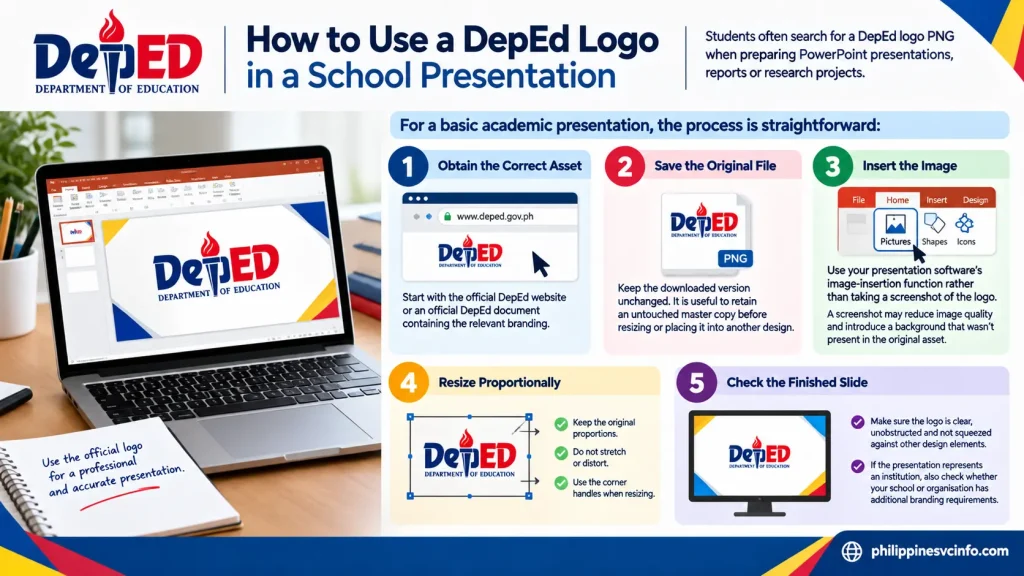
For a basic academic presentation, the process is straightforward:
Step 1: Obtain the Correct Asset
Start with the official DepEd website or an official DepEd document containing the relevant branding.
Step 2: Save the Original File
Keep the downloaded version unchanged.
It is useful to retain an untouched master copy before resizing or placing it into another design.
Step 3: Insert the Image
Use your presentation software’s image-insertion function rather than taking a screenshot of the logo.
A screenshot may reduce image quality and can introduce a background that wasn’t present in the original asset.
Step 4: Resize Proportionally
Make the logo smaller or larger without changing its proportions.
Step 5: Check the Finished Slide
Make sure the logo is clear, unobstructed and not squeezed against other design elements.
If the presentation represents an institution, also check whether your school or organisation has additional branding requirements.
Using the DepEd Logo for Research and Academic Work
Researchers may use a DepEd logo PNG when preparing papers, presentations, educational reports or material about Philippine basic education.
The context matters.
A logo used simply to identify the Department in an educational discussion is different from creating a document that could appear to be an official Department publication.
Avoid presenting independently created material as though it were issued or endorsed by DepEd.
A clear title, author name, research institution and appropriate attribution can help distinguish independent academic work from government communication.
Can Graphic Designers Use the DepEd Logo PNG?
Graphic designers may encounter requests to place the DepEd logo on posters, websites, infographics, school materials or other visual content.
Before doing so, determine:
- Who is requesting the design?
- What is the intended publication?
- Is the material official or independent?
- Which DepEd identity is required?
- Are there current branding instructions?
- Is the artwork being modified?
- Will the finished design imply official endorsement?
These questions become particularly important when the design will be distributed publicly.
The safest approach is to obtain the applicable official branding requirements before completing the design rather than trying to fix compliance issues after publication.
DepEd Logo PNG Download: Common Mistakes to Avoid
A search for DepEd logo download PNG can produce a large number of results. Some may look identical at first sight, but there are several traps worth avoiding.

Mistake 1: Downloading the First Image in Google
Search rankings do not establish government authenticity.
The first result could come from an image repository, blog, design website or another third-party source.
Use search results to locate information, then verify the artwork against an official DepEd source.
Mistake 2: Using a Regional Logo by Accident
DepEd has national, regional and Schools Division identities.
If a project requires the national Department identity, don’t substitute a regional logo simply because its PNG is easier to find.
Mistake 3: Assuming Transparent Means Official
A checkerboard background only tells you something about the file’s transparency.
It does not verify the origin of the artwork.
Mistake 4: Using a Low-Quality Screenshot
Screenshots are rarely the best way to obtain a logo.
A screenshot can contain:
- browser elements;
- compression;
- unwanted background;
- reduced resolution; or
- incorrect proportions.
Use the original image asset whenever an appropriate official file is available.
Mistake 5: Redrawing the Seal
This is particularly important.
DepEd’s visual-identity guidance states that the official seal should not be redrawn.
If you cannot find the required file, look for the appropriate official source rather than manually recreating the artwork.
What About Older DepEd Logo PNG Files?
Older logo files can continue circulating online long after branding guidance has changed.
This creates a problem for anyone searching for an official DepEd logo PNG because an old file may still appear perfectly authentic.
Before using an older image, check:
- When was the file published?
- Does an official DepEd page still use it?
- Does it correspond to the purpose of your document?
- Is there newer official branding guidance?
- Does your institution require a particular version?
DepEd’s branding environment has included later communication guidance, including material relating to the DepEd-MATATAG branding. That means date and context can matter when identifying the appropriate visual asset.
A Safe Workflow for Finding the Right DepEd Logo PNG
If you want a repeatable process, use this five-stage workflow:

Official source → Identify the correct identity → Download → Inspect → Use
1. Official Source
2. Identify the Identity
Determine whether you need the national DepEd logo, seal, regional logo or another official branding element.
3. Download
Choose the appropriate image format from an authorised source whenever available.
4. Inspect
Check the file extension, resolution, transparency, proportions and artwork.
5. Use Correctly
Keep the logo undistorted and follow applicable DepEd visual-identity requirements.
This process is more reliable than searching for “DepEd logo PNG free download” and selecting a file solely because it has a large preview.
DepEd Logo PNG and Official Branding: Key Difference
There is an important difference between finding an image and finding the correct official asset.
An image search solves the first problem.
Official documentation helps with the second.
If your goal is simply to recognise the Department in a personal study project, a properly sourced PNG may be sufficient for your technical needs. If you’re producing official-looking communication or institutional material, you should take the additional step of checking the relevant DepEd branding guidance.
That distinction keeps the technical side of the project simple while reducing the risk of using an unsuitable version.
How to Verify a DepEd Logo PNG
Before placing a downloaded DepEd logo PNG into a final document, run through this short verification process.
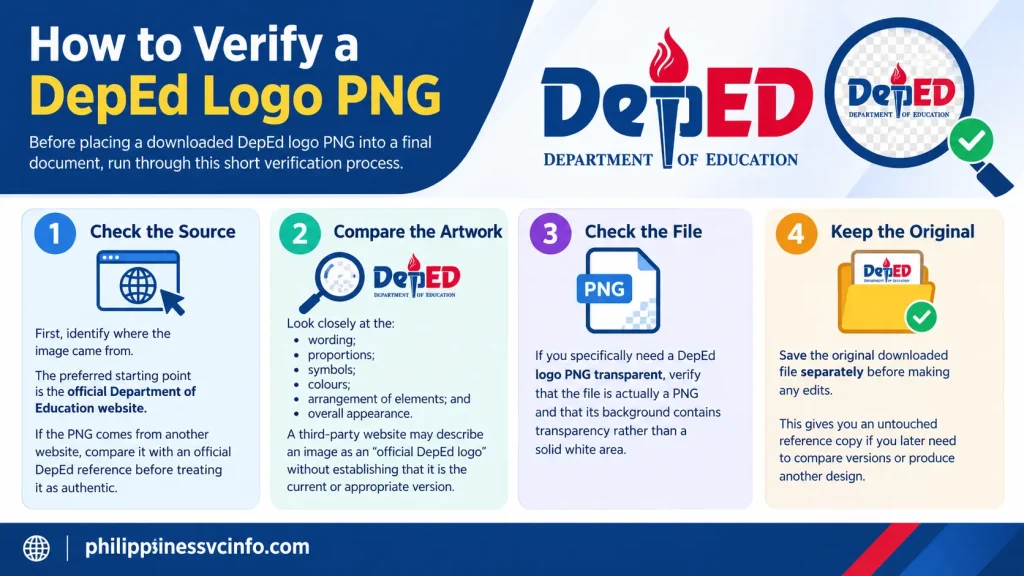
Check the Source
First, identify where the image came from.
The preferred starting point is the official Department of Education website:
If the PNG comes from another website, compare it with an official DepEd reference before treating it as authentic.
Compare the Artwork
Look closely at the:
- wording;
- proportions;
- symbols;
- colours;
- arrangement of elements; and
- overall appearance.
A third-party website may describe an image as an “official DepEd logo” without establishing that it is the current or appropriate version.
Check the File
If you specifically need a DepEd logo PNG transparent, verify that the file is actually a PNG and that its background contains transparency rather than a solid white area.
Keep the Original
Save the original downloaded file separately before making any edits.
This gives you an untouched reference copy if you later need to compare versions or produce another design.
What to Do If the DepEd Logo PNG Looks Blurry
A blurry DepEd logo PNG usually means the source image is too small for the size at which you’re displaying it.
For example, a PNG that looks perfectly sharp inside a small document may become pixelated when enlarged for a poster.
Try these solutions:
- Find a higher-resolution source.
- Look for an official vector version where one is available.
- Avoid repeatedly saving and re-exporting the same raster image.
- Don’t enlarge a tiny screenshot and expect it to become sharper.
- Use the final output size to determine the appropriate source format.
A vector file can be particularly useful for professional design because it is designed to scale without the same pixelation associated with raster artwork.
DepEd Logo PNG Has a White Background
If your downloaded DepEd logo PNG has a white rectangle around it, don’t immediately assume that the logo itself is incorrect.
The file may simply contain a solid background.
Open it in an image editor that supports transparency and inspect the image.
If you need transparency
A properly prepared transparent PNG should allow the background behind the logo to remain visible.
For example, place the image over:
- a light-blue background;
- a dark presentation slide;
- a coloured website section; or
- another suitable design background.
If the white rectangle remains visible, the image isn’t transparent in that area.
For official work, however, don’t alter or recreate the DepEd artwork merely to solve a technical problem. Look for the appropriate authorised asset first.
Should You Edit a DepEd Logo PNG?
Minor technical operations such as proportional resizing may be necessary when preparing a document.
However, changing the actual identity of the logo is a different matter.
Avoid casually:
- changing the colours;
- changing the proportions;
- removing official elements;
- redrawing the seal;
- adding decorative effects;
- replacing symbols;
- rearranging components; or
- combining the logo with unrelated graphics in a way that changes its appearance.
DepEd’s visual-identity guidance is particularly relevant here. Its published manual states that the official seal should not be redrawn.
When the purpose is official communication, consult the applicable DepEd guidance rather than relying on general graphic-design practice.
Using a DepEd Logo PNG on a Website
Website owners sometimes need a DepEd logo PNG to identify the Department in an educational article or informational resource.
If you’re using the logo in an independent article, make the context clear.
For example, a page discussing Philippine education can identify DepEd as the subject without making the page appear to be an official DepEd website.
Good website practices include:
- using an appropriately sourced image;
- keeping the logo proportional;
- avoiding misleading placement;
- providing suitable alternative text;
- distinguishing independent content from government publications; and
- checking current official branding requirements where relevant.
Don’t place a government logo next to an independent service or commercial call-to-action in a way that could reasonably create confusion about endorsement or affiliation.
DepEd Logo PNG for Presentations
For a PowerPoint, Google Slides or similar presentation, a DepEd logo PNG can be useful when the Department is the subject of the presentation.
A clean workflow is:
Find → Verify → Insert → Resize → Review
Insert the original image rather than taking a screenshot from a website.
Keep enough space around the logo so that it doesn’t become crowded by headings, photographs or other graphics.
If the presentation is being prepared for a school or government institution, also follow any additional requirements provided by that institution.
DepEd Logo PNG for Printed Materials
Print projects require additional attention to resolution.
A small PNG may appear sharp on a computer monitor but show visible pixelation when printed.
Before sending a document to print:
- inspect the logo at the intended physical size;
- use a sufficiently large source;
- consider an official vector asset when appropriate;
- maintain the original aspect ratio; and
- review the final PDF or print proof.
The best format depends on the project, so don’t assume that PNG is always the ideal choice simply because it is easy to download.
Official DepEd Logo PNG vs Third-Party Downloads
The difference can be summarised simply:
| Factor | Official DepEd Source | Third-Party Repository |
|---|---|---|
| Authority | Direct government source | Depends on publisher |
| Branding guidance | Can provide official context | Usually limited |
| Version verification | Easier | May be unclear |
| PNG availability | Depends on current resources | Often convenient |
| Vector availability | Depends on official publication | May be available |
| Best for verification | Yes | Requires comparison |
Third-party repositories can be useful for locating file formats, but the existence of a download button does not establish government approval.
For that reason, use third-party material as a convenience only when you can independently verify the artwork.
Final DepEd Logo PNG Checklist
Before you publish, print or submit a design containing the DepEd logo PNG, run through this checklist:
Source
- Did I start with the official DepEd website?
- Can I identify where the image originally came from?
- Have I checked the applicable DepEd branding guidance?
Logo
- Is this the correct DepEd identity?
- Is it the national, regional or division logo I actually need?
- Does the artwork match an official reference?
- Have I avoided redrawing or unnecessarily modifying it?
File
- Is the file really PNG?
- Does it have transparency if required?
- Is the resolution appropriate?
- Does it remain sharp at the intended size?
Design
- Is the logo proportional?
- Is it clearly visible?
- Is there enough space around it?
- Does the surrounding design avoid creating confusion about official affiliation?
Recommended Official Resources
For the most reliable information, keep these resources bookmarked:
The visual-identity manual is particularly useful when you need more than a simple image download because it provides the Department’s guidance concerning its service marks and visual identity.
Frequently Asked Questions About DepEd Logo PNG
Conclusion
A search for DepEd logo PNG can produce plenty of results, but the first attractive image isn’t necessarily the right one.The more reliable approach is to begin with DepEd’s official website, identify the correct Department, regional or division identity, check the applicable visual-identity guidance and then verify the downloaded image before using it.For a digital project, a transparent PNG can be convenient. For professional design or large-format work, an appropriate vector asset may be more practical when officially available. Whatever format you choose, maintain the logo’s proportions and avoid altering protected artwork.Most importantly, remember that file quality and official authenticity are two different things. A high-resolution PNG is useful only when it is also the correct graphic for your intended purpose.If you are a student, researcher, foreign resident, teacher, designer or general web user looking for a DepEd logo PNG, this verification-first approach can help you avoid outdated, modified or incorrectly labelled files while keeping your project clear and professional.
Discover What You Need to Know:
- NBI Clearance Online Appointment Philippines 2026: How to Book, Pay & Schedule
- SIAS CSPC Login Philippines 2026 : Student Portal, Enrollment, Registration & Account Guide
- eFPS Login Philippines 2026: BIR eFPS Login Guide, Filing & Payment
- PUP SIS Philippines 2026 : Student Portal Login, Grades, Enrollment & Guide
- MMDA NCAP Guide Philippines 2026 : Check Violations, Fines & May Huli Ka
- ATPECOOP Portal Guide Philippines 2026 : Login, Membership, Loans & Services







