
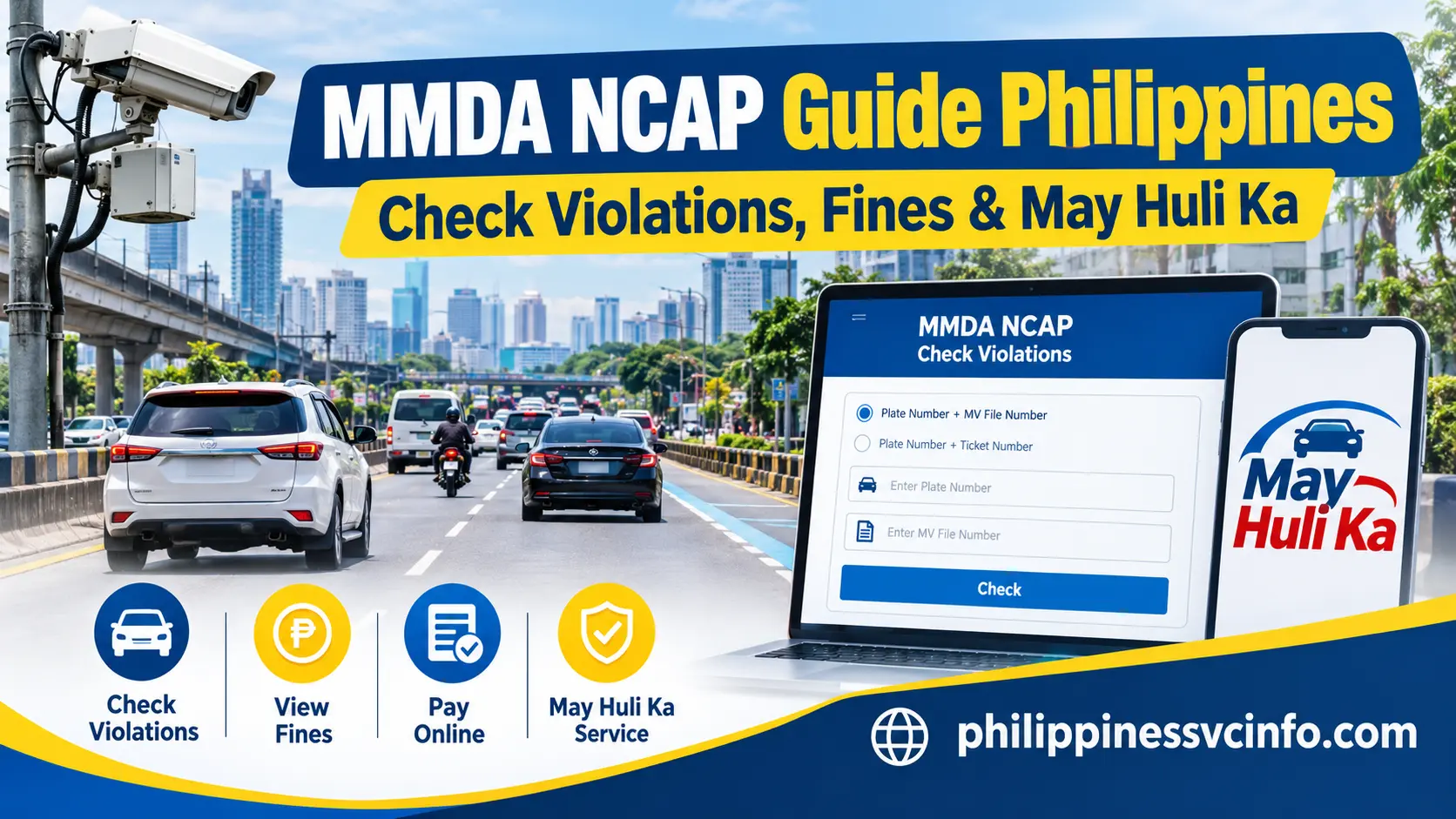
MMDA NCAP, or No Contact Apprehension Policy, is a traffic enforcement system operated by the Metropolitan Manila Development Authority using cameras and digital technology to document certain road violations. The May Huli Ka portal allows motorists to check eligible violation records, review notices, settle applicable fines, or access the official contest process online.
What Is MMDA NCAP?
MMDA NCAP, or the No Contact Apprehension Policy, is a traffic enforcement system that uses CCTV, digital cameras and other technologies to capture images or video associated with traffic-law violations.
Rather than depending entirely on an officer physically stopping a vehicle, the system can document an alleged violation electronically. The official May Huli Ka portal describes NCAP as a way to supplement the work of MMDA traffic enforcers, particularly because not every area is covered by CCTV.
The basic idea is straightforward:
Traffic event → electronic evidence → vehicle/record matching → Notice of Violation → payment or contest
The process is intended to reduce unnecessary face-to-face interaction while creating a digital record associated with the vehicle and alleged violation.
What Does the NCAP System Capture?
Depending on the technology and enforcement setup involved, an NCAP system can use:
- CCTV cameras
- Digital cameras
- Other approved recording equipment
- Images of the vehicle
- Video evidence
- Violation details
- Date and time information
- Location information
- Vehicle identification details
The official portal confirms that NCAP uses CCTV, digital cameras and/or other technology to capture images and videos for traffic-law enforcement.
Why the May Huli Ka Portal Matters
The May Huli Ka MMDA portal is useful because motorists do not necessarily have to visit an MMDA office just to determine whether a record is available.
The official portal currently provides options to:
- Search for a violation
- Request a copy of a Notice of Violation
- View information associated with a registered violation
- Pay a valid fine through available channels
- File a contest with the Traffic Adjudication Division
- Access related vehicle and violation services
The portal states that a registered violation can have its Notice of Violation requested through email, while a copy is also sent through registered mail via PHLPost.
What You Need Before Checking an MMDA NCAP Violation
Before opening the May Huli Ka website, gather the information associated with the vehicle. Having the correct details available can prevent a failed search.
| Information | Where to find it |
|---|---|
| Plate Number | Vehicle plate or registration documents |
| MV File Number | LTO Certificate of Registration |
| Ticket Number | Notice or ticket, when applicable |
| Internet-enabled device | Phone, tablet or computer |
| Updated browser | Chrome, Edge, Safari or another supported browser |
The MV File Number is particularly important because it is one of the authentication combinations supported by the current portal.
The official website identifies the search as Plate + MV File No., with the MV File Number taken as printed on the LTO Certificate of Registration. It also provides a Plate + Ticket No. option.
How to Check an MMDA NCAP Violation Online
Checking an MMDA NCAP violation is primarily an information-retrieval process. You should use the official portal rather than entering vehicle details into an unrelated third-party website.

Step 1: Open the Official May Huli Ka Website
Visit:
Check the domain carefully before entering any vehicle information. This is especially important because traffic-violation searches can attract phishing websites and fake payment pages.
Step 2: Choose Your Search Method
The current portal displays multiple search combinations.
You can use:
Option A — Plate Number + MV File Number
Enter the vehicle’s plate number and the MV File Number exactly as shown on the LTO Certificate of Registration.
Option B — Plate Number + Ticket Number
If you have already received a ticket or Notice of Violation containing a ticket number, you can use that combination instead.
The portal also currently displays an alternative search using the MV File Number.
Step 3: Enter the Vehicle Information Carefully
Type the requested information into the appropriate fields.
Before submitting, check:
- Plate characters
- Numbers and letters
- MV File Number
- Ticket number, if applicable
- Any spaces or formatting shown on your documents
A single incorrect character can prevent the system from locating the expected record.
Step 4: Select “Check / Pay My Fine”
Once the required information has been entered, use the portal’s Check / Pay My Fine function.
If a valid violation record is found, the relevant information and available transaction options can appear on the portal. The current website specifically notes that the payment option appears after a valid violation record is found.
Do not immediately proceed to payment without first reviewing the information shown.
Step 5: Review the Record
Look for the available:
- Violation details
- Notice information
- Supporting evidence
- Payment status
- Relevant case information
If you believe the citation is incorrect, review the contest procedure instead of assuming that payment is your only option.
How MMDA NCAP Evidence and Notices Work
An important part of the MMDA NCAP process is the electronic record created around an alleged violation.
The May Huli Ka system allows motorists with registered violations to request a copy of the Notice of Violation by email. The portal also states that the notice is sent through registered mail via PHLPost.
The current May Huli Ka privacy statement further explains that the system can process vehicle information, violation identifiers, timestamps, evidence and transaction information for official functions. It also states that automated processing may assist with record matching and other system tasks, while final adjudication decisions are subject to human review by authorised personnel or the appropriate adjudication authority.
That distinction matters: an automated system can help identify and organise a record, but a contest or adjudication involves the appropriate human authority.
MMDA NCAP Payment Options
Once you have confirmed a valid violation record and decide to settle it, the available payment methods are shown through the official process.
The May Huli Ka portal currently lists digital payment channels including:
- GCash
- Maya
- Bayad App
- iCash
- LandBank LinkBizPortal
The portal also identifies physical payment locations at the MMDA Head Office and the Robinsons Galleria Satellite Office.
Digital Payment
Digital payment can be convenient because you can complete the transaction without travelling to an MMDA office. However, always make sure that the payment page has been reached through the official MMDA process.
Do not rely on a payment link received from an unknown sender.
Physical Payment
If you prefer an in-person transaction, the official portal lists physical payment at:
MMDA Head Office
Ground Floor, MMDA New Building
Julia Vargas Avenue area, Pasig City
The portal also lists the Robinsons Galleria Satellite Office as a physical payment location.
Because government office arrangements can change, check the official MMDA or May Huli Ka website before travelling.
Can You Contest an MMDA NCAP Violation?
Yes. If you disagree with the citation, the official May Huli Ka portal provides a Contest process through the Traffic Adjudication Division (TAD).
The portal states that a contest may be filed within 10 working days from receipt of the Notice of Violation, either through the TAD Office or through online means.
This gives motorists an alternative to simply paying a citation they believe should be reviewed.
If you intend to contest a violation, keep relevant documents and evidence available and follow the current instructions provided by the official portal.
Where Is the Traffic Adjudication Division?
The May Huli Ka website identifies the TAD Office at the 11th Floor of the MMDA New Building. It also provides an online route for filing a contest.
Important: The applicable deadline and submission requirements should be checked on the official portal when you receive the Notice of Violation.
MMDA NCAP and Data Privacy
Vehicle-violation records can contain personal and transaction information, so motorists should treat the May Huli Ka portal as a sensitive government-service website.
The official May Huli Ka privacy statement says MMDA processes personal information under the Data Privacy Act of 2012 (Republic Act No. 10173) and related rules. It also describes the types of information that may be processed and the purposes for which the system uses that information.
For example, information can include vehicle details, violation identifiers, evidence, account information and payment references.
The privacy statement also explains that MMDA may share information with relevant government agencies and accredited service providers where necessary and proportionate for official purposes.
Basic Privacy Practices
When using the MMDA NCAP portal, avoid:
- Sharing your MV File Number publicly
- Sending screenshots containing unnecessary personal information
- Giving account credentials to another person
- Entering details on unofficial websites
- Following suspicious payment links
- Sharing OTPs or authentication codes
Use the official portal whenever you need to check or manage a violation.
How to Recognise the Official MMDA NCAP Website
A common problem with online government services is confusing an official website with an imitation page.
For May Huli Ka, the official portal is:
The official MMDA website is:
Before submitting vehicle information or making a payment, check the browser’s domain name. Avoid pages that use unusual spellings, unrelated domains or suspicious redirects.
The May Huli Ka portal itself also provides its official MMDA contact information, including MMDA Hotline 136 and the agency trunk line.
MMDA NCAP Notifications: What a Genuine Alert Looks Like
One of the biggest concerns surrounding MMDA NCAP is the number of fake messages circulating online. Scammers may use the name of the No Contact Apprehension Policy to make motorists believe that they have an urgent unpaid traffic violation.
The safest approach is simple: do not use a payment link contained in an unexpected SMS or email. Instead, manually open the official May Huli Ka portal and check the vehicle record yourself.
MMDA has stated that legitimate NCAP SMS notifications use the sender ID “MMDA_NCAP”. Official notifications do not include payment links, reply options, or the registered vehicle owner’s name.
Signs of an Official NCAP Notification
When you receive an alleged MMDA NCAP violation message, check the following:
| Check | Official NCAP notification |
|---|---|
| SMS sender | MMDA_NCAP |
| Payment link | No |
| Reply option | No |
| Registered owner’s name | Not included |
| Verification | Use the official May Huli Ka portal |
| Suspicious link | Do not open |
The official MMDA guidance is particularly important because scam messages can create artificial urgency, such as demanding payment within a few hours.
If a message contains a suspicious link, don’t click it. Open your browser independently and type the official portal address:
Recent MMDA advisories have specifically warned motorists about fake NCAP websites and messages designed to obtain personal or financial information.
What If the May Huli Ka Search Shows “No Record Found”?
A “No Record Found” result should be interpreted carefully.
It means the portal did not return a matching NCAP record for the information supplied at that time. It does not necessarily prove that no traffic incident could ever exist.
The May Huli Ka service specifically covers NCAP traffic violations, and MMDA has previously clarified that a “No Record Found” result on the portal does not necessarily mean there are no other types of traffic records.
Before assuming there is an error, check your information.
Check These Details First
- Confirm that the plate number is correct.
- Recheck the MV File Number against the LTO Certificate of Registration.
- If you have a notice, try the Plate + Ticket Number search.
- Make sure you are using the current official portal.
- Try again later if the service is temporarily unavailable.
Avoid repeatedly entering random combinations of numbers. The better approach is to use the exact information shown on your official vehicle documents.
What If Your MMDA NCAP Record Is Incorrect?
Not every motorist who sees a citation will agree with the recorded violation. If you believe the MMDA NCAP citation should be reviewed, the May Huli Ka portal provides a formal contest process.
According to the official portal, a motorist who disagrees with a citation may file a contest with the Traffic Adjudication Division (TAD) within 10 working days from receipt of the Notice of Violation. The contest can be submitted through the TAD Office or online.
The current portal identifies the TAD Office at the 11th Floor of the MMDA New Building.
Before Filing a Contest
Prepare the information relevant to your case, such as:
- Notice of Violation
- Plate number
- MV File Number
- Ticket or reference number
- Date and location of the alleged violation
- Relevant photographs or documents
- Other evidence that supports your explanation
Keep copies of anything you submit.
The purpose of the contest process is to give the appropriate adjudication authority an opportunity to review the citation and the information submitted by the motorist.
MMDA NCAP and the LTO Vehicle Record
The MMDA NCAP process works with vehicle information connected to the Land Transportation Office. This is why the MV File Number and vehicle registration details are important when searching for a record.
MMDA’s privacy statement says the May Huli Ka system may process vehicle information, violation identifiers, evidence, timestamps, transaction information and other data needed for official functions. It also states that MMDA may share necessary information with agencies such as the LTO and other authorised government bodies when permitted and required for official purposes.
For vehicle owners, this makes keeping registration information accurate particularly important.
If your contact details or ownership information are outdated, official notifications may not reach you as expected. MMDA has advised vehicle owners to keep their LTO Land Transportation Management System information updated.
Can Foreign Residents Use the MMDA NCAP Portal?
Yes, the May Huli Ka service is relevant to motorists and vehicle owners using vehicles covered by the MMDA NCAP system. A foreign resident driving or owning a vehicle in Metro Manila should still rely on the same official verification process rather than assuming that NCAP notices apply only to Filipino citizens.
The important information is the vehicle record and the credentials required for the search.
For example, if you are a foreign resident using a Philippine-registered vehicle, keep access to the vehicle’s registration documents and the relevant MV File Number. If you receive a suspected NCAP alert, verify it directly through the official portal.
This is also useful for students, employees, company drivers and other authorised users who operate a vehicle registered to another person. Access to the required vehicle information may be necessary to check the record.
MMDA NCAP for Students and First-Time Motorists
Students and newer motorists may be less familiar with the difference between an ordinary traffic apprehension and a camera-based MMDA NCAP notice.
With a traditional roadside apprehension, a traffic enforcer interacts directly with the driver. NCAP works differently because the alleged violation is recorded through the system and subsequently associated with the relevant vehicle record.
That means you should not assume that receiving no physical ticket at the roadside means that no NCAP record can exist.
For students or young motorists using a family vehicle, the registered vehicle owner may need to provide the information required to access the record.
MMDA NCAP Payment: What to Do Before Paying
If a valid record appears on the May Huli Ka portal, take a moment to verify the information before completing the transaction.
A sensible sequence is:
Check the record → review the notice/evidence → decide whether to contest or settle → use the official payment route → save the transaction confirmation
The current May Huli Ka website states that the payment option appears after a valid violation record has been found. It lists GCash, Maya, Bayad App, iCash and LandBank LinkBizPortal among its digital payment channels.
If you pay online, keep your transaction reference or confirmation. It can be useful if you later need to verify the status of the payment.
Don’t Pay From an SMS Link
This is worth repeating because it is one of the most important MMDA NCAP safety tips.
A legitimate NCAP notification should not provide a payment link through SMS or email. MMDA’s public advisories have repeatedly warned motorists about fraudulent links and fake websites.
Instead:
- Ignore the payment link.
- Do not reply to the message.
- Open your browser independently.
- Enter
mayhulika.mmda.gov.ph. - Search for the vehicle record.
- Follow the payment process shown by the official portal if a valid violation exists.
What Happens to Your Personal Information?
Using the MMDA NCAP portal involves providing information that can identify a vehicle, owner or transaction. The official privacy statement says the system processes personal data for purposes including identifying motorists, matching violation records, displaying evidence, managing contests, facilitating payments and maintaining official records.
MMDA says it applies technical, organisational and physical safeguards to protect information. The privacy statement also describes rights available to data subjects under the Data Privacy Act, subject to applicable legal limitations.
For everyday users, the practical lesson is straightforward: only provide your vehicle information through official MMDA channels.
Common MMDA NCAP Problems and Solutions

1. The Portal Cannot Find My Vehicle
Check your plate number and MV File Number carefully. If you have a ticket number, use the alternative search method shown on the portal.
2. The Website Is Not Loading
Check your internet connection and try again using an updated browser. Temporary service or network issues can also affect access.
3. I Received an NCAP Text With a Payment Link
Do not click it. Official MMDA NCAP messages do not contain payment links. Verify the alleged violation manually through May Huli Ka.
4. I Paid but the Transaction Status Is Unclear
Save your payment reference and confirmation. Avoid immediately submitting another payment until you have checked whether the first transaction was completed.
5. I Disagree With the Citation
Use the official TAD contest procedure. The current May Huli Ka portal states that the contest must be filed within 10 working days from receipt of the Notice of Violation.
MMDA NCAP Quick Checklist
Before finishing your transaction, make sure you have:
- ✓ Correct vehicle plate number
- ✓ MV File Number from the LTO Certificate of Registration
- ✓ Ticket number, if applicable
- ✓ Official May Huli Ka website
- ✓ Notice or violation details
- ✓ Supporting evidence, if you plan to contest
- ✓ Payment confirmation, if you settle the fine
- ✓ No suspicious links opened from SMS or email
The official May Huli Ka portal remains the main place to verify an MMDA NCAP record rather than relying solely on an unexpected message.
Important MMDA NCAP Safety Reminders
Traffic-violation scams often work because people react quickly to messages that appear urgent. Taking an extra minute to verify the source can prevent an unnecessary payment or disclosure of personal information.
Keep these rules in mind:
1. Start from the official website.
Type the May Huli Ka address into your browser rather than following an unexpected payment link.
2. Check the sender.
MMDA has identified MMDA_NCAP as the sender ID for legitimate NCAP SMS alerts.
3. Never share OTPs.
An authentication code should not be given to someone who contacts you claiming to represent MMDA.
4. Keep your documents private.
Your Certificate of Registration contains vehicle information that should not be posted publicly.
5. Save payment evidence.
After completing a legitimate transaction, retain the reference number or confirmation.
6. Use the contest process when appropriate.
If you disagree with the citation, check the official TAD procedure rather than ignoring the record.
A Practical MMDA NCAP Workflow
For a motorist who receives a suspected violation notification, the process can be reduced to a few stages:
Receive notification → verify the source → open May Huli Ka → search the vehicle record → review the violation → contest or pay → save the confirmation
This approach is useful whether you are a local driver, foreign resident, student, company employee or another authorised vehicle user.
The key is to separate verification from payment. Seeing a message does not mean you should immediately pay. First establish whether a corresponding record exists on the official MMDA system.
What to Keep for Your Records
After checking or settling an MMDA NCAP matter, keep copies of the documents associated with the transaction.
A useful personal record may include:
- Notice of Violation
- Plate number
- MV File Number
- Ticket or reference number
- Date of transaction
- Payment reference
- Digital receipt or confirmation
- Contest documents, if applicable
- Relevant correspondence
These records can make future follow-up much easier if you need to ask MMDA about a transaction.
Frequently Asked Questions About MMDA NCAP
Official Websites and Useful Resources
For an MMDA NCAP search, always prioritise official sources.
May Huli Ka — MMDA NCAP Portal:
May Huli Ka — Data Privacy Statement:
Metropolitan Manila Development Authority:
These should be your starting points when checking a violation, understanding the service, or looking for official contact information.
Final Takeaway
The MMDA NCAP system changes the way some Metro Manila traffic violations are documented and processed. Instead of relying solely on a roadside apprehension, the system can use cameras and digital technology to create records associated with a vehicle.
For motorists, the most important step is verification. Use the official May Huli Ka portal, keep your plate and MV File Number available, review any record before paying, and use the formal TAD contest process if you believe a citation requires review.
Just as importantly, treat unexpected NCAP messages with caution. MMDA has warned motorists about fake websites and fraudulent text messages, so never assume that a payment link is genuine simply because it uses MMDA branding.
When you need to check an MMDA NCAP violation, start with the official portal, verify the record, choose the appropriate next step, and keep your transaction documents for future reference.
Discover What You Need to Know:
- MMDA Guide Philippines 2026 : Traffic Violations, Services & Online Portal
- Philippine Coast Guard 2026 : Official Website, Services & Contact Guide
- Bangko Sentral ng Pilipinas 2026 : Official Website, Services, Regulations & Consumer Guide
- LTFRB Philippines 2026 : Complete Guide Requirements, Registration, Franchise & Renewal
- PAIS Admin Philippine 2026: PNP Login, Registration, Website & Access Guide








