
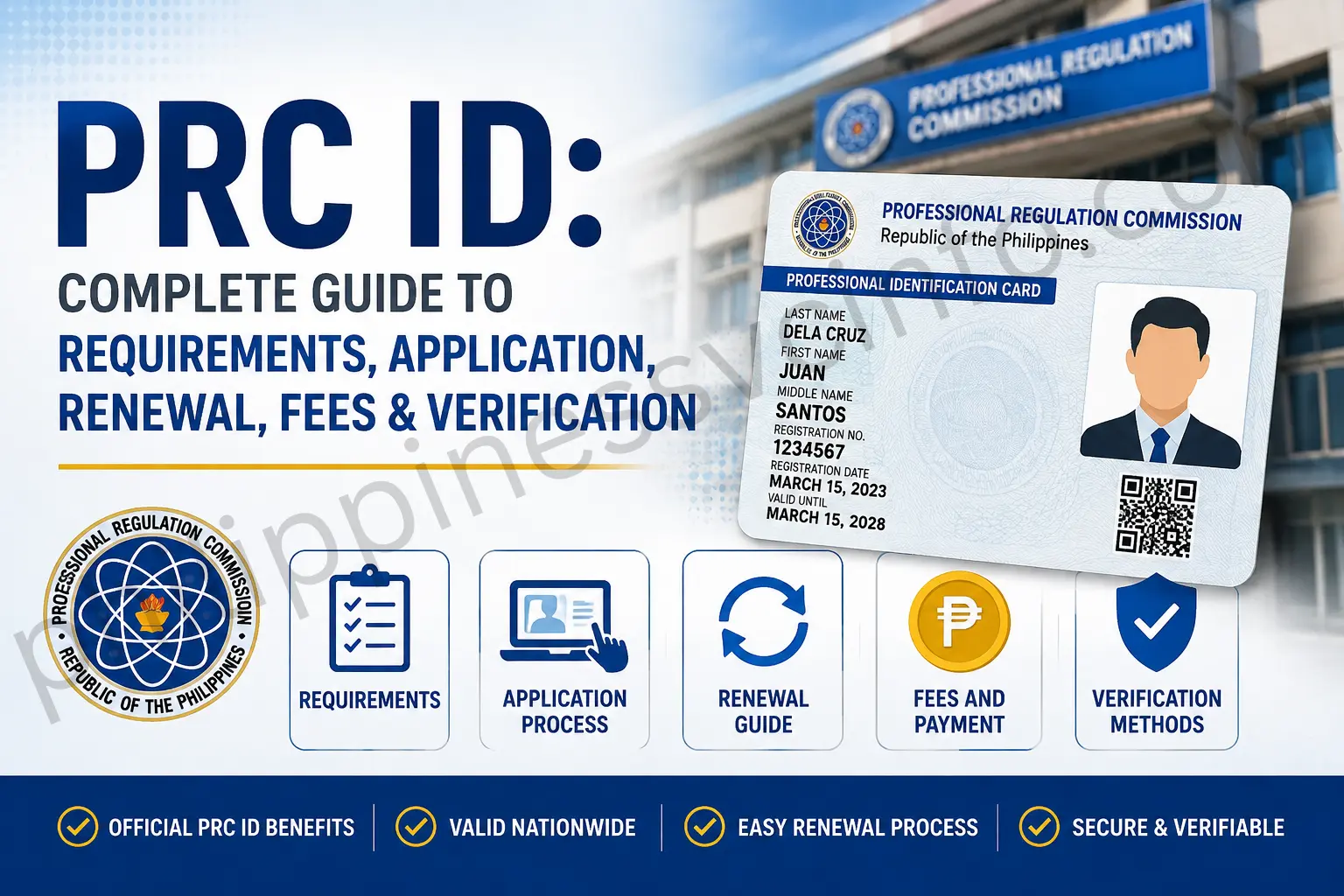
PRC ID is the official Professional Identification Card issued by the Professional Regulation Commission (PRC) to licensed professionals in the Philippines. It serves as proof of professional registration and identity, showing important details such as the professional’s name, profession, registration number, and validity period.
What Is PRC LERIS?
PRC LERIS stands for the Licensure Examination and Registration Information System of the Professional Regulation Commission (PRC) in the Philippines. It is an online platform used by professionals and applicants to access services related to examinations, registration, licensing, and other PRC transactions.
Through PRC LERIS, users can apply for board examinations, register for a PRC licence or ID, renew an existing licence, and manage other related transactions online.
How to Create a PRC LERIS Account
Creating a LERIS account is straightforward. Go to the official PRC online services website and select Register to create a new account. You will need to provide the information requested during registration.
If you already have an account, select Sign In and enter your registered email address and password to access your LERIS account.
What Is a PRC ID?
A PRC ID is an official identification card issued by the Professional Regulation Commission (PRC) to licensed professionals in the Philippines. It serves as proof that a person is legally recognised and qualified to practise their registered profession.
Beyond professional identification, a PRC ID may also be used to access certain professional services, claim eligible benefits or discounts, and establish credibility when dealing with employers, clients, and other organisations.
Who Needs a PRC ID?
A PRC ID is intended for professionals whose occupations are regulated and licensed by the Professional Regulation Commission (PRC). This includes many fields such as:
- Doctors
- Lawyers
- Engineers
- Architects
- Teachers
- Nurses
- Dentists
- Real estate service practitioners
- Accountants
For professionals in these fields, obtaining and maintaining a valid PRC ID is an important part of demonstrating their professional licence and status.
Eligibility Requirements for Getting a PRC ID
Before applying for a PRC ID, applicants generally need to meet the following basic requirements:
- Pass the Licensure Examination – You must have successfully passed the licensure examination required for your profession.
- Present a Valid Government-Issued ID – Acceptable identification may include a passport, driver’s licence, or National ID.
- Provide Educational Documents – First-time applicants may need to submit documents such as a diploma or Transcript of Records (TOR).
- Complete CPD Requirements for Renewal – Professionals renewing their PRC ID may need to meet the required Continuing Professional Development (CPD) units, depending on their profession.
- Meet Professional Eligibility Rules – Applicants must not be subject to disqualification arising from applicable legal matters or professional misconduct.
These requirements can vary depending on the profession and whether you are applying for initial registration or renewing an existing PRC ID.
How to Get Your PRC ID Online: Complete Guide
The Licensure Examination and Registration Information System (LERIS PRC) allows professionals in the Philippines to handle various PRC registration and licensing transactions online. Whether you are applying for a new PRC ID or renewing an existing one, the process generally involves creating an account, completing your application, paying the required fees, submitting documents, and attending your scheduled appointment.

Step 1: Check Your Eligibility
Before starting your application, make sure you meet the requirements for your profession. You should have:
- Passed the required licensure examination
- Completed the required Continuing Professional Development (CPD) units, where applicable
- Prepared any additional documents, certificates, or clearances required for your profession
Step 2: Create a LERIS PRC Account
Go to the official PRC website and access the LERIS registration system. Select Register and complete the account registration form.
Provide your personal information, including your name, email address, and contact details. After registration, verify your email address to activate your account.
Step 3: Log In to LERIS
Once your account has been activated, sign in using your registered email address and password. Your LERIS dashboard will provide access to the PRC transactions and services available to you.
Step 4: Choose the Appropriate PRC ID Service
From your dashboard, select the service that applies to your situation:
- Application for New PRC ID – for first-time applicants
- Renewal of PRC ID – for professionals renewing an existing licence
Complete the online form carefully and make sure your personal and professional information is accurate.
Step 5: Pay the Required PRC Fees
After completing the application, proceed to the payment section. Follow the available payment instructions through the PRC online payment system or an accredited payment centre.
Keep your official receipt or transaction reference number because you may need it during later stages of the process.
Step 6: Prepare and Submit Your Documents
Depending on your application type and profession, you may be required to provide supporting documents such as:
- Examination rating or certificate of passing
- Valid government-issued ID
- Recent passport-sized photographs
- Proof of required CPD units for renewal applications
Make sure your documents meet the requirements specified for your particular PRC transaction.
Step 7: Schedule Your PRC Appointment
After completing the payment and document requirements, proceed to the appointment scheduling section. Select your preferred PRC office, date, and available time slot.
Save or print your appointment confirmation and keep it with your other application records.
Step 8: Attend Your Biometrics Appointment
On your scheduled date, visit the selected PRC office for biometrics capture. This may include your photograph, fingerprints, and signature.
Bring the documents and proof of transaction required for your appointment, such as:
- Payment receipt or proof of payment
- Appointment confirmation
- Valid government-issued ID
- Other profession-specific documents, if required
Step 9: Receive Your PRC ID
After completing the required biometrics and processing, follow the instructions provided by PRC regarding the release of your PRC ID. Depending on the available service, you may collect it from the PRC office or have it delivered to your registered address.
Using LERIS PRC can make the initial application and renewal process more convenient by allowing professionals to complete several registration steps online before visiting a PRC office.
How to Get Your PRC ID at a Branch Office
If you need to collect your PRC ID from a branch office, follow these steps according to your scheduled appointment:
- Visit Your Selected PRC Branch – Go to the PRC office you selected for your appointment on the assigned date.
- Proceed to the Customer Service Centre – Upon arrival, go to the Customer Service Centre for assistance with your transaction.
- Purchase Documentary Stamps – Obtain two documentary stamps for your Oath Form and Registration Certificate.
- Submit Your Oath Form – Present your completed Oath Form at the designated window.
- Sign the Registry Sheet – Complete the required signature on the Registry Sheet.
- Submit Additional Documents – Provide any other documents required for your application.
- Collect Your ID Claim Slip – After your documents have been processed, receive your ID Claim Slip.
- Return on the Assigned Date – Visit the same PRC branch again on the date indicated on your claim slip.
- Complete the Online Oath-Taking – Participate in the required online oath-taking ceremony.
- Claim Your PRC ID – Present your claim slip to receive your PRC ID and Certificate of Registration.
The source states that the PRC ID is received on the same day as the final claiming step.
PRC Renewal Requirements
Before renewing your PRC ID, prepare the necessary requirements to avoid delays during the application process.
- Online Renewal Application – Complete the renewal application through the PRC LERIS portal and provide the required information.
- PRC ID Photo – Upload a recent 2×2-inch coloured photograph with a white background. The photo should have been taken within the last six months, with your face clearly visible, ears exposed, and no eyeglasses.
- Continuing Professional Development (CPD) Units – As of 2024, the requirement is at least 15 CPD units or points. These may be earned through accredited seminars, training programmes, and other recognised learning activities. If you have not yet completed the required CPD units, you may still be able to renew by signing an undertaking to complete them during the next compliance period.
- Professional Identification Card (PIC) – Present your expiring PRC ID as part of the renewal process.
- Additional Documents – Certain professions may have extra requirements, such as a Certificate of Good Standing issued by the Accredited Professional Organization (APO). Check the requirements specific to your profession before submitting your renewal application.
PRC Renewal: How to Renew Your PRC ID Online
Renewing your PRC ID through the LERIS portal involves completing your online application, choosing an appointment, paying the renewal fee, and visiting the selected PRC office for document submission and biometrics.
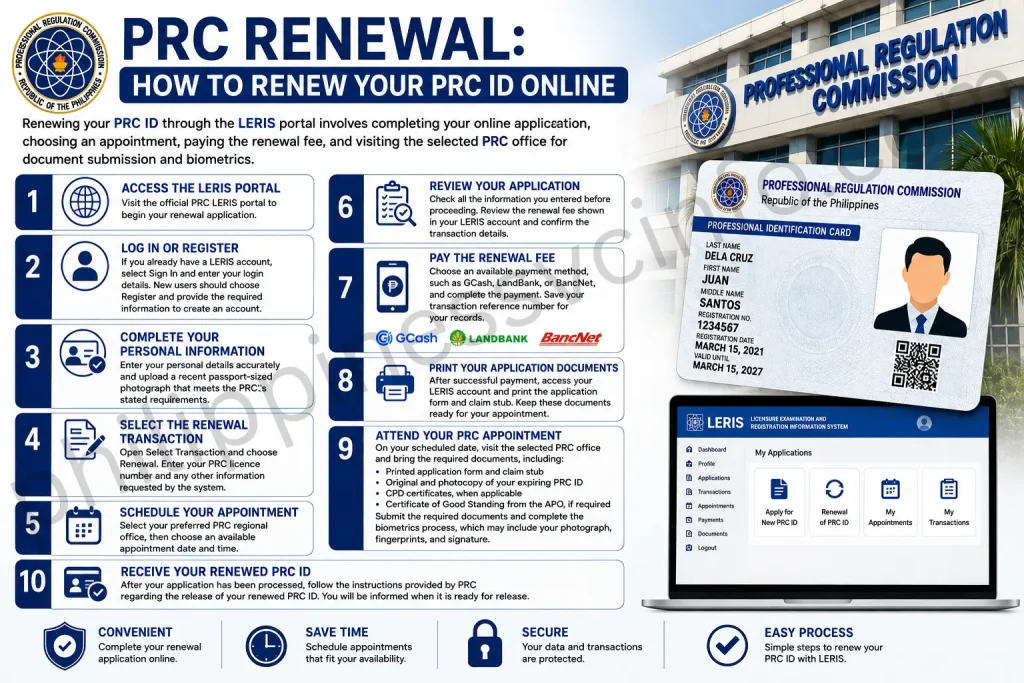
Step 1: Access the LERIS Portal
Visit the official PRC LERIS portal to begin your renewal application.
Step 2: Log In or Register
If you already have a LERIS account, select Sign In and enter your login details. New users should choose Register and provide the required information to create an account.
Step 3: Complete Your Personal Information
Enter your personal details accurately and upload a recent passport-sized photograph that meets the PRC’s stated requirements.
Step 4: Select the Renewal Transaction
Open Select Transaction and choose Renewal. Enter your PRC licence number and any other information requested by the system.
Step 5: Schedule Your Appointment
Select your preferred PRC regional office, then choose an available appointment date and time.
Step 6: Review Your Application
Check all the information you entered before proceeding. Review the renewal fee shown in your LERIS account and confirm the transaction details.
Step 7: Pay the Renewal Fee
Choose an available payment method, such as GCash, LandBank, or BancNet, and complete the payment. Save your transaction reference number for your records.
Step 8: Print Your Application Documents
After successful payment, access your LERIS account and print the application form and claim stub. Keep these documents ready for your appointment.
Step 9: Attend Your PRC Appointment
On your scheduled date, visit the selected PRC office and bring the required documents, including:
- Printed application form and claim stub
- Original and photocopy of your expiring PRC ID
- CPD certificates, when applicable
- Certificate of Good Standing from the APO, if required
Submit the required documents and complete the biometrics process, which may include your photograph, fingerprints, and signature.
Step 10: Receive Your Renewed PRC ID
After your application has been processed, follow the instructions provided by PRC regarding the release of your renewed PRC ID. You will be informed when it is ready for release.
PRC Card Home Delivery
If home delivery is available for your PRC transaction, you can request delivery through the PRC Licensure Examination and Registration Information System (LERIS). The general process is as follows:
- Register and Complete Your Application – Use LERIS to complete your PRC licence application and provide your required personal and contact information. Select the home-delivery option if it is offered for your transaction.
- Choose the Delivery Option – After completing the required application and licensing steps, select the available delivery service through the LERIS system.
- Pay the Delivery Fee – Pay the applicable delivery charge according to the instructions shown on the PRC website or LERIS portal.
Check Your Delivery Address
Enter your complete and accurate address before submitting the delivery request. Incorrect or incomplete information may cause problems with the delivery of your PRC card.
The delivery charge may vary depending on the courier service and delivery location. The information provided in the source indicates a typical range of ₱200 to ₱500, but applicants should check the current fee displayed in LERIS or on the official PRC website before making payment.
PRC Online Services: Quick & Easy Access
The PRC online system makes it easier for professionals to manage important licensing transactions without completing every step in person. Several services can be accessed online, including:
- PRC online applications for new IDs and renewals
- PRC online payment for settling applicable fees
- Appointment scheduling to organise your visit to a PRC office
Using these digital services can reduce unnecessary trips and make the PRC ID application and renewal process more convenient and organised.
PRC ID Fees
The Professional Regulation Commission (PRC) renewal fee for a Professional Identification Card (PIC) depends on whether the profession is classified as baccalaureate or non-baccalaureate.
| PRC ID Fee / Transaction | Baccalaureate Profession | Non-Baccalaureate Profession |
|---|---|---|
| Annual Renewal Fee | ₱150 per year | ₱140 per year |
| 3-Year Renewal | ₱450 | ₱420 |
| Late Renewal Surcharge | ₱30 | ₱28 |
| Standard Renewal Period | 3 years | 3 years |
| Online Renewal | Available | Available |
| CPD Requirements | Applicable rules apply | Applicable rules apply |
| Additional Charges | May apply | May apply |
PRC ID Renewal Fee Details
Baccalaureate professions: The listed renewal rate is ₱150 per year, which amounts to ₱450 for a three-year renewal period.
Non-baccalaureate professions: The listed rate is ₱140 per year, equivalent to ₱420 for three years.
Late renewal: A surcharge of ₱30 for baccalaureate professions and ₱28 for non-baccalaureate professions applies when the PIC is renewed 20 days after the professional’s birth month.
Important Note About PRC Fees
PRC has also issued information concerning a new proposed Schedule of Fees and Charges. Because fees and applicable charges may change, applicants should check the latest assessment generated through PRC’s official online services before making payment.
Additional Tips for Securing Your PRC ID
A little preparation can make your PRC ID application or renewal more straightforward. Keep these practical points in mind:
- Prepare early: Gather your required documents before starting the application. This can help prevent avoidable delays and last-minute problems.
- Check for updates: PRC requirements and procedures can change over time. Always refer to the official PRC website for the latest information before submitting an application or renewal.
- Use PRC customer support: If you encounter difficulties or are unsure about a requirement, contact PRC’s customer support for guidance on your specific concern.
Frequently Asked Questions About PRC ID
Conclusion
The PRC ID is an essential identification document for licensed professionals in the Philippines. It serves as proof of professional registration and supports a range of employment, government, and professional transactions. Knowing the PRC ID requirements, fees, application process, renewal procedures, and verification options can help make the process more straightforward. Since PRC requirements and fees may change, always check the official PRC website for the latest information before completing your transaction.
Discover What You Need to Know:
- Twinkl: A Complete Guide to Using Twinkl Resources, Accounts, and Learning Tools 2026
- PEOS Certificate: Complete Guide to Online Registration, Download, Requirements & FAQs 2026
- Genyo E-learning: Complete Guide to Features, Login & Benefits 2026
- Microsoft Forms: Complete Guide to Creating Online Forms, Surveys, Quizzes & Business Forms (2026)
- STI ELMS Login Guide 2026: Official Website, Login, Account Activation & Complete Student Portal Guide








