NUIS Portal Philippines 2026: National University Login, Online Application, Student Services & Guide
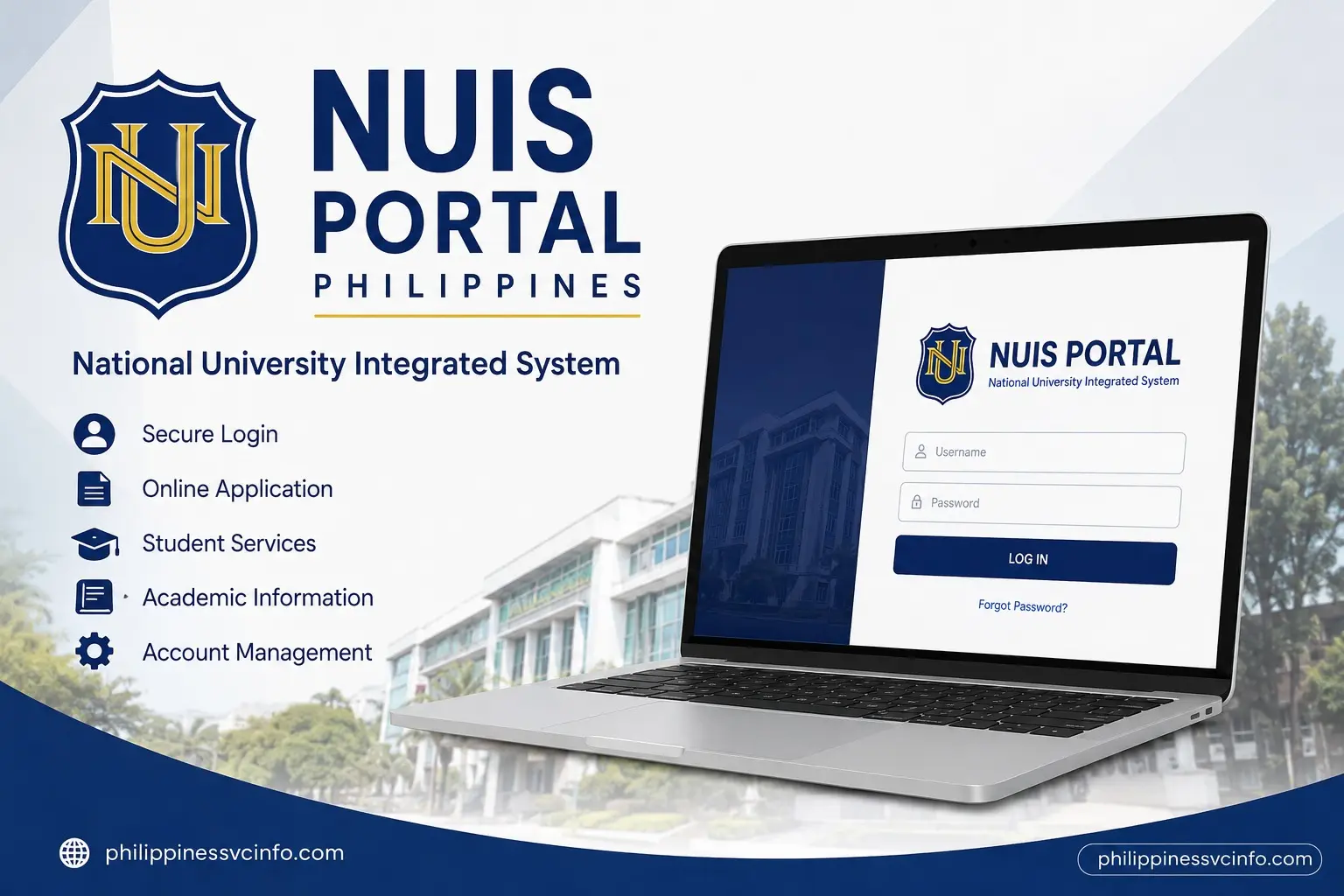
NUIS (National University Information System) is National University Philippines’ digital platform for managing admission, enrolment, academic records, and student services. It allows applicants and students to access online applications, submit requirements, monitor academic information, check schedules, and use various university services through an online system.
What Is NUIS Portal and How Does NUIS Work?
Finding the right place to manage university applications, academic records, enrolment tasks, and student requests can be challenging when information is spread across different platforms. The NUIS Portal solves this problem by providing a centralised digital platform for students, applicants, faculty members, and staff of National University (NU) Philippines.
The National University Information System (NUIS) is the official online system designed to support important academic and administrative activities. Through the NUIS Portal, users can complete online applications, submit requirements, monitor admission progress, access student records, view grades, manage enrolment activities, and use different university services digitally.
For new applicants, the NUIS online application system works as the starting point for joining National University. Instead of visiting a campus immediately, applicants can create an account, provide personal information, upload required documents, and track their admission status through the online platform.
For enrolled students, the NUIS student portal becomes an essential academic tool. It connects students with services such as class schedules, grades, curriculum tracking, financial information, faculty evaluation, and document requests.
The official NUIS online application portal can be accessed here:
Quick Overview of NUIS Portal Philippines
| Feature | Details |
|---|---|
| Portal Name | National University Information System (NUIS) |
| University | National University Philippines |
| Main Purpose | Online admission, academic management, and student services |
| Official Portal | https://onlineapp.national-u.edu.ph |
| Users | Applicants, students, faculty, and staff |
| Main Services | Application, enrolment, grades, schedules, payments, requests |
The NUIS Portal Philippines is designed to reduce manual processes and make university transactions more accessible. Students no longer need to depend only on physical offices for many routine academic concerns because several services are available through the online system.
Why Is NUIS Important? for NU Students?
A modern university requires a reliable digital system where students can easily access essential information. The National University Portal provides a structured way to manage academic activities from admission until graduation.
One of the biggest advantages of the NUIS student portal is convenience. Students can check important updates from their own accounts without repeatedly visiting different departments. Whether they need to review grades, confirm schedules, monitor balances, or request documents, the portal provides a single digital location.
The system also improves communication between students and university offices. Applicants can receive updates about their admission journey, while enrolled students can monitor academic requirements and university-related activities.
Main Benefits of Using NUIS Portal
The NUIS Portal helps users by providing:
- Online admission application access
- Digital submission of requirements
- Application status tracking
- Academic record viewing
- Class schedule checking
- Grade monitoring
- Tuition and account information
- Student document requests
- University service access
For students starting their journey at National University, learning how to use the NUIS login system early can make future academic tasks easier.
Understanding Two Main Uses of NUIS System
The National University Information System mainly supports two groups: applicants who want to enter NU and students who are already enrolled.
Although both groups use the same digital ecosystem, their available features may differ depending on account type and university access permissions.
NUIS Online Application for New Applicants
The first stage of using the NUIS Portal begins during admission. Prospective students can access the online application platform to begin their registration process.
The National University online application allows future students to submit their details electronically instead of completing the entire admission process manually.
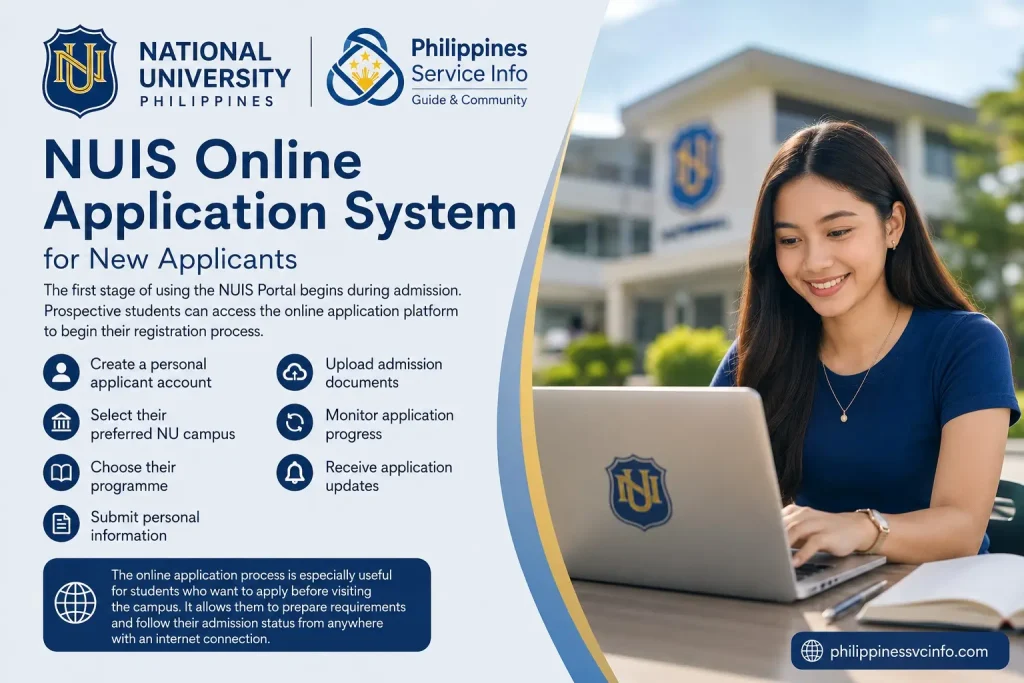
Applicants can usually use the system to:
- Create a personal applicant account
- Select their preferred NU campus
- Choose their programme
- Submit personal information
- Upload admission documents
- Monitor application progress
- Receive application updates
The online application process is especially useful for students who want to apply before visiting the campus. It allows them to prepare requirements and follow their admission status from anywhere with an internet connection.
NUIS Student Portal for Enrolled Students
After admission and enrolment, students receive access to additional NUIS features. The NUIS student portal becomes a daily academic companion throughout their university experience.
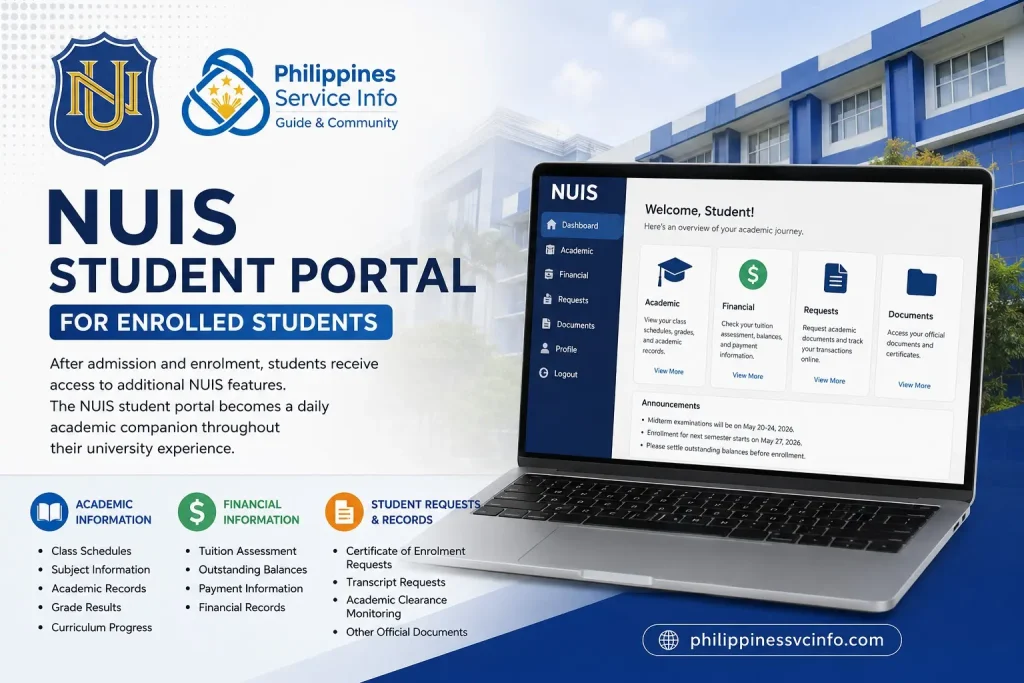
Depending on account permissions, enrolled students may access:
Academic Information
Students can check:
- Current class schedules
- Subject information
- Academic records
- Grade results
- Curriculum progress
This helps students plan their semester properly and understand their remaining academic requirements.
Financial Information
The portal may also provide access to account-related details, including:
- Tuition assessment
- Outstanding balances
- Payment-related information
- Financial records
Having financial information available online helps students stay updated about their university accounts.
Student Requests and Records
Through digital services, students can request important academic documents and monitor administrative transactions.
Examples include:
- Certificate of Enrolment requests
- Transcript-related requests
- Academic clearance monitoring
- Other official university documents
NUIS Application Online Account Registration
Creating a NUIS account is the first step for students who want to apply to National University Philippines. The registration process allows applicants to create their online profile, provide admission details, and continue with the digital application process.
The NUIS online application portal was created to make university admission more convenient by allowing applicants to submit information remotely. Instead of completing every step manually, students can start their application online and follow updates through their personal dashboard.
To begin your application, visit the official portal:
Requirements Before Creating a NUIS Account
Before registering through the National University online application portal, applicants should prepare important information and digital copies of required documents.
Having these details ready can prevent delays during registration.
Basic Information Needed
Applicants may need:
- Complete name
- Active email address
- Contact number
- Date of birth
- Previous school information
- Preferred NU campus
- Desired programme or course
Digital Document Preparation
For document submission, prepare clear digital copies of required files.
Common admission requirements include:
| Document | Purpose |
|---|---|
| Form 138 / Senior High School Report Card | Academic verification for freshmen |
| Transcript of Records | Required for transfer students |
| PSA Birth Certificate | Identity verification |
| Certificate of Good Moral Character | Character verification |
| Passport-style photo | Student identification |
For international applicants, additional documents may be required, including passport details and immigration-related records.
Step-by-Step Guide to NUIS Registration
Follow these steps to create your NUIS Portal account:
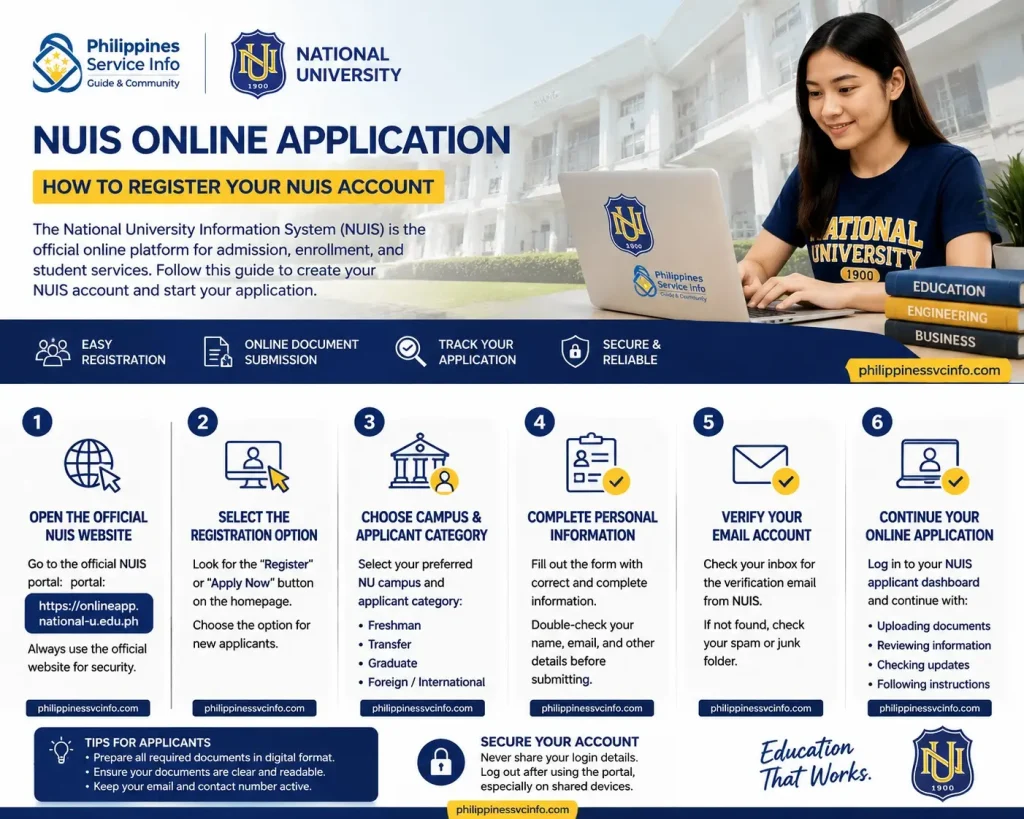
Step 1: Open the Official NUIS Application Website
Go to:
Always confirm that you are using the official National University portal before entering personal details.
Step 2: Select the Registration Option
Look for the registration or application button on the homepage.
New users should choose the option intended for first-time applicants.
Step 3: Choose Campus and Applicant Category
Applicants may need to select their preferred National University campus and admission category.
Examples of applicant categories may include:
- Freshman applicant
- Transfer student
- Graduate applicant
- Foreign or international applicant
Selecting the correct category ensures that the application form displays the appropriate requirements.
Step 4: Complete Personal Information
Enter your information carefully.
Applicants should check:
- Name spelling
- Email address accuracy
- Contact details
- Academic background
Incorrect information may affect application processing or future university records.
Step 5: Verify Your Email Account
After registration, check your email inbox for an account verification message.
If the email does not appear:
- Check spam or junk folders
- Confirm your email address
- Request another verification email if available
Step 6: Continue Your Online Application
Once your account is activated, log in to your NUIS applicant dashboard and complete the remaining application requirements.
This may include:
- Uploading documents
- Reviewing application information
- Checking admission updates
- Following assessment instructions
How to Access NUIS Portal Login Page
Accessing the NUIS login page requires the correct portal address and account details. Users should always confirm that they are entering information through the official National University website or authorised portal.
The primary online application portal is:
Before logging in, prepare your registered email address or official university account credentials.
NUIS Login Requirements
The information required depends on the type of user accessing the system.
| User Type | Login Details |
|---|---|
| New Applicant | Registered email address and created password |
| Enrolled Student | Official NU account credentials |
| Faculty and Staff | Organisational account access |
Applicants normally create their login details during the registration process, while enrolled students receive official account information from the university’s authorised departments.
Step-by-Step Guide to NUIS Login
Follow these steps to access the NUIS Portal:
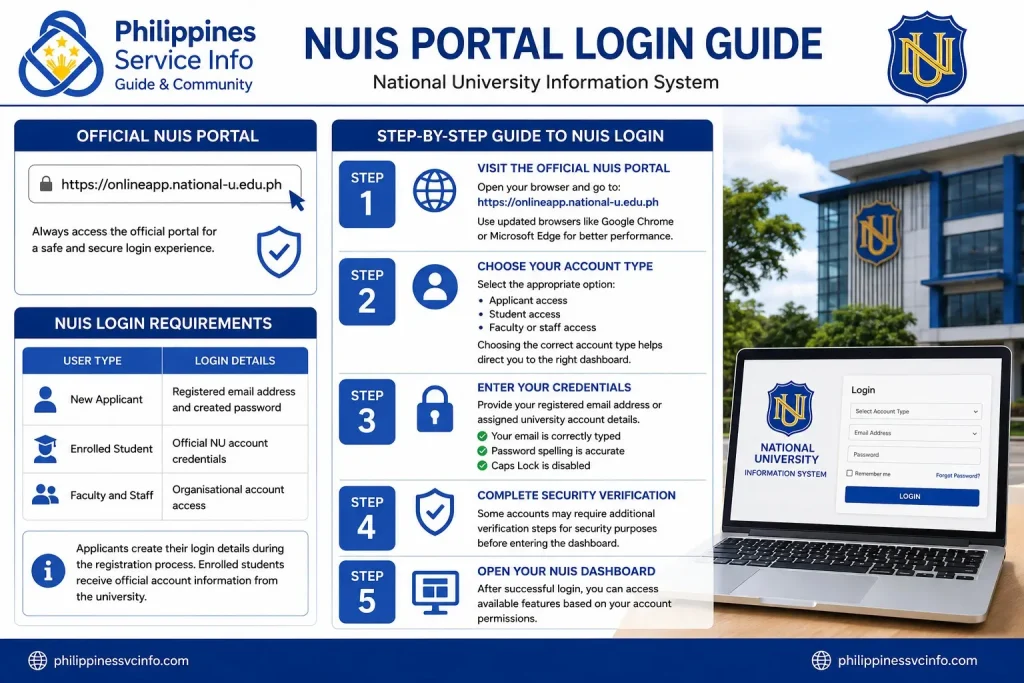
Step 1: Visit the Official NUIS Portal
Open your preferred browser and go to:
For better performance, use updated browsers such as Google Chrome or Microsoft Edge.
Step 2: Choose Your Account Type
Depending on your purpose, select the appropriate option:
- Applicant access
- Student access
- Faculty or staff access
Choosing the correct account type helps direct you to the right dashboard.
Step 3: Enter Your Credentials
Provide your registered email address or assigned university account details.
Make sure:
- Your email is correctly typed
- Password spelling is accurate
- Caps Lock is disabled
Step 4: Complete Security Verification
Some accounts may require additional verification steps for security purposes before entering the dashboard.
Step 5: Open Your NUIS Dashboard
After successful login, you can access available features based on your account permissions.
Common NUIS Login Problems and Solutions
Even with a reliable system, users may sometimes experience login difficulties. Most issues can be solved by checking basic account information.
Invalid Username or Password
If the NUIS login page shows incorrect credentials:
- Confirm that you are using the correct email address
- Check password spelling
- Make sure you are accessing the correct portal
- Try resetting your password if necessary
Forgot Password Issue
Applicants can usually use the password recovery option available on the login page.
If you are an enrolled student and cannot access your account, contact the appropriate NU support office for assistance.
Portal Loading Problems
If the NUIS Portal does not open properly:
- Check your internet connection
- Clear browser cache
- Try another browser
- Access the portal again later
Important Tip: Avoid sharing your NUIS password with anyone. Your account contains personal and academic information that should remain private.
NUIS Process for International Students
The NUIS Portal Philippines also supports foreign applicants who want to study at National University. International students need to provide additional information because admission requirements may differ from local applicants.
Foreign applicants should ensure that their personal details match their official identification documents.
For example, the name entered in the NUIS online application should match the applicant’s passport information.
Additional Requirements for Foreign Applicants
International students may need to prepare:
- Valid passport information page
- Visa-related documents
- Alien Certificate of Registration (ACR I-Card), when applicable
- Authenticated academic records
- English-translated educational documents
Applicants coming from countries where documents are not originally written in English may need official translation or authentication before submission.
NUIS Portal Features and Student Services
The National University Information System is more than an admission platform. For active students, the NUIS student portal provides access to several academic and administrative tools.
The available features depend on the user’s account status and university permissions.
NUIS Admission & Enrolment Services of NUIS
One of the main purposes of the NUIS Portal is supporting the complete student journey, starting from application until enrolment.
Application Status Tracking
Applicants can monitor the progress of their admission process through the portal.
The dashboard helps users understand whether their application is:
- Submitted
- Under review
- Approved
- Requires additional information
This reduces uncertainty because applicants can check updates without constantly contacting admission offices.
Online Enrolment and Subject Registration
After acceptance, students may use NUIS-related services for enrolment activities.
Students can manage academic registration tasks such as:
- Selecting subjects
- Reviewing enrolled courses
- Checking class information
- Confirming semester details
Proper enrolment management helps students avoid missing required subjects or important academic deadlines.
Academic Records Management Through NUIS
A major advantage of the NUIS student portal is digital access to academic information.
Students can use the system to review their progress throughout their university journey.
Viewing Grades and Academic Results
The NUIS Portal provides students with access to academic performance information.
Students can monitor:
- Semester grades
- Course results
- Academic standing
- Grade history
Checking grades regularly allows students to identify areas that may need improvement.
Curriculum Monitoring
Students can also track their progress towards completing their degree programme.
A curriculum checklist helps students understand:
- Completed subjects
- Remaining courses
- Required academic units
This feature is especially useful for students planning their upcoming semesters.
Class Schedule Access
Through the online system, students can view their class-related information, including:
- Subject schedules
- Class times
- Assigned sections
- Academic details
Having digital schedule access allows students to organise their daily routines more effectively.
NUIS Financial Service & Payment Information
Managing university expenses is another important part of the National University Portal experience.
Students can review financial details related to their academic account.
Available financial information may include:
- Tuition assessment
- Account balance
- Payment records
- Semester charges
The portal helps students stay aware of their financial responsibilities and prepare payments before deadlines.
Online Payment Support
NUIS may connect students with authorised payment channels provided by National University.
Students should only use official payment methods recommended by the university to protect their financial information.
Before making any payment:
- Confirm payment instructions
- Check official university announcements
- Keep transaction records
Student Requests & Digital Document Services
The NUIS student portal helps reduce paperwork by allowing students to request academic documents through online channels.
Depending on university services available, students may request documents such as:
- Certificate of Enrolment
- Transcript of Records
- Good Moral Certificate
- Other academic credentials
Digital request systems make it easier for students to track document processing and avoid unnecessary office visits.
Tips for Using NUIS Portal More Effectively
The NUIS Portal becomes more useful when students understand how to manage their accounts properly. Since the platform contains academic and personal information, users should follow good practices when accessing their dashboards.
Whether you are applying for admission or already enrolled at National University Philippines, maintaining accurate account details can help prevent delays.
Keep Your NUIS Account Information Updated
Students and applicants should regularly review their personal information inside the National University Information System.
Check that your:
- Email address is active
- Contact number is correct
- Personal details match official documents
- Academic information is accurate
An updated account helps ensure that important notifications from the university reach you properly.
Use a Secure Email Address
Your registered email plays an important role in the NUIS online application process. It may be used for:
- Account verification
- Password recovery
- Admission updates
- University notifications
Use an email account that you regularly monitor. Avoid using temporary email addresses because you may miss important announcements.
Save Important Application Details
Applicants should keep copies of important information related to their NUIS Portal account.
It is recommended to save:
- Registered email address
- Application reference details
- Submitted documents
- Admission confirmation messages
Keeping records makes it easier to track your application progress.
NUIS Portal Common Mistakes to Avoid
Many application delays happen because of simple mistakes. Understanding common problems can help users complete their tasks successfully.
Submitting Incorrect Information
One common mistake is entering incorrect personal details during registration.
Before submitting your NUIS application, review:
- Full name spelling
- Birth information
- Previous school details
- Contact information
Incorrect details may create problems during admission verification.
Uploading Unclear Documents
Uploaded requirements should be readable and complete.
Avoid submitting:
- Blurry images
- Incomplete pages
- Incorrect file formats
- Documents with missing information
Clear documents help admission teams process applications more efficiently.
Forgetting Application Deadlines
Applicants should monitor important dates related to:
- Admission periods
- Document submission
- Assessments
- Enrolment schedules
Checking your NUIS student portal or applicant dashboard regularly can help prevent missed deadlines.
NUIS Portal Troubleshooting Guide
Although the NUIS Portal Philippines is designed for convenient access, users may occasionally experience technical problems.
Below are common issues and possible solutions.
NUIS Login Page Not Opening
If the portal does not load:
Try these solutions:
- Check your internet connection
- Refresh the browser page
- Use another browser
- Clear browser cache
- Try accessing the portal again later
Sometimes temporary technical issues can affect website accessibility.
Unable to Upload Documents
If document uploading fails:
Check the following:
- File size requirements
- Internet stability
- Correct document format
- Document readability
Rename files clearly before uploading to make organisation easier.
Account Verification Email Not Received
If you created a NUIS account but did not receive verification:
Follow these steps:
- Check your spam or junk folder.
- Confirm that your email address was entered correctly.
- Request another verification email if available.
- Contact the appropriate National University support office if the issue continues.
Forgotten NUIS Password
If you cannot access your account:
- Select the password recovery option
- Follow the instructions provided
- Use your registered email address
Students using official university accounts may need assistance from their campus support department.
FAQs About NUIS Portal Philippines
Final Thoughts
The NUIS Portal Philippines provides a central digital solution for managing important university activities at National University. From the first application step to ongoing academic management, the system helps students complete essential tasks more efficiently. For applicants, the NUIS online application portal simplifies admission by allowing online registration, document submission, and application tracking. For enrolled students, the NUIS student portal provides access to academic records, schedules, financial information, and university services.Students should always use the official portal, protect their login information, and regularly check their dashboards for updates. By understanding how the National University Information System works, users can make better use of available digital services and enjoy a smoother academic experience at National University Philippines.
Discover What You Need to Know:
- Abakada Chart: Complete Guide to the Filipino Alphabet and Abakada.ph 2026
- Oxecure Philippines 2026: Official Website, Products, Acne Care & Skincare Guide
- DMW Website Guide philippiness (2026): eRegistration, OFW Pass, OEC, Jobs & Online Services
- UM Portal Philippines 2026: Login, Registration, Grades, Fees & Student Services
- CHED Philippine (2026): Complete Guide to Scholarships, Requirements, Application Steps, and Official Resources