
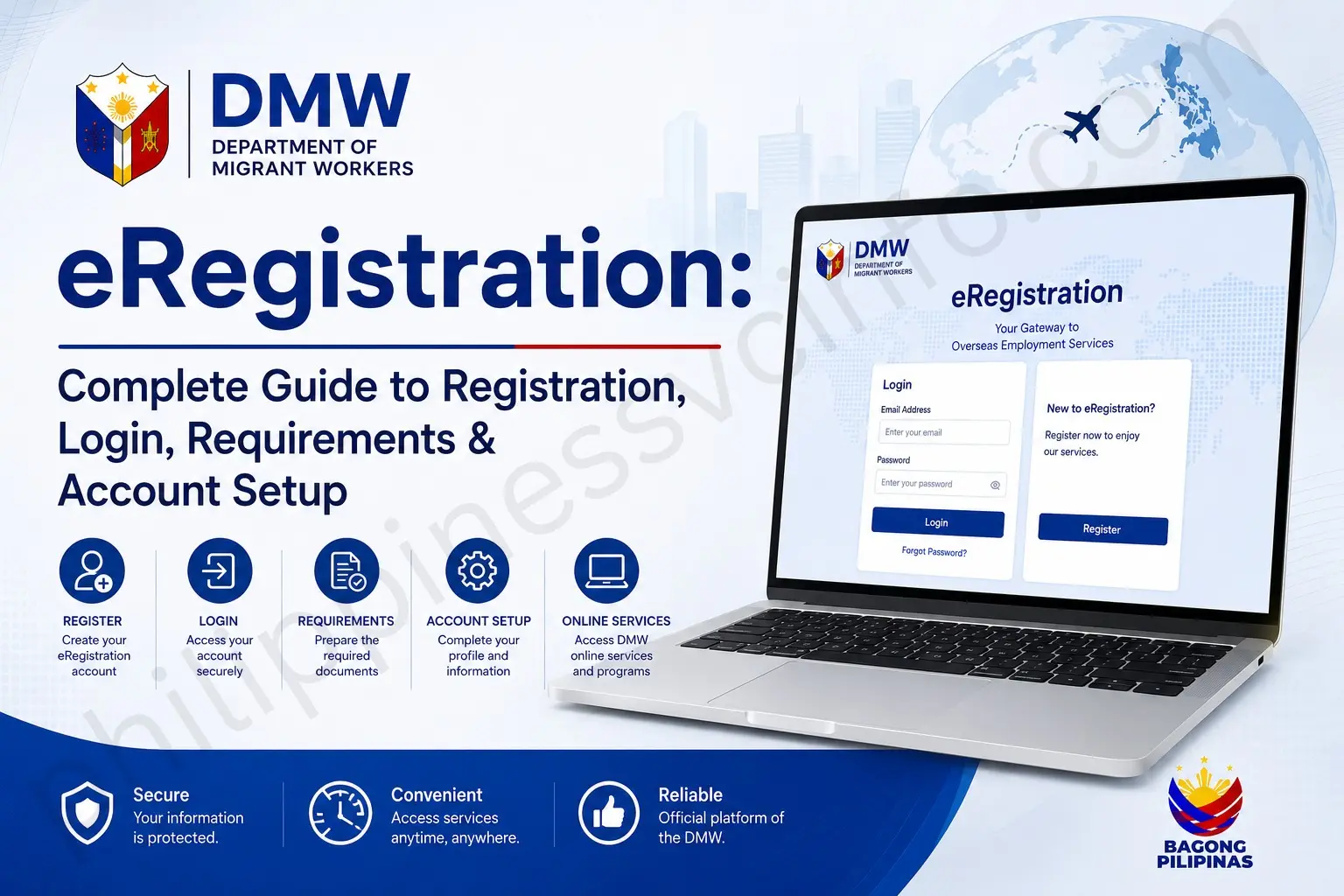
eRegistration is an online registration system that allows users to create an account, provide personal information, and access digital services through a secure platform. It replaces manual registration with a faster and more convenient process, enabling users to manage their profile, update information, and complete online transactions from anywhere with internet access.
What Is eRegistration?
eRegistration is the online registration system provided by the Department of Migrant Workers (DMW) for Overseas Filipino Workers (OFWs) and individuals planning to work abroad. The DMW eRegistration portal allows users to create an account, submit personal information, manage employment-related records, and access different overseas employment services digitally.
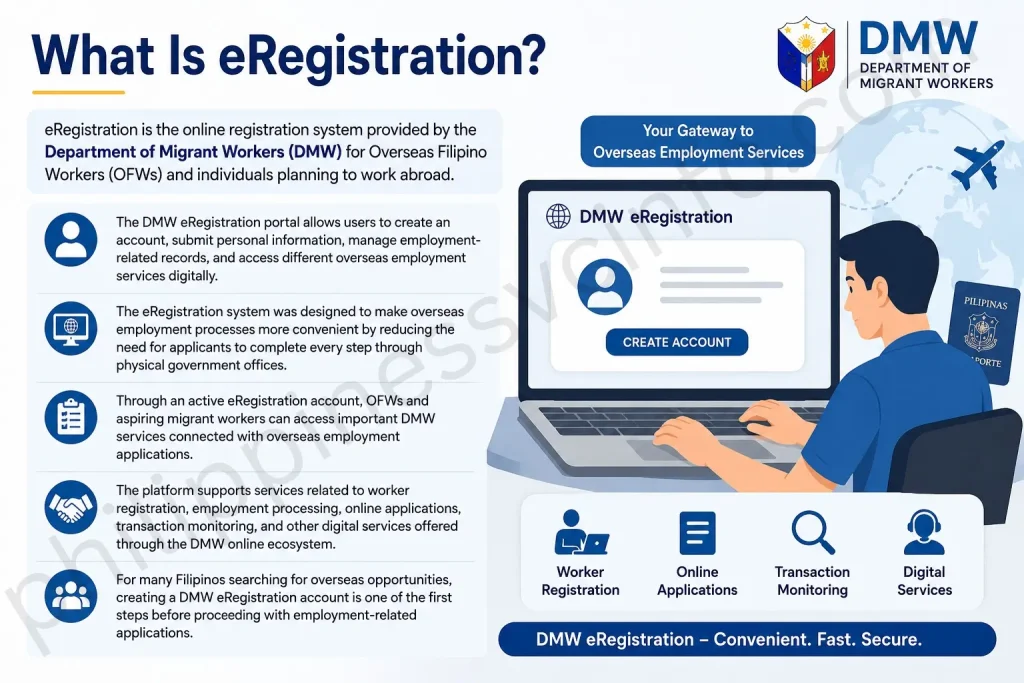
The eRegistration system was designed to make overseas employment processes more convenient by reducing the need for applicants to complete every step through physical government offices. Through an active eRegistration account, OFWs and aspiring migrant workers can access important DMW services connected with overseas employment applications.
The platform supports services related to worker registration, employment processing, online applications, transaction monitoring, and other digital services offered through the DMW online ecosystem.
For many Filipinos searching for overseas opportunities, creating a DMW eRegistration account is one of the first steps before proceeding with employment-related applications.
DMW eRegistration Portal Overview
The DMW eRegistration portal serves as a central online platform where users can register their information and maintain their overseas employment profile.
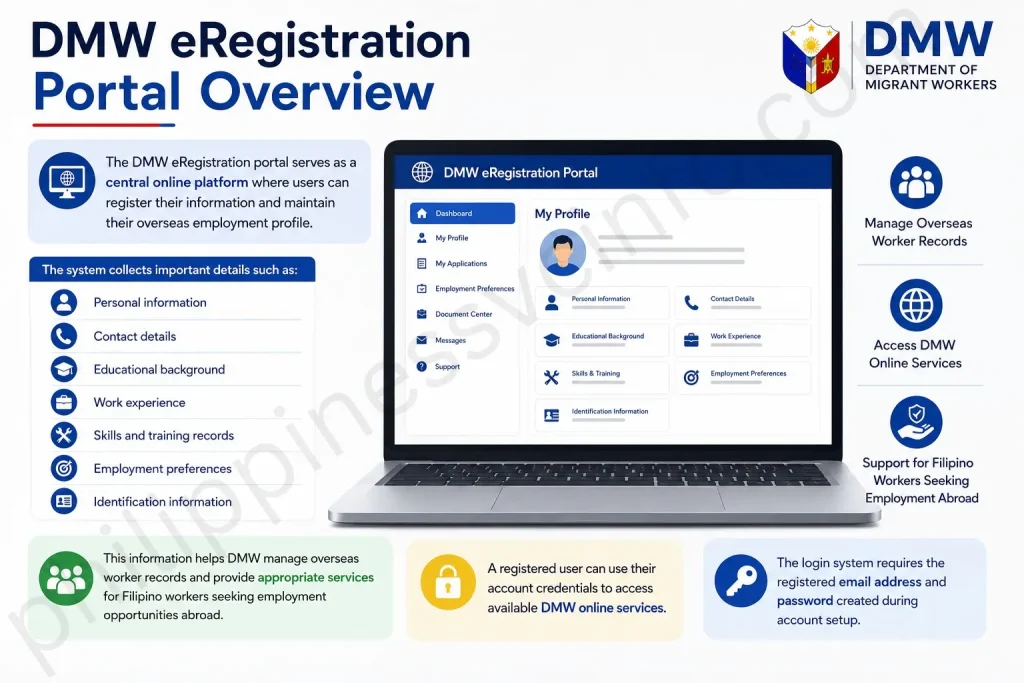
The system collects important details such as:
- Personal information
- Contact details
- Educational background
- Work experience
- Skills and training records
- Employment preferences
- Identification information
This information helps DMW manage overseas worker records and provide appropriate services for Filipino workers seeking employment opportunities abroad.
A registered user can use their account credentials to access available DMW online services. The login system requires the registered email address and password created during account setup.
Why Is DMW eRegistration Important?
The DMW eRegistration system plays an important role in organising overseas employment information and improving access to government services.
Some key benefits include:
1. Online Access to DMW Services
Instead of visiting government offices for every process, users can manage several employment-related activities through the online portal.
The platform provides easier access to services connected with:
- Overseas employment registration
- Worker information management
- Employment applications
- Document processing
- Transaction monitoring
2. Faster Account Management
Once an eRegistration account is created, users can update their information and maintain their profile online.
Keeping information accurate is important because DMW may use submitted details for employment processing, verification, and related services.
3. Better Record Organisation for OFWs
The system creates a digital profile containing important worker information. This helps streamline communication between applicants, government agencies, and overseas employment stakeholders.
DMW eRegistration Official Website
Users should always access the official DMW website when creating an account or logging in.
Official DMW eRegistration Registration Page
Create a new DMW eRegistration account through the official registration portal:
Official DMW Login Portal
Existing users can access their account here:
Important Security Tip
Avoid unofficial websites that copy the DMW design. Before entering personal details, always check that you are using the official DMW portal.
eRegistration Requirements for Account Creation
Before starting the DMW eRegistration registration process, prepare the required information to avoid delays.
Generally, users need the following details:
| Requirement | Purpose |
|---|---|
| Valid email address | Used for account communication and login |
| Complete name | Personal identification |
| Date of birth | Identity verification |
| Gender information | Profile creation |
| Contact details | Account updates and notifications |
| Personal information | Worker profile setup |
| Employment-related details | Overseas employment records |
The registration form requires users to provide accurate personal information during account creation.
Things to Prepare Before Creating Account
A smooth registration process depends on proper preparation.
Before starting, make sure:
✓ You have access to an active email address
✓ Your personal details match official documents
✓ Your internet connection is stable
✓ You can create and remember a secure password
✓ Your information is entered correctly
Incorrect details may create problems later when accessing DMW services.
How to Register for DMW eRegistration Account
Creating an eRegistration account requires completing an online registration form and submitting accurate information.
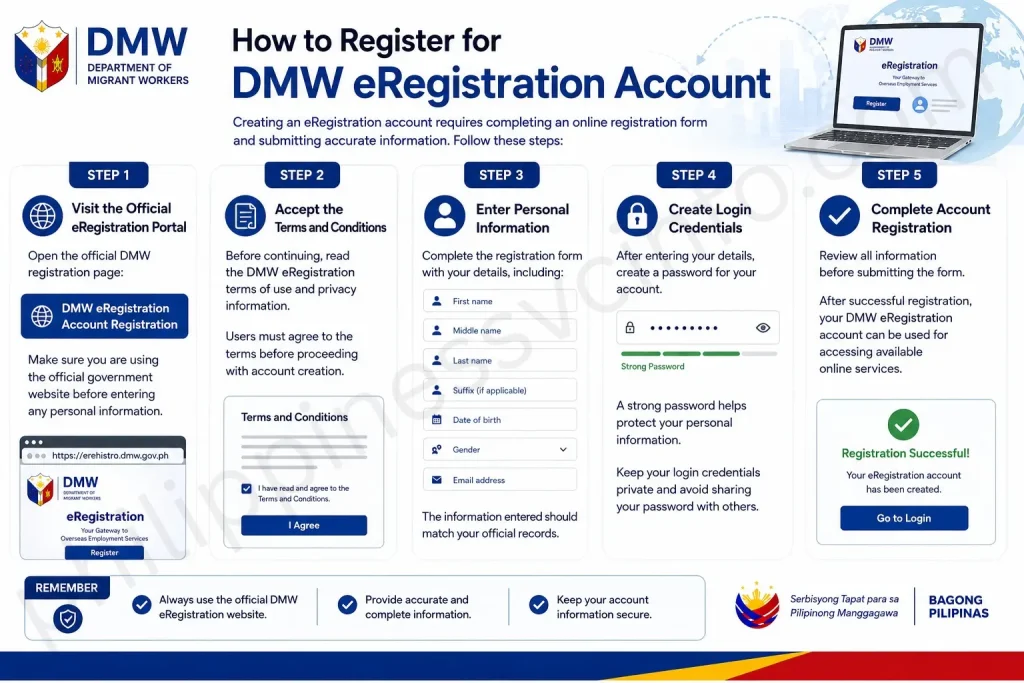
Follow these steps:
Step 1: Visit the Official eRegistration Portal
Open the official DMW registration page:
Make sure you are using the official government website before entering any personal information.
Step 2: Accept the Terms and Conditions
Before continuing, read the DMW eRegistration terms of use and privacy information.
Users must agree to the terms before proceeding with account creation.
Step 3: Enter Personal Information
Complete the registration form with your details, including:
- First name
- Middle name
- Last name
- Suffix (if applicable)
- Date of birth
- Gender
- Email address
The information entered should match your official records.
Step 4: Create Login Credentials
After entering your details, create a password for your account.
A strong password helps protect your personal information. Keep your login credentials private and avoid sharing your password with others.
Step 5: Complete Account Registration
Review all information before submitting the form.
After successful registration, your DMW eRegistration account can be used for accessing available online services.
How to Login to DMW eRegistration Account
After successfully creating your DMW eRegistration account, the next step is accessing your account through the official login portal. The eRegistration login allows registered users to view and manage their profile information and use available DMW online services.
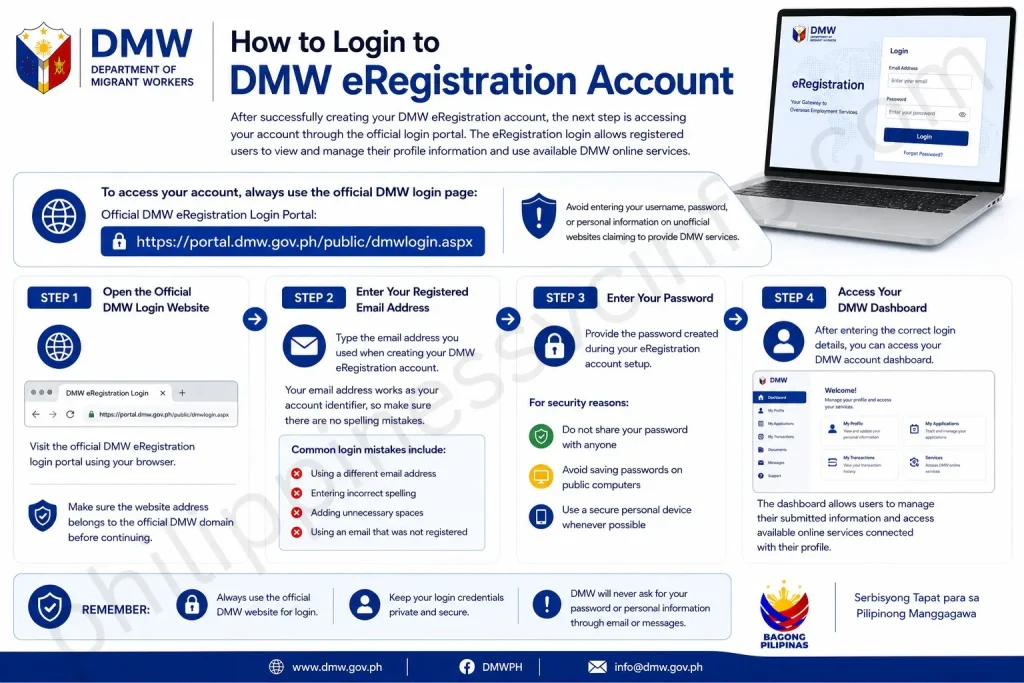
To access your account, always use the official DMW login page:
Avoid entering your username, password, or personal information on unofficial websites claiming to provide DMW services.
Step 1: Open the Official DMW Login Website
Visit the official DMW eRegistration login portal using your browser.
Make sure the website address belongs to the official DMW domain before continuing.
Step 2: Enter Your Registered Email Address
Type the email address you used when creating your DMW eRegistration account.
Your email address works as your account identifier, so make sure there are no spelling mistakes.
Common login mistakes include:
- Using a different email address
- Entering incorrect spelling
- Adding unnecessary spaces
- Using an email that was not registered
Step 3: Enter Your Password
Provide the password created during your eRegistration account setup.
For security reasons:
- Do not share your password with anyone
- Avoid saving passwords on public computers
- Use a secure personal device whenever possible
Step 4: Access Your DMW Dashboard
After entering the correct login details, you can access your DMW account dashboard.
The dashboard allows users to manage their submitted information and access available online services connected with their profile.
How to Complete Your DMW eRegistration Profile
Creating an account is only the first step. A complete profile helps ensure that your eRegistration account contains accurate information needed for DMW-related transactions.
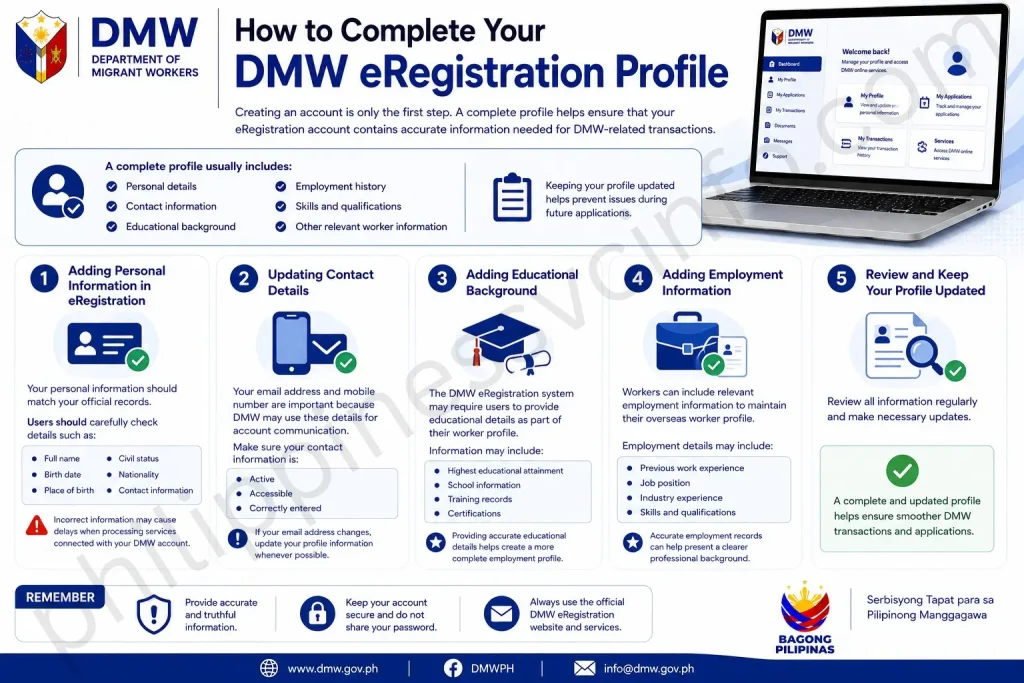
A complete profile usually includes:
- Personal details
- Contact information
- Educational background
- Employment history
- Skills and qualifications
- Other relevant worker information
Keeping your profile updated helps prevent issues during future applications.
Adding Personal Information in eRegistration
Your personal information should match your official records.
Users should carefully check details such as:
- Full name
- Birth date
- Place of birth
- Civil status
- Nationality
- Contact information
Incorrect information may cause delays when processing services connected with your DMW account.
Updating Contact Details
Your email address and mobile number are important because DMW may use these details for account communication.
Make sure your contact information is:
- Active
- Accessible
- Correctly entered
If your email address changes, update your profile information whenever possible.
Adding Educational Background
The DMW eRegistration system may require users to provide educational details as part of their worker profile.
Information may include:
- Highest educational attainment
- School information
- Training records
- Certifications
Providing accurate educational details helps create a more complete employment profile.
Adding Employment Information
Workers can include relevant employment information to maintain their overseas worker profile.
Employment details may include:
- Previous work experience
- Job position
- Industry experience
- Skills and qualifications
Accurate employment records can help present a clearer professional background.
DMW eRegistration Services and Features
The eRegistration portal provides digital access to several services designed for Filipino workers planning or currently involved in overseas employment.
Some important features include:
Digital Worker Profile Management
Users can create and maintain their online worker profile through their DMW eRegistration account.
This reduces repeated manual submission of basic personal information.
Online Access to Employment-Related Services
The portal connects users with available DMW digital services related to overseas employment processing.
Depending on eligibility and service availability, users may access different online transactions through their account.
Account Information Management
Users can review and update their information whenever changes occur.
Keeping information accurate is an important part of maintaining an active eRegistration account.
Common DMW Login Problems and Solutions
Although the eRegistration login process is straightforward, some users may experience difficulties when accessing their accounts.
Below are common problems and possible solutions.
Forgot eRegistration Password
For users who cannot remember their password, use the available password recovery option on the official DMW login page.
Before requesting a password reset:
- Confirm your registered email address
- Check your email inbox and spam folder
- Create a new secure password
Unable to Receive Account Emails
Sometimes users may not immediately receive DMW emails.
Possible solutions include:
- Check your spam or junk folder
- Confirm your email address is correct
- Wait a few minutes before requesting again
- Try accessing your email from another device
Incorrect Login Credentials
If your login attempt fails, check:
- Email spelling
- Password accuracy
- Caps Lock settings
- Internet connection
Entering incorrect credentials multiple times may temporarily prevent access.
Website Loading Problems
If the DMW eRegistration portal does not load properly, try:
- Refreshing the page
- Using another browser
- Clearing browser cache
- Checking your internet connection
- Trying again later
Government portals may experience temporary maintenance or high traffic periods.
How to Reset DMW eRegistration Password
If you forget your account password, you can recover access through the password reset option.
Step 1: Open the DMW Login Page
Visit the official DMW eRegistration login portal.
Step 2: Select Password Recovery Option
Choose the option related to forgotten passwords.
Step 3: Provide Required Account Information
Enter the requested details linked to your registered account.
Step 4: Create a New Password
Follow the instructions provided and create a new secure password.
After successful recovery, use the updated password to log in to your DMW eRegistration account.
DMW eRegistration Account Security Tips
Protecting your DMW eRegistration account is essential because it contains personal details connected with your overseas employment profile. A secure account helps prevent unauthorised access and protects your information while using DMW online services.
Create a Strong eRegistration Password
When setting up your eRegistration login details, choose a password that is difficult for others to guess.
Follow these security practices:
- Use a combination of letters and numbers
- Avoid using birthdays or common words
- Do not share your password with anyone
- Update your password if you suspect unauthorised access
The DMW portal also recommends using a password that you can remember and keeping your account credentials secure.
Use Only the Official DMW eRegistration Website
Always access your DMW eRegistration account through official DMW websites.
Official portals:
DMW eRegistration Account Creation:
DMW Login Portal:
DMW Online Recruitment Authority Application (ORAA):
The official DMW eRegistration portal allows users to create accounts, manage profiles, and access overseas employment-related online services.
Things to Remember Before Using eRegistration
Before completing your DMW eRegistration registration, keep these points in mind.
Provide Accurate Personal Information
All details entered during eRegistration account creation should be correct and complete.
Users should carefully review information such as:
- Full name
- Date of birth
- Email address
- Contact details
- Educational background
- Work experience
Accurate information helps avoid problems when using DMW services in the future.
Keep Your Email Account Active
Your registered email address is important because it is connected with your DMW account.
Make sure that:
- You can access your email anytime
- Your email password is secure
- You check important DMW notifications regularly
Avoid Creating Duplicate Accounts
If you already have a DMW eRegistration account, continue using your existing account instead of creating multiple profiles.
A single updated profile helps keep your information organised.
Benefits of DMW eRegistration
The DMW eRegistration system provides a convenient way for Filipino workers to manage their overseas employment information online.
Digital Worker Profile Management
Users can create an online profile containing important information such as personal details, education, training, skills, and employment background.
This digital profile supports different DMW online services for OFWs.
Easier Access to Overseas Employment Services
Through the eRegistration portal, users can access online services related to overseas employment processing.
The DMW online system supports services such as worker registration, employment-related applications, and transaction monitoring.
Convenient Online Account Updates
Registered users can manage their information through their account instead of repeatedly providing basic details for every transaction.
Keeping your profile updated makes future online processes smoother.
Common Mistakes During eRegistration
Many users experience delays because of simple registration mistakes.
Incorrect Personal Details
Entering incorrect information can create issues during verification or future transactions.
Always review your details before submitting your registration form.
Using an Inactive Email Address
An inactive email may prevent you from receiving important account messages.
Use an email address that you regularly access.
Sharing Login Credentials
Never share your DMW login email or password with unknown individuals.
Your account information should remain private.
DMW eRegistration Final Checklist
Before using your account, check that you have:
✓ Created your DMW eRegistration account
✓ Saved your login email and password securely
✓ Completed your personal profile
✓ Reviewed your submitted information
✓ Used only official DMW websites
✓ Updated information whenever necessary
A properly maintained DMW eRegistration account helps OFWs access digital services more efficiently.
Frequently Asked Questions And Answers
Conclusion
The DMW eRegistration portal is an important online tool for Filipino workers who need access to overseas employment services. Creating an account, completing your profile, and keeping your information updated can make future transactions smoother.Always use the official DMW websites when registering or logging in, protect your account credentials, and provide accurate information during the registration process.A properly maintained DMW eRegistration account helps users stay connected with available digital services and manage their overseas employment information more efficiently.
Discover What You Need to Know:
- OLFU AIMS Login Guide 2026: Enrollment, Grades, Student Portal & Account Access
- Metrobank Philippines 2026: Online Banking, Login, Accounts & Loans
- ARCarrierPoint.net 2026 Complete Guide With Features, Services, Benefits & How to Use
- Tinkercad 2026: Complete Guide to 3D Design, CAD, Circuits, Codeblocks & 3D Printing
- eGovPH Philippines 2026: Registration, Login & Services Guide








