The GSIS website is the official online source of information and services for members of the Government Service Insurance System in the Philippines. It provides government employees, retirees, pensioners and beneficiaries with access to information about membership, retirement, insurance, loans, claims, pensions and other GSIS services.
For many digital transactions, members can also use GSIS Touch, the mobile application promoted by GSIS for checking records, monitoring and applying for loans, filing claims-related services and completing Annual Pensioners’ Information Revalidation (APIR). GSIS confirms that GSIS Touch is available through the Apple App Store and Google Play.
What Is the GSIS Website?
The GSIS website is the official online platform of the Government Service Insurance System. It serves as a central information source for active members and pensioners who need to understand their GSIS membership, benefits, retirement options, loans and other services.
The website also publishes official announcements, advisories, forms, benefit information and service updates. Because GSIS services and requirements can change, members should check the official GSIS website before submitting an application or relying on information from unofficial websites.
GSIS Website and GSIS Touch
It is useful to understand the difference between the GSIS website and GSIS Touch.
| Platform | Main purpose |
|---|---|
| GSIS Website | Official information, announcements, forms, policies and service guidance |
| GSIS Touch | Mobile access to selected member and pensioner services |
| GSIS Branch | In-person assistance and transactions when required |
GSIS has increasingly expanded digital services through GSIS Touch. Official GSIS information says the app can be used to view records, apply for and monitor loans, access claims-related services and complete APIR.
GSIS Registration: How to Get Started
Before using online GSIS services, members need their GSIS information to be properly recorded. Your BP Number, date of birth and registered contact information may be required for digital account access.
The exact registration process can depend on the current GSIS Touch version and the member’s records. Use the official GSIS channels rather than third-party registration pages.
Basic GSIS Registration Process
- Download the official GSIS Touch application from the Apple App Store or Google Play.
- Open the application and select the registration or account-creation option available to you.
- Enter the requested GSIS identification details, such as your BP Number and date of birth.
- Complete the required verification process.
- Create your login credentials when prompted.
- Keep your registered mobile number and other account information up to date.
If your personal information does not match GSIS records, registration may not proceed normally. In that situation, contact GSIS or your authorised agency officer for assistance.
GSIS Login Guide
The GSIS login process is designed to give members access to their available digital services. If you already have a GSIS Touch account, open the application and enter the credentials associated with your account.
Depending on the device and available security features, additional authentication may be requested.
What to Do If GSIS Login Does Not Work
A failed GSIS login can happen for several reasons, including incorrect credentials, an account problem, outdated contact information or temporary system maintenance.
Try these steps:
- Check that your username and password are entered correctly.
- Make sure you are using the latest official GSIS Touch application.
- Check your internet connection.
- Use the available password-recovery option if you have forgotten your credentials.
- If your account or personal information needs correction, contact GSIS through its official support channels.
- Check the official GSIS website for system advisories.
GSIS has periodically announced maintenance periods during which GSIS Touch and other digital services may temporarily become unavailable.
GSIS Membership and Eligibility
GSIS membership is generally compulsory for government employees covered by Republic Act No. 8291. The official GSIS website states that membership applies to government employees receiving compensation who have not reached compulsory retirement age, subject to the exclusions provided by law.
The coverage rules are important because not every person working for a government-related organisation necessarily has the same GSIS status.
Official GSIS information identifies exclusions including certain contractual workers without an employer-employee relationship and uniformed members of the AFP and PNP, which are covered under separate arrangements. Members of the Judiciary and Constitutional Commissions also have special coverage rules.
Why Your GSIS Membership Matters
Your GSIS membership can be connected with several forms of social insurance protection, including:
- Life insurance
- Retirement benefits
- Disability benefits
- Survivorship benefits
- Funeral benefits
- Loan facilities
- Other programmes provided under applicable GSIS laws and policies
Your actual eligibility depends on your membership status, service history, contributions and the specific benefit or programme involved.
GSIS Contributions
GSIS contributions are connected to an employee’s compensation and are remitted through the government employer. Members should regularly check their records so that missing or incorrect premium postings can be identified early.
For current contribution rates and applicable rules, always rely on the official GSIS information rather than an old contribution table published elsewhere.
How to Check GSIS Contribution Records
If the relevant feature is available in your GSIS Touch account:
- Open GSIS Touch.
- Sign in using your registered credentials.
- Open the records or contribution-related section.
- Review the premium information displayed for your account.
- If you find missing or incorrect postings, coordinate with your agency or GSIS for verification.
Keeping track of your GSIS contributions is particularly useful when preparing for retirement or checking whether your service records are complete.
GSIS eCard and UMID
The GSIS eCard/UMID is associated with several GSIS transactions and may be used as an identification and payment-related card depending on the member’s circumstances and the current GSIS arrangements.
Members should not assume that every historical eCard procedure remains unchanged. For a new card, replacement, activation or related transaction, check the latest instructions on the official GSIS website or contact GSIS directly.
GSIS Loans
The GSIS loan programme is an important service for eligible government employees and pensioners. Available loan products and their conditions can vary, so applicants should check the current GSIS rules before applying.
GSIS Touch is now an important channel for digital loan services. GSIS says the app allows members to apply for and monitor loans.
Common GSIS Loan Services
Depending on current eligibility and programme availability, GSIS may offer different forms of financial assistance, such as:
- Conso-Loan
- Emergency Loan
- Policy Loan
- Pension Loan
- Other specialised loan programmes
The availability, maximum amount, interest rate, repayment period and qualification requirements should always be confirmed from current GSIS information.
How to Apply for a GSIS Loan
A typical digital application involves:
- Open the GSIS Touch app.
- Sign in to your account.
- Open the loan section.
- Review the loan programmes available to you.
- Check the tentative computation and applicable deductions.
- Select the appropriate loan option.
- Complete the required authentication.
- Submit the application.
- Monitor the application through the available GSIS Touch features.

The exact steps can change when GSIS updates its digital platform, so follow the instructions displayed in the current official application.
How to Check GSIS Loan Balance
Members who have active loans can use available digital services to monitor their loan information.
Look for the relevant loan records, where available, to review information such as outstanding balances, payment history and other account details. If the information appears incorrect, contact GSIS or your agency rather than relying on an unofficial calculator or website.
GSIS Retirement Benefits
Retirement is one of the most important reasons government employees research the GSIS website. GSIS administers several retirement laws, and the applicable retirement option depends on factors such as the member’s age, service history and the law under which the member qualifies.
The official GSIS retirement page currently identifies four retirement laws: RA 8291, PD 1146, RA 1616 and RA 660. It also explains the Portability Law under RA 7699, which can allow qualifying members to combine public- and private-sector periods for certain benefit purposes.
This means there is no single retirement formula that applies to every GSIS member.
Important GSIS Retirement Factors
Before filing a retirement claim, check:
- Your age
- Creditable government service
- Premium payment history
- Applicable retirement law
- Retirement date
- Available retirement options
- Required documents
- Whether your service record is complete
For RA 8291 retirement benefits, eligibility and benefit computation should be checked against the current GSIS rules rather than relying on a general age-and-service statement.
GSIS Retirement Requirements
GSIS currently lists requirements for retirement applications that can include:
- A duly accomplished retirement/separation/life insurance benefit application form
- Service Record with Leave Without Pay certification where applicable
- Declaration of Pendency/Non-Pendency of Case form
Additional documents may apply depending on the retirement law and the member’s circumstances.
GSIS Retirement Calculator
A GSIS retirement calculator can be useful for obtaining an estimate, but members should distinguish an estimate from the final benefit computation made by GSIS.
Your retirement benefit can depend on your applicable retirement law, service history, premium records, salary information and selected retirement option. GSIS provides official retirement information and application procedures through its website and digital channels.
When planning retirement, compare the available options carefully instead of choosing a payment arrangement based only on the largest initial amount.
GSIS Pension
The GSIS pension is a major benefit for qualified retirees. The amount and form of payment depend on the applicable retirement law, the member’s service record, salary history and the retirement option selected.
Because GSIS has several retirement laws, pensioners should confirm their specific entitlement directly with GSIS before making retirement decisions. The official GSIS website remains the best source for current retirement and pension information.
GSIS Monthly Pension
Depending on the applicable retirement programme, a qualified retiree may receive a monthly pension or another form of retirement benefit. Some retirement options may involve a lump-sum payment followed by a monthly pension, while others have different payment arrangements.
The exact benefit should be determined through the applicable GSIS rules and official computation. A general online calculator should therefore be treated only as an estimate.
GSIS Annual Pensioners’ Information Revalidation (APIR)
APIR, or Annual Pensioners’ Information Revalidation, is an important process for eligible GSIS pensioners. It helps GSIS confirm that pensioners continue to meet the requirements for receiving their benefits.
GSIS has provided digital APIR through GSIS Touch, allowing eligible pensioners to complete the process using facial authentication rather than always visiting a GSIS office.
How to Complete GSIS APIR Through GSIS Touch
The general process is:
- Install or open the official GSIS Touch application.
- Sign in to your GSIS account.
- Select the available APIR or pensioner revalidation service.
- Follow the facial authentication instructions shown on screen.
- Position your face correctly within the camera frame.
- Complete the verification process.
- Wait for confirmation that your revalidation has been recorded.

The exact screens may change when GSIS updates the application, so follow the instructions displayed in the current version of GSIS Touch.
Why GSIS APIR Matters
Completing APIR when required helps pensioners keep their information updated and avoid problems associated with incomplete revalidation.
If facial authentication fails repeatedly, check your lighting, camera access and internet connection. If the problem continues, contact GSIS through its official support channels.
GSIS Benefits
The GSIS benefits programme covers several types of protection for qualified members, retirees and beneficiaries. The benefit available to a person depends on membership status, contributions, service history and the specific rules governing the claim.
Major GSIS benefit categories include:
| GSIS Benefit | General Purpose |
|---|---|
| Life Insurance | Provides insurance protection and applicable benefits to qualified members |
| Retirement | Provides retirement benefits under applicable GSIS laws |
| Disability | Provides benefits for qualifying disability cases |
| Survivorship | Provides benefits to qualified beneficiaries after a member’s death |
| Funeral | Provides financial assistance subject to GSIS requirements |
| Separation | Provides applicable benefits to qualifying separated members |
Members should check the official GSIS rules for eligibility before preparing a claim because requirements can differ between benefit categories.
GSIS Life Insurance
Life insurance is part of the protection provided under GSIS membership. Depending on the applicable insurance programme, benefits may be payable upon maturity, retirement or death.
The amount and type of benefit depend on the member’s insurance coverage and applicable GSIS rules. Beneficiaries should therefore use the official GSIS website when checking current requirements and claim procedures.
GSIS Disability Benefits
Qualified members may receive disability benefits when they meet the applicable GSIS requirements.
Disability benefits can vary according to the nature and degree of disability, whether the condition is related to employment and other factors established under GSIS policies.
Anyone preparing a disability claim should obtain the appropriate forms and supporting medical or employment documents based on the specific claim type.
GSIS Survivorship Benefits
GSIS survivorship benefits are intended for qualified beneficiaries of a deceased member or pensioner.
Depending on the circumstances, eligible beneficiaries may receive a pension, cash benefit or other applicable assistance. The exact entitlement depends on the member’s GSIS record and the relationship and qualification of the beneficiary.
Before submitting a survivorship claim, beneficiaries should verify the current document requirements with GSIS.
GSIS Funeral Benefit
A GSIS funeral benefit may be available to the person who paid for the funeral expenses of a qualified member or pensioner.
The amount and eligibility rules should be checked against the latest official GSIS information. Requirements may include proof of the member’s death, identification documents and evidence showing who paid the funeral expenses.
GSIS Claims
GSIS claims cover a range of benefits, including retirement, disability, survivorship, separation and other applicable programmes.
The process depends on the type of claim. Some services may be initiated or monitored digitally, while other transactions may require documents to be submitted through an agency, GSIS branch or another authorised channel.
Before Filing a GSIS Claim
Prepare the information that GSIS is likely to need, such as:
- GSIS membership details
- BP Number
- Service Record
- Relevant application form
- Valid identification
- Supporting certificates or clearances
- Bank or card information where required
- Additional documents specific to the claim
Do not submit unnecessary documents from unofficial websites. Use the current forms and requirements published through the official GSIS website.
Checking GSIS Records Online
Members can use available GSIS digital services to review information associated with their account.
Depending on the current GSIS Touch features, members may be able to access information relating to:
- Premium records
- Loan records
- Member information
- Claims-related services
- Other available GSIS transactions
Checking your records regularly can help you identify missing information before it becomes a problem during a loan, retirement or benefit application.
GSIS Loan Balance and Payment Records
If you have an existing GSIS loan, monitoring the balance can help you understand your remaining obligation and payment history.
Through available GSIS Touch services, members can check applicable loan records and information displayed in their accounts. If a payment does not appear or the balance seems incorrect, keep your supporting payment information and contact GSIS or your agency for verification.
Common Reasons to Check Your GSIS Loan Balance
You may want to check your balance when:
- Planning another loan application
- Confirming recent deductions
- Preparing for retirement
- Reviewing payroll deductions
- Checking whether an old loan has been fully settled
- Comparing your records with your agency’s payroll information
GSIS Service Records and Premium Posting
Your GSIS service record and premium history can become particularly important when you apply for retirement or other benefits.
If your records contain missing periods, incorrect dates or unposted premiums, resolve the issue as early as possible. Contact your agency’s authorised personnel and GSIS when necessary so the records can be reviewed.
Do not wait until the day of retirement filing to discover a long-standing records problem.
GSIS Online Services: What Members Can Do?
The digital GSIS ecosystem is designed to reduce the need for members and pensioners to visit a branch for every transaction.
Depending on the service currently available, GSIS Touch can provide access to functions such as:
- Member account access
- Premium and membership records
- Loan services
- Loan monitoring
- Claims-related services
- APIR
- Other digital transactions introduced by GSIS
The official GSIS website remains useful for announcements, policies, forms and detailed explanations that may not appear inside the app.
GSIS Touch App
GSIS Touch is the main mobile platform members should know when looking for current digital GSIS services.
GSIS has described the application as a way for members and pensioners to access services remotely, including checking records, applying for and monitoring loans, accessing claims-related services and completing APIR.
Where to Get GSIS Touch
Download the application only through official app stores and verify that the application is published by the appropriate GSIS source.
Avoid downloading APK files or modified applications from unknown websites. A third-party application could expose your account credentials or personal information.
GSIS Website Official Link
For reliable information, use the official GSIS domain:
When searching Google for GSIS login, GSIS retirement, GSIS loan, GSIS benefits or GSIS requirements, check that the website address is genuinely associated with the official GSIS domain before entering personal information.
GSIS Login and Account Security Tips
Your GSIS account can contain sensitive personal, employment and financial information. Good account security is therefore essential.
Follow these practices:
- Never share your password with another person.
- Never disclose an OTP to someone claiming to be a GSIS representative.
- Use only the official GSIS website and official GSIS Touch application.
- Avoid logging in from public or shared computers.
- Keep your mobile device’s operating system updated.
- Use biometric authentication when it is available and appropriate.
- Do not click suspicious links claiming to provide GSIS benefits or pension increases.
- Check official GSIS announcements before responding to unexpected messages.
Beware of Fake GSIS Websites
Scammers can create pages that imitate government websites. A page using the words “GSIS” in its title does not automatically mean that it is official.
Before entering your BP Number, password, OTP or other personal details, check the domain carefully.
GSIS Pension Increase Updates
Members and pensioners frequently search for GSIS pension increase announcements. However, pension increases should not be assumed based on social media posts, videos or unverified websites.
When a pension adjustment or other major policy change is officially announced, GSIS publishes information through its official communication channels.
For this reason, pensioners should check the GSIS website and official GSIS announcements for the latest information rather than relying on forwarded messages.
GSIS Contact and Customer Support
If you need help with your GSIS account, loan, pension, retirement claim, records, or GSIS Touch, you can contact the Government Service Insurance System through its official customer support channels.
GSIS Contact Center
The current contact numbers published by GSIS are:
- Metro Manila: (02) 8847-4747
- Globe/TM: 1-800-8-847-4747
- Smart/Sun/TNT: 1-800-10-847-4747
- Email: [email protected]
GSIS has published these contact details in recent official advisories and service announcements.
GSIS Requirements: What Should You Prepare?
The exact GSIS requirements depend on the service you are requesting. A retirement application, loan request, pension-related transaction and survivorship claim can each require different documents.
Before starting a transaction, check the latest requirements on the official GSIS website and use the appropriate forms. This is especially important for retirement and benefit claims because requirements may vary according to the applicable law and the member’s circumstances.
Common Information Used for GSIS Transactions
Depending on the service, you may need:
- BP Number
- Date of birth
- Valid government-issued identification
- Service Record
- GSIS membership information
- Premium or contribution records
- Completed application forms
- Supporting certificates or clearances
- Registered mobile number
- Relevant pension, loan or insurance information
Not every transaction requires all of these documents.
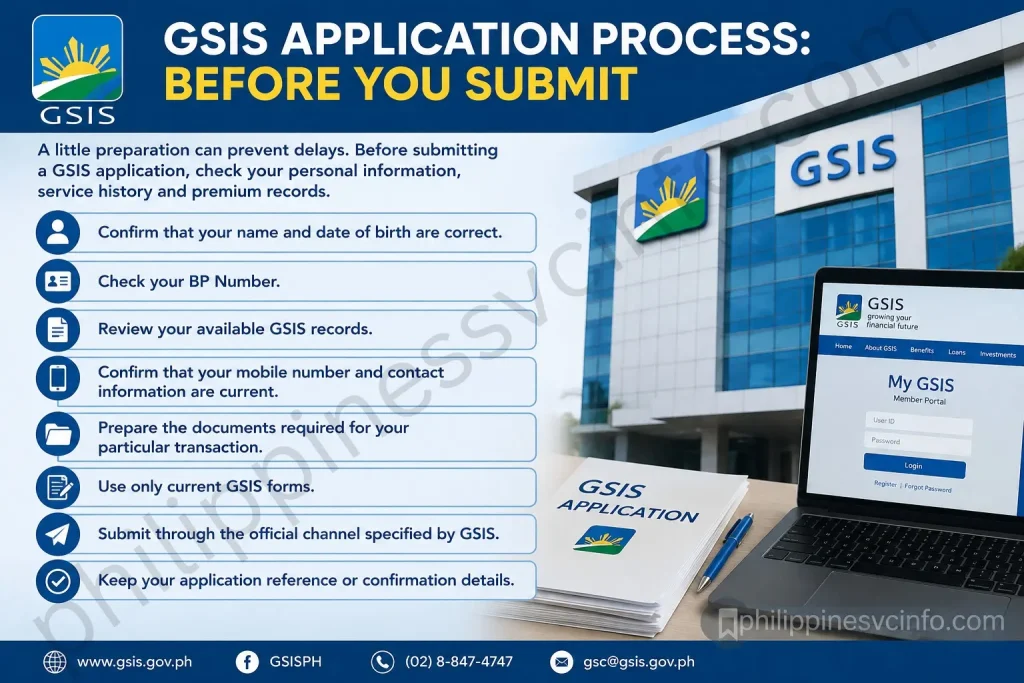
GSIS Application Process: Before You Submit
A little preparation can prevent delays. Before submitting a GSIS application, check your personal information, service history and premium records.
Use this simple preparation routine:
- Confirm that your name and date of birth are correct.
- Check your BP Number.
- Review your available GSIS records.
- Confirm that your mobile number and contact information are current.
- Prepare the documents required for your particular transaction.
- Use only current GSIS forms.
- Submit through the official channel specified by GSIS.
- Keep your application reference or confirmation details.
If you are applying for retirement, start checking your records well before your intended retirement date.
GSIS Status Checking
Members may want to check the status of a GSIS loan, claim or other transaction after submitting an application.
Where status tracking is available through GSIS Touch, sign in and open the relevant service or transaction section. Review the status shown and any instructions attached to the application.
If a transaction remains pending for longer than expected, do not repeatedly submit duplicate applications. Instead, check the official GSIS announcements and contact GSIS or your agency for assistance.
Common GSIS Problems and Solutions
GSIS Touch Is Not Opening
If the GSIS Touch application does not open correctly:
- Check your internet connection.
- Restart the application.
- Restart your phone.
- Check whether an app update is available.
- Make sure your device has sufficient storage.
- Check official GSIS announcements for maintenance notices.
If the problem affects many users, the issue may be related to temporary system maintenance rather than your account.
GSIS OTP Is Not Received
If you do not receive an OTP:
- Confirm that your registered mobile number is correct.
- Check whether your phone has a mobile signal.
- Wait briefly before requesting another OTP.
- Avoid repeatedly requesting codes within a short period.
- Contact GSIS or your authorised agency personnel if your registered number needs updating.
Never give an OTP to another person, even if they claim to be helping you with your GSIS account.
GSIS Password Forgotten
Use the password-recovery option provided in the official GSIS Touch application if available.
Follow the verification instructions shown on screen and create a new password that is difficult for others to guess.
If self-service recovery does not work, use the official GSIS support channels rather than a third-party “account recovery” service.
GSIS Records Are Incorrect
If your GSIS records contain incorrect information, do not ignore the problem.
For example, a missing premium posting or incorrect service period could become important when applying for retirement or another benefit. Contact your agency’s authorised personnel and GSIS to determine what documents are needed to correct the record.
How to Use the GSIS Website Safely
The official GSIS website should be your first source when looking for information about GSIS services.
Before using an online service, check the web address. The official GSIS domain supplied for this guide is:
Avoid websites that ask for your BP Number, password, OTP or banking information while pretending to be an official GSIS service.
Safe GSIS Online Practices
- Use the official GSIS domain.
- Download GSIS Touch only from recognised app stores.
- Never share OTPs.
- Do not share your GSIS password.
- Be careful with pension-increase messages received through social media.
- Avoid suspicious links sent through SMS or email.
- Keep evidence of legitimate applications and payments.
- Check official announcements for service interruptions.
GSIS Quick Reference
| Service | Main Digital Channel | What to Check |
|---|---|---|
| GSIS Registration | GSIS Touch | BP Number and registered information |
| GSIS Login | GSIS Touch | Username/password and verification |
| Contributions | GSIS Touch | Premium posting and records |
| GSIS Loans | GSIS Touch | Eligibility, computation and balance |
| Retirement | GSIS Touch / authorised channels | Retirement law and service record |
| Pension | GSIS digital services | Pension records and applicable requirements |
| APIR | GSIS Touch | Annual revalidation instructions |
| Claims | GSIS Touch / GSIS channels | Claim-specific requirements |
| General Information | GSIS Website | Current policies and announcements |
Frequently Asked Questions About GSIS
Conclusion
The GSIS website remains an important source of official information for Philippine government employees, retirees, pensioners and beneficiaries. Through the official GSIS website and GSIS Touch, users can access information and available digital services related to membership, contributions, loans, retirement, pensions, claims and APIR. Always review the latest GSIS requirements and announcements before starting an important transaction. For secure access, use only the official GSIS website and the authorised GSIS Touch application. Keep your account details, password and OTP private, and contact GSIS directly when records, applications or online services require clarification. Using official channels helps ensure that the information you follow is current and protects you from fraudulent websites and misleading GSIS-related offers.
Discover What You Need to Know:
- May Huli Ka Portal: Check MMDA Violations, Fines & E-Contest
- PAIS PNP: Complete Guide to Login, Registration, Requirements & Account Access 2026
- DILG MISMO Portal Philippines: Registration, Login, Requirements & Online Services 2026
- DILG Official Website Guide: Services, Requirements, Online Applications & Forms 2026
- SSS Employer Philippines Complete Guide of Registration, Contributions & Payment Guide